
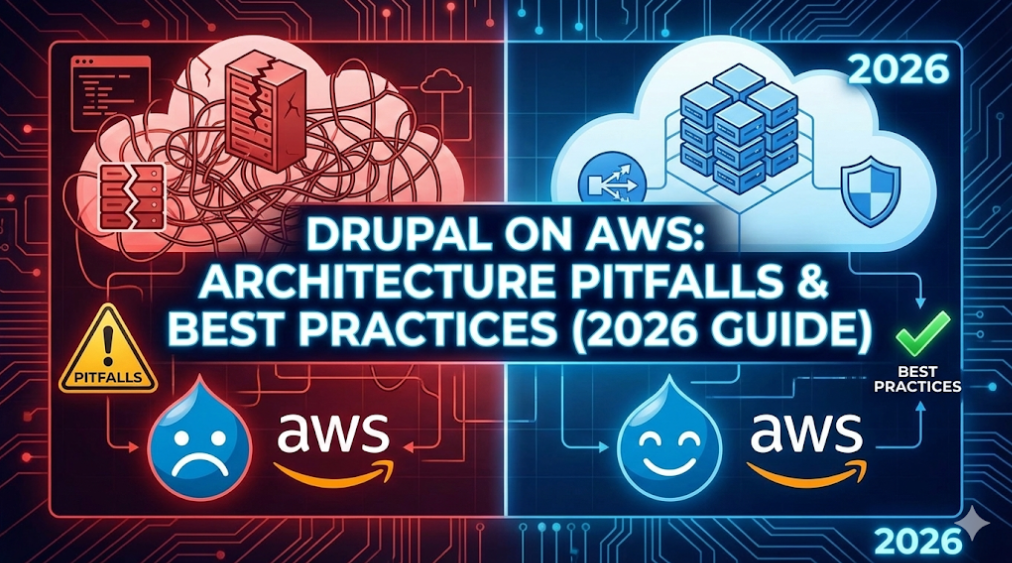
Drupal on AWS: Architecture Pitfalls & Best Practices (2026 Guide)
🎧 Listen, Watch, & Learn
Before diving into the architecture breakdown, explore the deep-dive research and multimedia discussions behind this guide.
- 📄 Deep Dive Research: Read the full Perplexity Analysis
- 📺 Video Breakdown: Watch the Visual Analysis
- 🎙️ Podcast Discussion: Listen to the Episode on Buzzsprout
Key Takeaways (TL;DR)
- The Trap: Hosting Drupal on AWS is often mistaken for a simple EC2 setup, but it requires a complex distributed system including RDS, EFS, and CloudFront.
- The Risk: Most teams choose fragile paths: single “snowflake” servers, generic PaaS limitations, or complex Kubernetes (EKS) setups they can’t secure.
- The Solution: You need an orchestration layer (like DevPanel) to automate the “Real Checklist”: GitOps, valid backups, secrets management, and observability.
Why Your Drupal on AWS Architecture is Probably Wrong
Hosting Drupal on Amazon Web Services (AWS) is far more complex than deploying a simple static application. A proper, production-grade setup is not just an EC2 instance with a LAMP stack; it is a distributed system.
To get it right, you must manage compute for the PHP-FPM runtime (on EC2 or containers like ECS/EKS), a managed database like Amazon RDS or Aurora, shared file storage via EFS or S3, and content delivery through CloudFront. On top of that, you must correctly configure TLS, DNS, backups, monitoring, and security services to hold it all together.
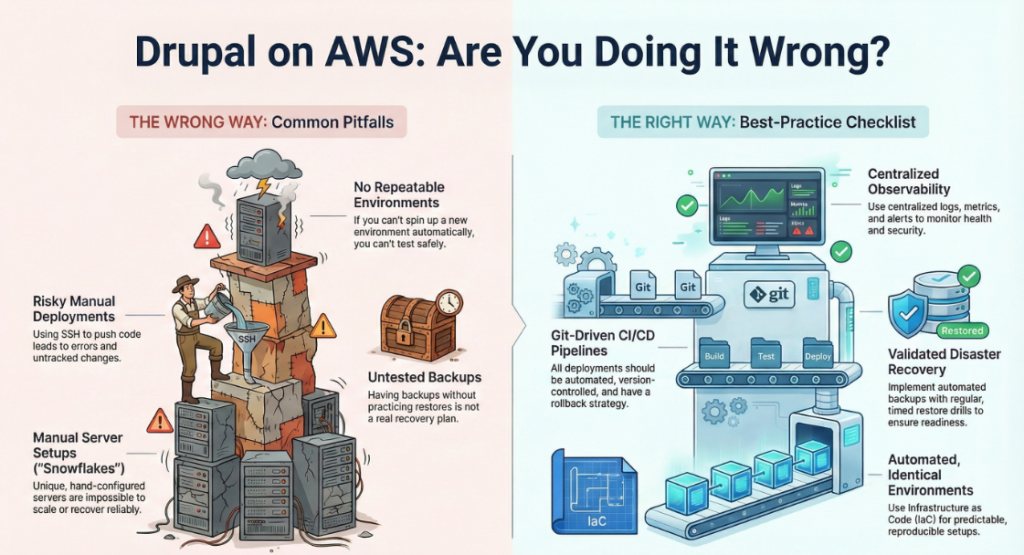
The core problem is that many teams underestimate this complexity. They mistake “running on AWS” for running a well-architected system. This often leads to setups that are fragile, expensive, and insecure.
1. The 3 Common Architectural Paths (And Why They Fail)
Most teams default to one of three paths. Here is why they usually break.
Path A: The Single EC2 Instance (“The Simple Trap”)
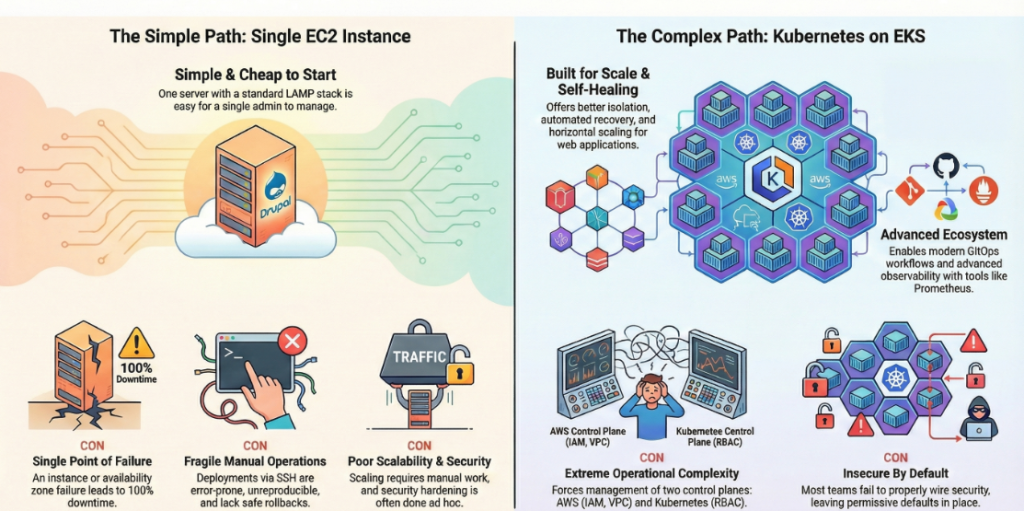
This involves running the entire Drupal stack—web server, PHP, database, and files—on a single EC2 virtual machine.
- The Appeal: It is simple to start and cheap at low scale.
- The Failure: It violates AWS high-availability best practices. Since the database and files are tightly coupled to one VM, any availability zone outage causes complete downtime. Security is usually ad hoc, and deployments are often manual SSH operations, leading to errors.
Path B: The Managed PaaS (“The Generic Trap”)
This path uses platforms like AWS Elastic Beanstalk or generic PHP hosting.
- The Appeal: It hides infrastructure complexity (Auto Scaling, health checks).
- The Failure: You inherit generic defaults that don’t understand Drupal. As complexity grows, you are forced to bolt on services like EFS or ElastiCache piecemeal. This turns rollbacks and environment parity into platform-specific hacks rather than smooth workflows.
Path C: Kubernetes / EKS (“The Complexity Trap”)
This involves containerizing Drupal and running it on Amazon EKS.
- The Appeal: Promises isolation, self-healing, and horizontal scaling.
- The Failure: It introduces a “dual-control-plane” problem. You must manage AWS IAM and Kubernetes RBAC, VPC networking and K8s policies. Most teams fail to wire these securely, leaving clusters with unsafe defaults. Day-2 operations often devolve into fragile scripts and tribal knowledge.
2. The Real Checklist for Production-Grade Drupal
What does a valid “hosting” setup look like? A resilient Drupal platform on AWS requires disciplined automation across nine distinct domains.
- Reproducible Environments: Dev, stage, and prod must use Infrastructure as Code (IaC) templates (CloudFormation/Terraform) to ensure parity.
- Automated CI/CD & Rollbacks: Deployments must come from Git pipelines, not manual SSH. You need a documented, automated rollback strategy.
- Centralized Secrets Management: Store credentials in AWS Secrets Manager or SSM Parameter Store, never in
settings.php. - Validated Recovery (DR): Backups are useless without tested restores. You must regularly drill your RPO/RTO to prove you can recover from RDS snapshots.
- Files & Media Strategy: Use durable shared storage (EFS/S3) for multi-node setups, fronted by CloudFront.
- Comprehensive Observability: Centralized logs (CloudWatch), metrics, and tracing are mandatory for diagnosing distributed system errors.
- Hardened Security: Implement least-privilege IAM, WAF at the edge, and continuous patching. Do not rely on defaults.
- Scaling & Cost Control: Use Auto Scaling groups and spot instances where appropriate to avoid “cloud bloat”.
- Compliance: Ensure data residency and encryption align with regulatory needs.
[Image: Insert visual checklist or CI/CD pipeline diagram]
3. Top 5 “Doing It Wrong” Anti-Patterns
If you recognize these patterns, your infrastructure is at risk.
- Snowflake Servers: Unique, hand-configured servers that cannot be reproduced automatically.
- Manual SSH Deploys: Pushing code via SSH leads to configuration drift and untracked changes.
- Backups Without Drills: If you haven’t tested a restore, you don’t have a disaster recovery plan.
- No Separation of Concerns: Developers SSH-ing into production to tweak config breaks the shared-responsibility model.
- Always-On Dev Environments: Running non-prod stacks 24/7 on on-demand instances is a waste of budget.
4. The Solution: An Application Orchestration Layer
The fix isn’t more scripts; it is Application Orchestration.
An orchestration layer acts as a bridge between raw AWS services and your Drupal application. It standardizes provisioning, deployment, and policy so that development, testing, and production are consistent and disposable. It automates the “boring” but critical work: build flows, rollbacks, guardrails, and security policies.
Why DevPanel?
DevPanel is a Drupal-aware orchestration layer for AWS. It operationalizes the checklist above without forcing your team to reinvent the wheel.
- Automated Lifecycle: Standardizes environment creation from dev to prod.
- Drupal-Specific: Pre-configured with autoscaling, caching, and secrets management specifically tuned for Drupal.
- Guardrails: Prevents the “anti-patterns” by enforcing best practices by default.
Conclusion: The “Production-Ready” Litmus Test
If you disagree with this assessment, take this simple test to verify your strategy.
Can you answer “Yes” to these 5 questions?
- Can you create a new, fully functional Drupal environment (infra + app) from scratch in a single automated run?
- Do all environments use the same IaC definitions and security controls?
- Are all secrets stored in a managed secrets system (not code)?
- Can you demonstrate a successful, timed restore of your production database?
- Do you have centralized logs and alerts for every environment?
If you answered “No” to 3 or more, your current approach is brittle and expensive. It’s time to consider an orchestration layer like DevPanel before the next incident forces the issue.
❓ Frequently Asked Questions (FAQ)
Q: Can I just host Drupal on a single AWS EC2 instance? A: You can, but it is not recommended for production. It lacks high availability, makes scaling difficult, and creates a single point of failure.
Q: Why is Kubernetes (EKS) difficult for Drupal? A: EKS requires managing two control planes (AWS and Kubernetes). Without deep expertise, teams often leave security gaps in IAM roles and network policies.
Q: What is the best way to manage Drupal secrets on AWS? A: Never use settings.php for secrets. Use AWS Secrets Manager or SSM Parameter Store to inject credentials securely at runtime.