
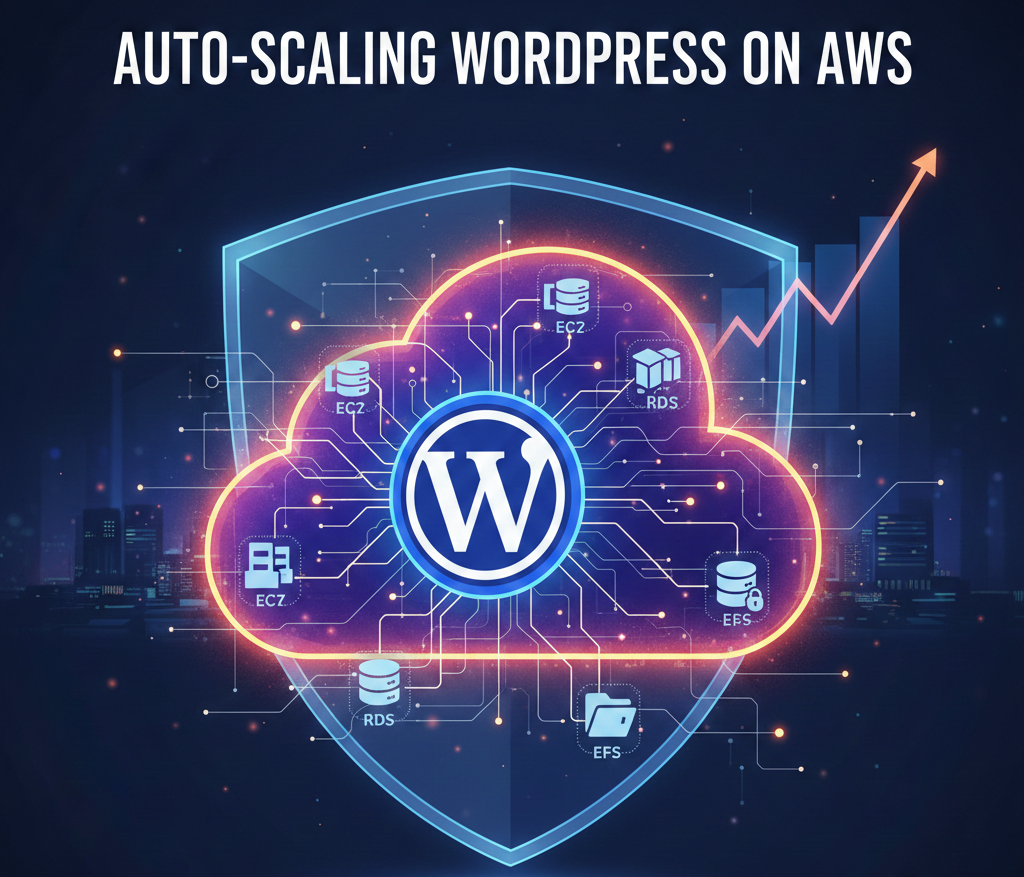
Auto-Scaling WordPress on AWS: The Practical Guide To CMS Growth Without Outages
WordPress powers more than 43% of all websites, and as traffic spikes, manual server management quickly turns into a bottleneck. Auto-scaling WordPress on AWS gives growing CMS teams a way to handle surges predictably, with some sites cutting hosting costs by over 50% after migrating to autoscaled AWS infrastructure.
Key Takeaways
| Question | Answer |
|---|---|
| What is auto-scaling for WordPress on AWS? | It is an architecture where AWS automatically adds and removes compute capacity for your WordPress sites based on load, typically using EC2 Auto Scaling or Kubernetes. Platforms like DevPanel’s platform automate that setup inside your own AWS account. |
| Why does auto-scaling matter for CMS growth? | Growing sites face unpredictable bursts of traffic. Auto-scaling maintains performance and uptime while helping you control costs as your CMS portfolio expands. You can manage this centrally with team workspaces. |
| How hard is it to build auto-scaling from scratch? | Doing it yourself with EC2, RDS, and EFS is possible but complex. Tools like DevPanel’s Deploy & Clone reduce that effort by standardizing deployment workflows on AWS. |
| Can teams develop safely on an autoscaled stack? | Yes, when you use cloud dev environments and branch-based sites. DevPanel’s dev environments keep production isolated while giving teams realistic test stacks. |
| How do I handle multiple WordPress sites or clients? | Use workspaces and templates to group applications by client or business unit. Apps and templates let you standardize stacks and rollout patterns across many sites. |
| Where can I see auto-scaling and cloud workflows in action? | You can watch guided examples of scaling workflows in the DevPanel demos before standardizing on an approach. |
| What if I work in a regulated or public sector environment? | Running WordPress inside your own AWS account helps with compliance and data control. DevPanel outlines options for government teams on its government solutions page. |
1. Why Auto-Scaling WordPress on AWS Is Now a CMS Growth Requirement
As WordPress grows across departments, brands, or clients, fixed-size servers eventually hit a ceiling during campaigns, launches, and traffic spikes. Auto-scaling on AWS gives you a way to respond to that demand dynamically instead of scrambling to resize instances at midnight.
This is not just about performance, it is also about cost control. One provider reported TTFB improvements from 135 ms to 55 ms after moving to an autoscaled AWS WordPress setup, and others have seen hosting costs drop by more than 50% when they right-size capacity automatically instead of overprovisioning 24/7.
When you run WordPress directly on AWS, you keep ownership of data, networking, and compliance boundaries. With the right automation in place, you gain the elasticity of cloud-native hosting without giving up control of your infrastructure.
Our goal is to help teams get to that point without needing to become full-time AWS specialists, so they can stay focused on content, features, and site reliability.
2. Core Concepts: How Auto-Scaling Works for WordPress on AWS
Auto-scaling on AWS adjusts compute capacity based on metrics such as CPU utilization, request count, or custom health checks. For WordPress, those metrics are usually collected through CloudWatch for EC2 instances or Kubernetes nodes.
Under load, AWS automatically launches more instances or pods behind a load balancer, and when traffic drops, it terminates excess capacity. This lets your CMS handle peaks from campaigns, media coverage, or seasonal traffic without manual intervention.
In practical terms, an autoscaled WordPress stack on AWS usually relies on:
- EC2 or Kubernetes nodes for PHP and Nginx or Apache.
- RDS or Aurora for the WordPress database.
- Shared storage like EFS, S3, or image offloading for uploads.
- A load balancer distributing requests to healthy nodes.
Platforms such as DevPanel automate wiring these elements together and handle deployment and scaling rules inside your AWS account. That is how we help teams go from basic hosting to a standards-based auto-scaling architecture without reinventing the wheel.
3. WordPress Hosting on Pantheon vs Directly on AWS (With and Without DevPanel)
Many teams start on opinionated platforms such as Pantheon, then eventually outgrow the limitations on cost, customization, or multi-site control. Direct AWS hosting gives you more flexibility, but it comes with a steeper operational learning curve.
To make the trade-offs clearer, it helps to compare three models for hosting and scaling WordPress for all types and sizes of sites.
| Hosting Model | Best For | Scaling Approach | Operational Effort |
|---|---|---|---|
| Pantheon | Teams wanting a turnkey platform with limited infrastructure control. | Platform-managed scaling within vendor constraints. | Low day-to-day effort, limited customization. |
| DIY AWS (without DevPanel) | Ops-heavy teams ready to design and maintain their own stack. | EC2 Auto Scaling or Kubernetes set up and tuned manually. | High effort, highest flexibility and responsibility. |
| AWS with DevPanel | Agencies, enterprises, and public sector teams needing control plus automation. | Autoscaled stacks running in your AWS account with DevPanel orchestration. | Moderate effort, centralized management, built-in workflows. |
If you want to keep infrastructure in-house but still ship quickly, DevPanel effectively adds a platform layer to your AWS account. We automate deployment, cloning, and environment management while you retain full control of AWS resources and policies.
That balance is especially important for organizations that must meet strict procurement, data residency, or compliance requirements that are difficult to satisfy with fully managed multi-tenant platforms.
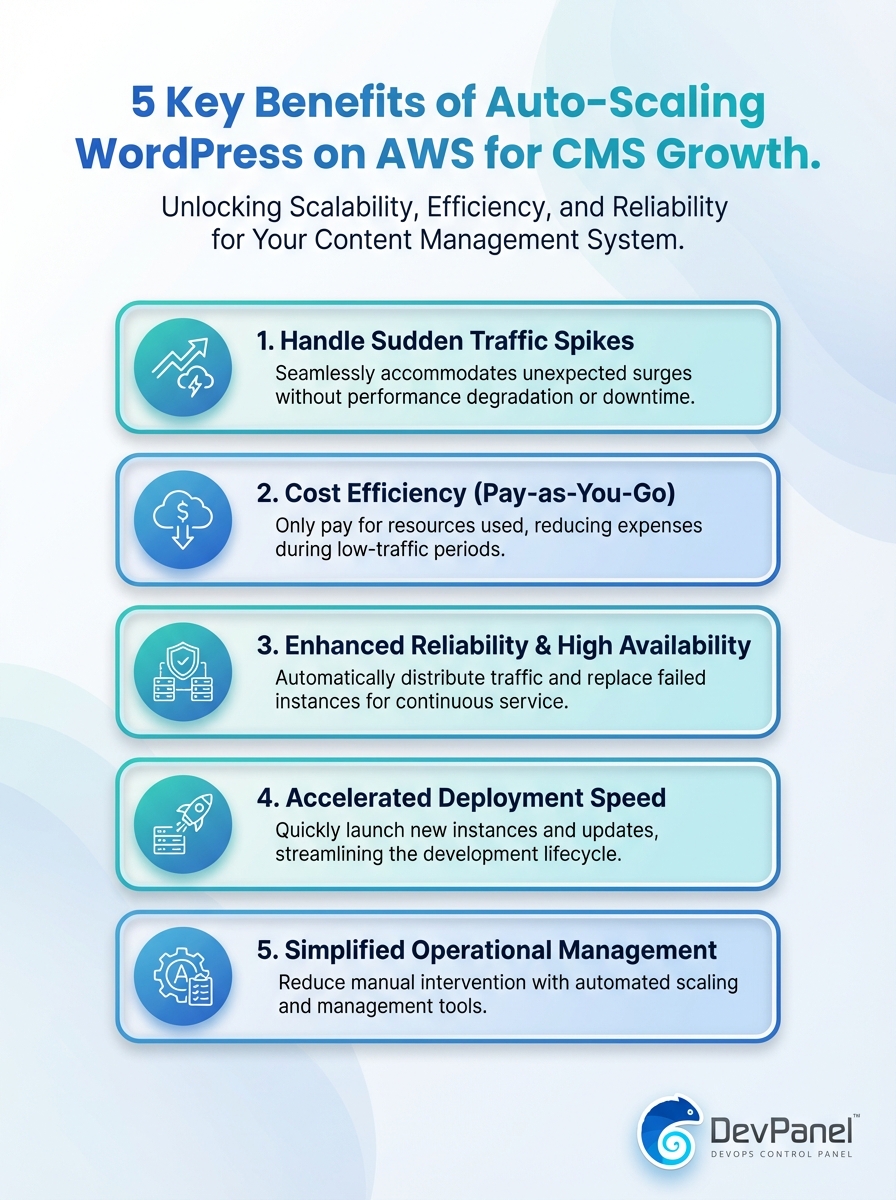
This infographic highlights five benefits of auto-scaling WordPress on AWS for CMS growth. Learn how scalable infrastructure drives reliability, performance, and cost efficiency.
4. Planning an Auto-Scaling Architecture for WordPress on AWS
Before you touch AWS consoles, you need a clear picture of how your CMS estate behaves. That means understanding traffic patterns, content types, caching opportunities, and which plugins have heavy resource usage.
We recommend starting by grouping sites into tiers, for example high-traffic marketing sites, transactional or membership sites, and long-tail microsites. Each group can share a reference architecture and scaling strategy.
From there, a typical autoscaled WordPress blueprint on AWS includes:
- Application layer sized for PHP execution and cache misses.
- A database layer sized for writes and complex queries.
- Edge caching and CDN for static and semi-static content.
- Scaling policies that reflect realistic growth and spike scenarios.
DevPanel’s feature set focuses on automating this kind of multi-layer setup across AWS accounts, so teams have a repeatable foundation for their CMS growth instead of one-off, hand-tuned stacks.
Did You Know?
Auto-scaling solutions for WordPress on AWS can support hundreds of thousands of concurrent users when designed around stateless application nodes and shared storage.
5. Automating Deployment and Cloning for Auto-Scaled WordPress
Scaling WordPress is only effective if deployments are predictable. Manual edits on servers and ad hoc configuration changes introduce “snowflake” environments that are hard to autoscale safely.
Instead, you want a standardized deployment pipeline, so each new instance or container starts from the same known state. That is where DevPanel’s deploy and clone capabilities come in.
DevPanel Deploy & Clone on AWS
With Deploy and Clone, you can start from scratch or clone an existing WordPress application into your AWS account using consistent templates. This ensures that your auto-scaling group or Kubernetes cluster is always launching instances from a validated blueprint.
We also help you secure deployments with centralized access controls and monitoring, so teams can move quickly without bypassing governance standards.
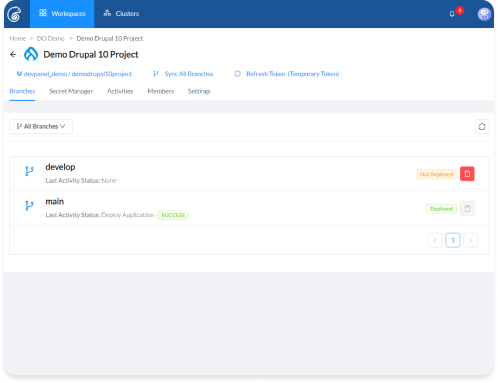
For CMS growth, cloning is particularly important. You can spin up new environments or sites for brands, campaigns, or regional variants from a hardened base instead of rebuilding stacks from scratch each time.
This reduces configuration drift and simplifies the way your auto-scaling groups behave, because they are always working from a small set of approved WordPress images and templates.
6. Building Cloud Dev Environments That Mirror Your Auto-Scaled Stack
Your developers and content teams need environments that behave like production without risking live traffic. When you introduce auto-scaling, that requirement becomes even more critical, because you are now orchestrating multiple moving parts.
Cloud-based dev environments give each branch or feature its own sandbox that resembles your autoscaled AWS stack as closely as possible.
Branch-based Dev Environments with DevPanel
Build Dev Environments in DevPanel is designed for this scenario. Your code stays in your Git repository, and branches appear in DevPanel automatically so you can spin up environments on demand.
Each environment can reuse the same base stack definition that production uses, which keeps your auto-scaling assumptions and resource usage consistent between testing and live traffic.
Because these environments run in your cloud, you can also test realistic integrations such as SSO, payment gateways, or internal APIs under similar network and security conditions. That is hard to replicate with local setups.
For CMS teams, this means faster review cycles, safer plugin updates, and more confidence that what works in staging will perform correctly once auto-scaling kicks in on production.
7. Working with Cloud IDEs and In-Browser Tools for Faster CMS Delivery
When your WordPress stack lives in AWS, you get the most value if your team can work close to that environment. Cloud IDEs and browser-based tools reduce friction by bringing development directly into the same context as your autoscaled infrastructure.
This eliminates much of the “works on my machine” problem and speeds up onboarding for new developers or agencies.
DevPanel Cloud IDE Integration
Work with Cloud IDEs gives you VS Code in a browser with preconfigured tools. You can code, debug, and collaborate without installing heavy local toolchains.
Access control and collaboration features help you maintain security while multiple contributors work on the same autoscaled WordPress applications.
In parallel, DevPanel exposes in-browser utilities like PHPMyAdmin and logs so developers can troubleshoot WordPress behavior on AWS without juggling SSH keys or VPNs.
This combination of cloud IDEs and shared tooling helps teams deliver features faster while still respecting the constraints of an autoscaled, production-grade CMS stack.
Did You Know?
After migrating to an autoscaled WordPress hosting setup on AWS, one provider measured TTFB improvements from 135 ms to 55 ms, nearly 2.5 times faster under load.
8. Using Workspaces to Organize Multi-Site, Multi-Team WordPress on AWS
As your CMS footprint grows across brands, business units, or clients, infrastructure sprawl becomes a serious risk. Auto-scaling helps at the resource level, but you still need a way to keep people, projects, and environments organized.
Workspace-level isolation is an effective strategy here, particularly for agencies and larger organizations.
DevPanel Workspaces for CMS Portfolios
Workspaces in DevPanel act as central hubs where you manage projects, permissions, and resources. You can give different teams access to the WordPress sites and AWS accounts they own, while keeping everything visible in one place.
This structure maps well to real-world CMS portfolios, such as separating public marketing sites from internal portals or isolating client environments for agencies.
Role-based access controls give you fine-grained control over who can deploy, clone, or manage infrastructure. That reduces the risk of accidental changes to autoscaling rules or production stacks.
For leadership, this model also makes cost and resource visibility clearer across a growing estate of WordPress sites and environments.
9. Standardizing Apps and Templates for Faster WordPress Rollouts
A big part of CMS growth is launching new sites quickly without sacrificing quality or security. If every new WordPress instance is a custom build, your operations and development teams will eventually stall.
Standardized apps and templates help you ship quickly and consistently while staying compatible with your autoscaled AWS blueprint.
DevPanel Apps, Frameworks, and Templates
With Apps and Templates, you can create preconfigured WordPress stacks that include themes, plugins, and even starter content. These templates are then used as starting points across your AWS accounts.
For example, you might define one template for a government news portal, another for a nonprofit campaign site, and a third for a commercial marketing site, all built to run correctly on your autoscaled infrastructure.
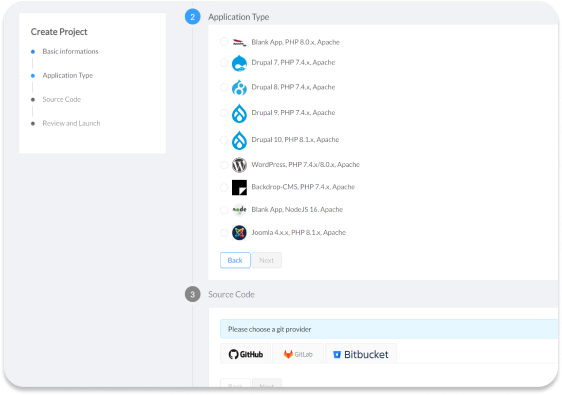
Because these templates are tested and hardened, you reduce the risk of deploying incompatible plugins or misconfigured themes that break under load. Your auto-scaling policies can rely on predictable resource usage patterns.
In practice, this means faster time to launch, fewer incidents, and a cleaner baseline for performance optimization across your entire CMS landscape.
10. Learning from Demos and Cross-Cloud Automation Experience
Auto-scaling WordPress on AWS can feel abstract until you see it in action. Demos and real-world case studies help teams understand what the workflows and day-to-day operations look like.
We have also seen that cross-cloud automation experience, such as running WordPress on DigitalOcean or other providers, feeds back into better AWS patterns for CMS growth.
DevPanel Demos and Cross-Provider Experience
The DevPanel demos show auto scaling with Kubernetes, workspace creation, and environment provisioning, all tailored to content-heavy applications. These walkthroughs clarify how development, deployment, and scaling tie together for WordPress teams.
Our work on other platforms, such as automated WordPress on DigitalOcean, reinforces best practices like Git-driven workflows, feature branch previews, and one-click syncing, which are equally valuable on AWS.
In each case, the goal is the same, give CMS teams a predictable path from idea to live, autoscaled site in their own cloud account, without drowning in low-level DevOps work.
That is the level of operational simplicity and control that makes auto-scaling a practical tool for everyday CMS growth instead of a one-off project.
Conclusion
Auto-scaling WordPress on AWS is no longer only for large enterprises. With the right combination of AWS services and automation layers, organizations of all sizes can run reliable, high-performing CMS portfolios in their own cloud accounts.
Our focus with DevPanel is to give you that capability without forcing your team to become full-time infrastructure engineers. By standardizing deployments, dev environments, workspaces, and templates, we help you scale WordPress confidently as your content, traffic, and site count grow.