
Best Pantheon Alternatives for Enterprise WordPress Site Management in 2026
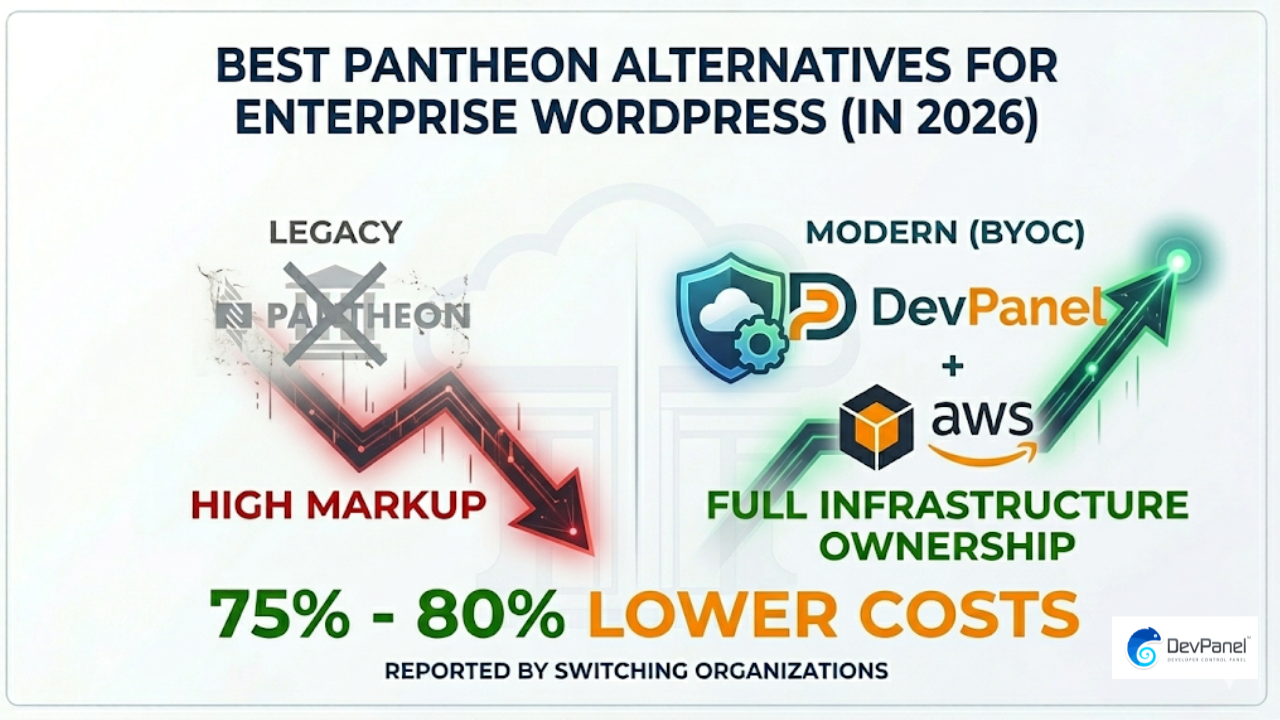
If you’re evaluating the best Pantheon alternatives for enterprise WordPress site management, one number should immediately get your attention: organizations running enterprise WordPress on AWS via DevPanel report hosting costs that are 75% to 80% lower than legacy PaaS platforms like Pantheon. That gap represents real budget that enterprise teams can redirect toward development, security, and growth rather than platform fees.
Key Takeaways
| Question | Answer |
|---|---|
| What is the best Pantheon alternative for enterprise WordPress? | AWS with DevPanel is widely regarded as the strongest enterprise alternative, offering full infrastructure control, BYOC flexibility, and dramatically lower costs than Pantheon’s managed PaaS model. |
| Is AWS cheaper than Pantheon for WordPress? | Yes. AWS-native hosting consistently delivers 75-80% lower total costs for enterprise WordPress sites compared to Pantheon, especially when using a management layer like DevPanel’s BYOC pricing. |
| Does DevPanel work for regulated industries? | Yes. DevPanel supports HIPAA-conscious, FedRAMP-aligned, and Section 508-compliant deployments, making it suitable for healthcare, government, and higher education organizations. |
| Can you manage multiple WordPress sites on AWS without DevPanel? | You can, but it requires significant DevOps expertise. DevPanel automates provisioning, CI/CD, cloning, and workspace management across all your sites, so one engineer can handle 30+ sites simultaneously. |
| What makes Pantheon limiting for enterprise teams? | Pantheon’s fixed container architecture limits access to cost-saving cloud mechanisms like Spot Instances and Savings Plans, locks you into their infrastructure, and charges a significant platform markup on every hosting dollar. |
| Which Pantheon alternative is best for digital agencies? | DevPanel’s business and enterprise solutions are purpose-built for agencies managing multiple client WordPress sites, offering multi-tenant workspaces, role-based access, and client isolation. |
| Is WordPress VIP worth it for enterprise in 2026? | WordPress VIP suits organizations with compliance requirements like FedRAMP, but comes at a significant price premium. For most enterprise teams, AWS with DevPanel delivers comparable control at a fraction of the cost. |
Why Enterprises Are Actively Looking for the Best Pantheon Alternatives

Pantheon built a strong reputation by making WordPress and Drupal development more accessible through a managed WebOps platform. For smaller teams, that convenience trade-off made sense.
For enterprise organizations in 2026, however, the model has started to show clear limitations. As site portfolios grow and traffic scales, the cost structure becomes increasingly hard to justify.
Pantheon’s container-based architecture prevents access to cloud-native cost tools. AWS Spot Instances, Reserved Instances, and Savings Plans can cut compute costs by 40% to 70%, but Pantheon’s “black box” infrastructure blocks those savings entirely.
Beyond cost, enterprises need flexibility that a closed PaaS cannot provide. Teams managing healthcare platforms need HIPAA controls. Government agencies need compliance-ready audit trails. Higher education institutions need SIS integrations. These requirements push organizations to look for platforms where they actually own their infrastructure.
WordPress Hosting on Pantheon vs AWS: The Core Difference Every Enterprise Needs to Understand
When we compare WordPress hosting on Pantheon vs AWS, the fundamental difference comes down to infrastructure ownership. Pantheon runs your sites on their shared infrastructure and charges a platform markup for the convenience.
AWS gives you raw, enterprise-grade cloud computing where every dollar goes toward actual compute. The challenge with raw AWS has historically been the complexity of managing it without a dedicated DevOps team.
That is exactly the gap that platforms like DevPanel fill. By layering an intelligent management interface on top of AWS (as well as Azure and DigitalOcean), DevPanel delivers the operational simplicity of Pantheon without sacrificing infrastructure ownership, cloud-native cost savings, or compliance flexibility.
Did You Know?
In traditional managed PaaS models, approximately 80% of a $1,000 monthly hosting bill is platform markup, with only $200 allocated to actual compute resources.
That markup compounds significantly for enterprises running dozens of WordPress sites. On a $10,000 per month Pantheon bill, $8,000 is effectively a platform tax, not infrastructure value.
AWS Without DevPanel: When It Works and When It Does Not
Running WordPress directly on AWS without a management layer is a legitimate option for enterprise teams with large, dedicated DevOps departments. AWS offers virtually unlimited scalability, global CDN through CloudFront, and native compliance tooling for regulated industries.
The operational overhead, however, is significant. Teams need to manage Terraform configurations, Ansible provisioning scripts, container orchestration, automated backup policies, SSL certificate renewals, and site-level security hardening.
For agencies managing 10, 20, or 50 client WordPress sites, the manual work adds up fast. Site cloning for new client onboarding, environment promotion from development to staging to production, and developer access management all require custom scripting or expensive tooling.
This is where the comparison between WordPress hosting on Pantheon vs AWS with DevPanel becomes particularly interesting. DevPanel automates all of those operations, letting a single engineer effectively manage 30 or more enterprise WordPress sites simultaneously through a unified dashboard.
We see AWS without DevPanel working well for organizations with:
- Dedicated infrastructure teams of 5 or more engineers
- Existing Terraform and Ansible expertise
- A small number of high-traffic sites rather than large portfolios
- Custom compliance requirements that need bespoke infrastructure configurations
For everyone else evaluating the best Pantheon alternatives for enterprise WordPress site management, a BYOC platform like DevPanel closes the operational gap considerably.
DevPanel on AWS: The Best Pantheon Alternative for Most Enterprise Teams
DevPanel positions itself as a Bring Your Own Cloud (BYOC) platform, meaning your WordPress sites run inside your own AWS, Azure, or DigitalOcean account. DevPanel provides the management layer on top, handling provisioning, deployments, and workflows through a unified dashboard.
This architecture solves the core enterprise complaint about Pantheon: you never actually own your infrastructure. With DevPanel, your data stays in your cloud account, your security controls remain in your hands, and your billing flows directly through your preferred cloud provider.
Key capabilities that make DevPanel stand out as a Pantheon alternative for enterprise WordPress include:
- BYOC deployment: Run on AWS, Azure, or DigitalOcean through your own account, with full access to cloud-native cost mechanisms
- Automated provisioning: Terraform and Ansible-based infrastructure provisioning, eliminating manual DevOps work
- Branch-based cloud development environments: Every Git branch gets its own isolated cloud environment, mirroring Pantheon’s multidev but without the seat limits
- One-click deploy and clone: Spin up new WordPress sites from templates or clone existing sites in minutes
- Workspace isolation: Separate teams, clients, and projects into distinct workspaces with role-based access control
- Browser-based IDE and PhpMyAdmin: Built-in developer tooling that eliminates the need for third-party tools
The cloud development environment features are particularly compelling for enterprise teams. Onboarding new developers takes minutes rather than days, and every developer works in an isolated, branch-specific environment that matches production.
How DevPanel’s Workspace and Team Management Compares to Pantheon
One of the most practical enterprise requirements for any Pantheon alternative is robust multi-team and multi-project management. Pantheon’s organization-level tools work reasonably well, but they come with seat-based pricing that adds up for larger teams.
DevPanel’s workspace model takes a different approach. Each workspace isolates a set of projects, resources, and team members. You can create as many workspaces as your organization needs, organizing by client, department, geography, or any structure that fits your workflow.
Within each workspace, administrators can:
- Invite developers with granular Admin or Developer role assignments
- View all custom domains and project activity in a single pane
- Clone entire workspaces for rapid client onboarding or environment duplication
- Manage resources and project configurations without touching the underlying cloud infrastructure
This structure is particularly valuable for digital agencies managing enterprise client portfolios. Each client gets their own isolated workspace, but agency administrators retain visibility across all of them. The workspace management system eliminates the permission complexity that makes multi-site Pantheon management cumbersome at scale.
Deploy, Clone, and Ship: How the Best Pantheon Alternatives Handle Enterprise Workflows
Pantheon’s strongest selling point has always been its streamlined deployment workflow. The multidev environment, one-click promotions, and Git-based deployments made it genuinely easier to ship WordPress code than raw server management.
Any credible Pantheon alternative for enterprise WordPress site management needs to match or beat that workflow experience. DevPanel’s deployment capabilities are built around the same Git-provider-agnostic approach, supporting GitHub, GitLab, and Bitbucket.
The deploy and clone workflow covers the full development lifecycle:
- From scratch deployment: Start a new WordPress site with default database and file configurations in minutes
- Clone-based deployment: Clone an existing site, including its database and files, for rapid environment replication
- Branch sync: Sync Git branches automatically so new feature branches get their own cloud-based development environment
- Secure deployment lockdown: Access control and file permission management built into the deployment process
- Post-deploy dashboard: A unified post-deployment view showing all active environments, their status, and management options
For enterprise teams shipping multiple releases per week across multiple WordPress sites, this workflow directly accelerates delivery velocity without requiring custom CI/CD scripting.
Enterprise Templates and Prebuilt Applications: Cutting Onboarding Time
One operational cost that rarely shows up in hosting comparisons is the time cost of spinning up new WordPress environments. For enterprise teams or agencies onboarding a new client, configuring a fresh WordPress site with the right plugins, themes, and configurations can take hours.
DevPanel addresses this through a library of prebuilt applications and preconfigured templates. Each template comes with themes, modules, and sample content pre-loaded, ready to deploy or customize. New applications are tested and secured before release, meaning enterprise teams are not inheriting untested configurations.
The apps and templates system also supports custom templates, so agencies can build a standardized WordPress starter configuration that matches their development standards and deploy it consistently across every new client project.
This is a capability that Pantheon offers in a limited form but restricts based on plan tier. In DevPanel, template creation and deployment are available regardless of scale.
Did You Know?
Digital agencies report that switching to a Bring Your Own Cloud model like DevPanel allows them to preserve 20-30% higher profit margins by eliminating platform markups on client hosting.
Compliance and Regulated Industries: Where DevPanel Matter Most
For regulated industries, the best Pantheon alternatives for enterprise WordPress site management must go beyond raw performance and cost comparisons. Compliance requirements create hard requirements that a generic PaaS platform often cannot meet.
Healthcare: HIPAA compliance demands specific data handling controls, comprehensive audit trails, and network security measures that Pantheon’s shared infrastructure cannot guarantee. DevPanel’s healthcare-focused hosting approach supports HIPAA-conscious configurations, integration with EHR systems, and detailed data access logging.
Government: Government agencies need FedRAMP-aligned infrastructure, Section 508 accessibility compliance, and authority-to-operate readiness. The government hosting solutions from DevPanel address disaster recovery, business continuity planning, and regulatory reporting requirements that standard managed WordPress platforms cannot support.
Higher Education: Universities and colleges face unique challenges: large, fluctuating user populations, SIS integration requirements, and constrained IT budgets. The higher education solutions address both the scalability and compliance needs of academic institutions.
In contrast, WordPress VIP is the only major enterprise WordPress platform offering FedRAMP-adjacent compliance out of the box as of 2026, but at a price point that most organizations cannot sustain. DevPanel running on AWS gives regulated enterprises a path to comparable compliance controls at a fraction of the cost.
WordPress Hosting on Pantheon vs AWS: Side-by-Side Comparison
| Capability | Pantheon | AWS Alone | AWS + DevPanel |
|---|---|---|---|
| Infrastructure ownership | Pantheon-owned | You own it | You own it (BYOC) |
| Cost structure | High platform markup | Low (raw compute) | Low (raw compute + platform fee) |
| Multi-site management | Organization dashboard | Custom scripting required | Unified workspace dashboard |
| Cloud dev environments | Multidev (plan-limited) | Manual setup | Automated per-branch CBDEs |
| Compliance support | Limited | High (with proper config) | High (HIPAA, FedRAMP-aligned) |
| Spot Instance / Savings Plan access | Blocked | Full access | Full access |
| DevOps expertise required | Low | Very high | Low to moderate |
| Site cloning and templates | Available (plan-restricted) | Manual | One-click, unlimited |
| Pricing model | Per-site tiered plans | Pay for compute only | BYOC + free community tier |
Other Pantheon Alternatives Worth Evaluating for Enterprise WordPress
While AWS with DevPanel represents the strongest overall option for most enterprises, we want to give a complete picture of the landscape when considering the best Pantheon alternatives for enterprise WordPress site management.
WordPress VIP is the most enterprise-focused managed WordPress platform available in 2026. It offers the highest compliance standards, dedicated infrastructure, and white-glove support. The tradeoff is cost, which starts in the thousands per month and scales aggressively for high-traffic sites. For organizations with federal or healthcare compliance requirements and large budgets, it remains worth evaluating.
WP Engine is a direct Pantheon competitor in the managed WordPress PaaS space. It offers a similar experience to Pantheon, including multisite management, Git-based deployments, and a CDN. Like Pantheon, however, it includes platform markup in every billing dollar and limits your infrastructure control. It suits teams moving away from Pantheon for workflow reasons rather than cost and compliance reasons.
Kinsta runs on Google Cloud and has been investing heavily in enterprise features through 2026. It offers a clean user interface, strong performance benchmarks, and good support response times. The BYOC model is not available, so infrastructure ownership remains off the table.
Raw AWS without a management platform remains an option for teams with the internal DevOps capability to manage it. The cost savings are real, but the operational investment is significant. As noted in our DevPanel vs Pantheon comparison for high-traffic WordPress hosting, the right answer depends heavily on your team’s existing skill set.
DevPanel Pricing: What Enterprise Teams Actually Pay
One of the most compelling aspects of DevPanel as a Pantheon alternative for enterprise WordPress site management is the pricing model. DevPanel offers a Community Edition that is free forever, covering the platform’s management capabilities.
Your actual infrastructure costs flow through your own AWS, Azure, or DigitalOcean account. This means you have full visibility into compute spending, can apply Reserved Instance discounts, and can take advantage of Savings Plans that Pantheon’s architecture makes inaccessible.
For enterprise teams requiring dedicated support, custom SLAs, or fully managed deployment, DevPanel offers custom enterprise pricing. The DevPanel pricing page outlines the BYOC tiers and self-managed versus fully managed options.
The practical result for most enterprise teams: you pay AWS market rates for compute, plus DevPanel’s platform fee (or nothing for the community tier), compared to Pantheon’s bundled pricing where 80 cents of every dollar pays for the platform, not the compute.
Which Enterprise WordPress Hosting Solution Fits Your Organization in 2026?
The right choice among the best Pantheon alternatives for enterprise WordPress site management depends on three factors: your budget constraints, your compliance requirements, and your internal DevOps capacity.
Choose AWS with DevPanel if:
- You manage 5 or more WordPress sites and want unified administration
- Cost efficiency is a priority and you want to eliminate platform markup
- You need compliance-ready infrastructure for healthcare, government, or education
- Your development team uses Git-based workflows and wants branch-based environments
- You want to own your infrastructure without building custom DevOps tooling
Choose raw AWS without DevPanel if:
- You have a dedicated infrastructure team with Terraform and Ansible expertise
- You run a small number of high-traffic sites with bespoke infrastructure requirements
- You need custom cloud configurations that a management platform cannot accommodate
Choose WordPress VIP if:
- Budget is not a primary constraint and compliance is paramount
- You need federal or healthcare compliance certifications out of the box
- You require white-glove managed support with enterprise SLAs
You can explore the full range of Pantheon alternative solutions and use cases across industries to find the configuration that fits your organization’s specific needs.
Conclusion
The best Pantheon alternatives for enterprise WordPress site management in 2026 share a common theme: they return infrastructure ownership and cost control to the organizations running the sites. Pantheon’s managed PaaS model served a real purpose when enterprise teams lacked better options, but the landscape has changed significantly.
AWS with DevPanel represents the strongest overall alternative for most enterprises. It delivers the operational simplicity that made Pantheon appealing, without locking you into a platform that absorbs 80% of your hosting budget as markup. BYOC infrastructure, automated branch-based development environments, workspace-level team management, and compliance-ready configurations make it a direct upgrade for teams outgrowing Pantheon’s limitations.
For agencies, the margin preservation alone (20-30% higher margins by eliminating platform markup) justifies the evaluation. For compliance-sensitive industries, the ability to deploy into your own cloud account with HIPAA-conscious and FedRAMP-aligned configurations closes the gap that previously pushed organizations toward far more expensive alternatives like WordPress VIP.
If you are actively comparing WordPress hosting on Pantheon vs AWS, with or without a management layer like DevPanel, the data in 2026 consistently points in the same direction: owning your infrastructure while automating its management is the model that serves enterprise teams best, both financially and operationally.
Frequently Asked Questions
What is the best Pantheon alternative for enterprise WordPress site management in 2026?
The strongest Pantheon alternative for enterprise WordPress site management in 2026 is AWS with a BYOC management platform like DevPanel. This combination delivers infrastructure ownership, 75-80% lower costs than Pantheon, and enterprise-grade features including branch-based cloud development environments, multi-workspace team management, and compliance-ready configurations for regulated industries.
Is WordPress hosting on Pantheon vs AWS actually cheaper on AWS?
Yes, significantly. In traditional managed PaaS models like Pantheon, approximately 80% of your monthly bill is platform markup rather than actual compute. AWS-native hosting passes those compute costs directly to you at market rates, and cloud-native mechanisms like Spot Instances and Savings Plans can reduce raw compute costs by an additional 40-70%.
Can DevPanel replace Pantheon for a large digital agency managing multiple WordPress clients?
Yes, DevPanel is purpose-built for exactly this use case. Its workspace model isolates clients into separate environments with role-based access control, its template system accelerates client onboarding, and its BYOC infrastructure allows agencies to capture 20-30% higher profit margins by eliminating platform markups. A single engineer can effectively manage 30 or more enterprise WordPress sites simultaneously using DevPanel’s automation.
Does DevPanel support compliance requirements like HIPAA or FedRAMP for enterprise WordPress?
DevPanel supports HIPAA-conscious configurations for healthcare organizations, FedRAMP-aligned deployments for government agencies, and Section 508 accessibility compliance for public-sector sites. Because DevPanel runs inside your own cloud account, your data and infrastructure controls stay in your hands, making compliance configurations far more straightforward than on a shared managed platform like Pantheon.
What are the downsides of running WordPress on raw AWS without DevPanel or Pantheon?
Raw AWS without a management platform requires significant DevOps investment. Teams need expertise in Terraform, Ansible, container orchestration, automated backups, and security hardening. For organizations managing large WordPress site portfolios, this manual overhead is often impractical. DevPanel solves this by automating provisioning, deployment, and workflows on top of AWS, combining cloud-native cost advantages with operational simplicity.
Is Pantheon still worth it for high-traffic enterprise WordPress sites in 2026?
Pantheon remains a capable platform for teams prioritizing managed simplicity over cost and infrastructure control. However, for genuinely high-traffic enterprise WordPress sites, its fixed container architecture blocks access to AWS Spot Instances and Savings Plans, meaning scaling costs grow rapidly. Pantheon achieved strong performance benchmarks in 2026 testing, but AWS-native alternatives match or exceed those performance metrics while returning significant cost savings to the enterprise.
How does DevPanel’s pricing compare to Pantheon for enterprise WordPress?
DevPanel offers a free Community Edition that covers the platform’s management capabilities, with infrastructure costs flowing through your own AWS, Azure, or DigitalOcean account at market rates. Enterprise teams requiring dedicated support and custom SLAs access custom pricing. Compared to Pantheon’s per-site tiered plans where 80% of every billing dollar is platform markup, DevPanel consistently delivers 75-80% lower total hosting costs for enterprise WordPress portfolios. Visit the DevPanel pricing page for current plan details.