Best Cloud Hosting Dashboard for Managing Sites Across AWS, Azure, and DigitalOcean
The best cloud hosting dashboard is not the one with the most provider logos.
It is the one that helps your team do real work.
A dashboard may connect to AWS, Azure, and DigitalOcean. It may show servers, databases, regions, billing details, and status indicators. It may look unified on the surface.
But visibility is not the same as control.
A dashboard that only displays resources does not automatically help your team deploy applications, create environments, restore backups, update configuration, manage access, or recover during an incident.
For teams managing sites across AWS, Azure, and DigitalOcean, the real question is not:
“Which dashboard supports the most clouds?”
The better question is:
“Which platform helps us operate our applications consistently across the clouds we actually use?”
That is where the evaluation changes.
A useful cloud hosting dashboard should help your team manage workflows, not just view infrastructure. It should support deployment, recovery, access control, environment management, monitoring, and day-to-day operations.
For agencies, SaaS teams, nonprofits, higher education, and enterprise web teams, the strongest model is often customer-owned cloud with a platform layer on top.
That means your infrastructure stays in your cloud accounts, while a platform like DevPanel helps orchestrate applications, environments, deployments, and team workflows.
A Cloud Dashboard Should Manage Workflows, Not Just Resources
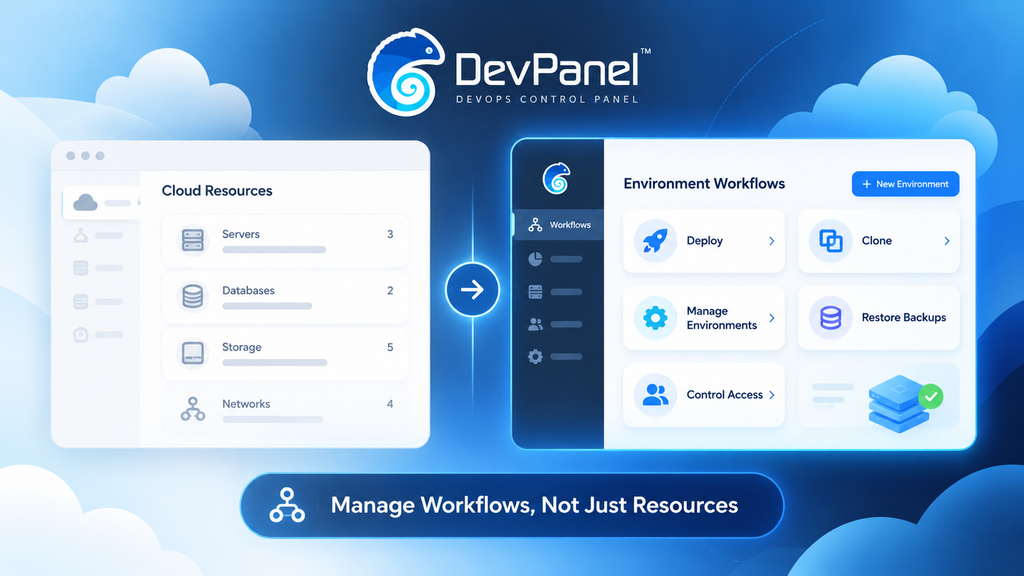
Many cloud dashboards make multi-cloud look simple.
They show AWS in one panel.
Azure in another.
DigitalOcean in another.
That may be useful for visibility, but it does not prove the dashboard can manage the work your team needs to perform.
A real cloud hosting dashboard should help answer practical questions:
Can we deploy a site?
Can we create a new environment?
Can we clone an application?
Can we manage access safely?
Can we update configuration?
Can we restore from backup?
Can we monitor health?
Can we troubleshoot an incident?
Can we repeat the same workflow across providers?
Can we keep infrastructure ownership clear?
If the dashboard cannot help with those workflows, it may become another screen your team has to check instead of a platform that reduces operational work.
This is especially important when managing sites across AWS, Azure, and DigitalOcean. Each provider has different services, permissions, regions, pricing models, and operational patterns.
A unified dashboard is only valuable if it makes those differences manageable.
Connected, Visible, and Manageable Are Different
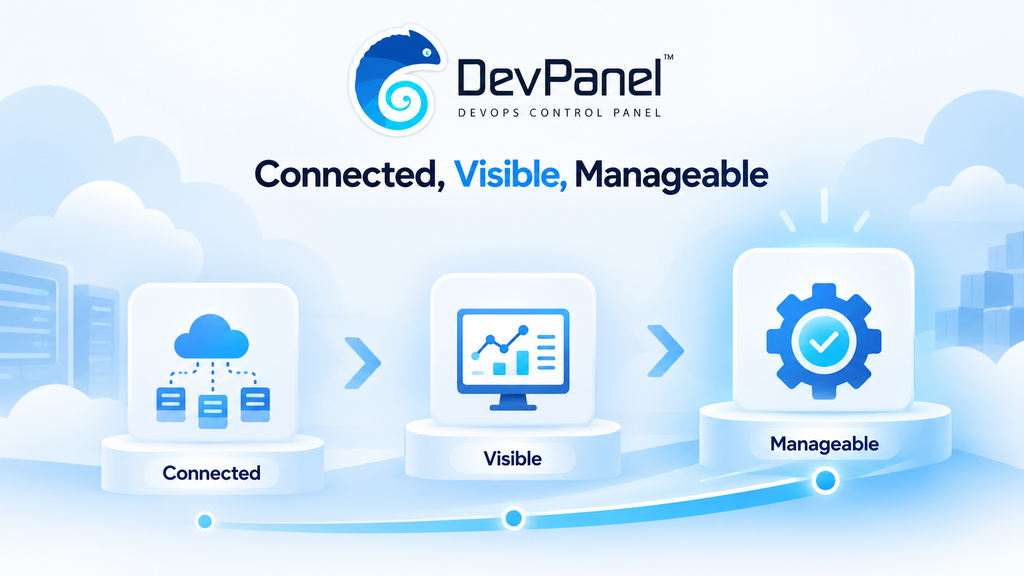
When evaluating a cloud hosting dashboard, it helps to separate three capability levels.
Connected means the platform can link to a cloud account.
Visible means the platform can show resources from that account.
Manageable means the platform can perform the operational actions your team needs.
Those are very different things.
A dashboard may connect to AWS and show EC2 instances, but that does not mean it can deploy your application workflow properly.
A dashboard may display Azure resources, but that does not mean it can manage the environments your team depends on.
A dashboard may show DigitalOcean droplets, but that does not mean it can restore a snapshot, update firewall rules, or support your deployment process.
Teams should not assume that account connection equals operational control.
Before choosing a dashboard, test the workflows that matter most.
For each provider, confirm what the platform can actually do.
Can it provision?
Can it deploy?
Can it clone?
Can it restart?
Can it restore?
Can it manage access?
Can it show audit history?
Can it support the team during a real incident?
That is how teams move beyond surface-level dashboard comparisons.
Start With the Application, Not the Cloud Provider
Cloud decisions should start with the application workload.
A WordPress site, a Drupal site, a Laravel application, a Node.js service, and a static front-end may need different infrastructure patterns.
Before choosing a dashboard, teams should document what each site needs:
- Runtime requirements
- Operating system
- Database
- Storage
- Backup strategy
- Traffic pattern
- Deployment workflow
- Region requirements
- Security requirements
- Development and staging needs
- Recovery expectations
- Team access model
Then compare AWS, Azure, and DigitalOcean against those requirements.
The right provider may vary by workload.
AWS may be best for one client because of existing enterprise governance.
Azure may be required for another because of procurement or Microsoft ecosystem alignment.
DigitalOcean may be a strong fit for simpler workloads where ease of use and cost clarity matter.
The dashboard should support the operating model, not force every workload into the same pattern.
Why Multi-Cloud Should Have a Reason
Multi-cloud can be useful.
It can support different client requirements, regional needs, resilience strategies, procurement constraints, or workload-specific decisions.
But multi-cloud is not automatically better.
Every added provider increases operational complexity.
Your team has more permissions to manage.
More billing models to understand.
More service differences to document.
More support paths to maintain.
More deployment behaviors to test.
More monitoring and backup assumptions to verify.
A cloud hosting dashboard can reduce some of this friction, but it does not eliminate the underlying complexity.
That is why teams should use multi-cloud for a defined reason.
Do not choose AWS, Azure, and DigitalOcean just because a dashboard can display all three.
Choose multiple providers when the business or technical need is clear.
Then choose a platform that helps standardize the workflows that should be shared while respecting the provider-specific details that still matter.
Infrastructure Ownership Matters
One of the most important questions in cloud hosting is ownership.
Who owns the infrastructure?
Does the provider own it?
Does the agency own it?
Does the client own it?
Does the organization control the cloud account directly?
This question matters because infrastructure ownership affects portability, governance, data control, access, compliance, and long-term flexibility.
In a traditional hosting model, the customer often operates inside infrastructure owned by the hosting provider.
In a customer-owned cloud model, the infrastructure runs inside the customer’s own AWS, Azure, DigitalOcean, or other cloud account.
A platform like DevPanel can then provide the management and orchestration layer on top.
This gives teams a stronger balance.
They keep control of the cloud account while still getting a better operational workflow than raw provider consoles alone.
That is the core value of BYOC, or Bring Your Own Cloud.
It is not simply about cost.
It is about ownership, control, flexibility, and the ability to build repeatable workflows on infrastructure your team or client controls.
DevPanel as the Application Orchestration Layer
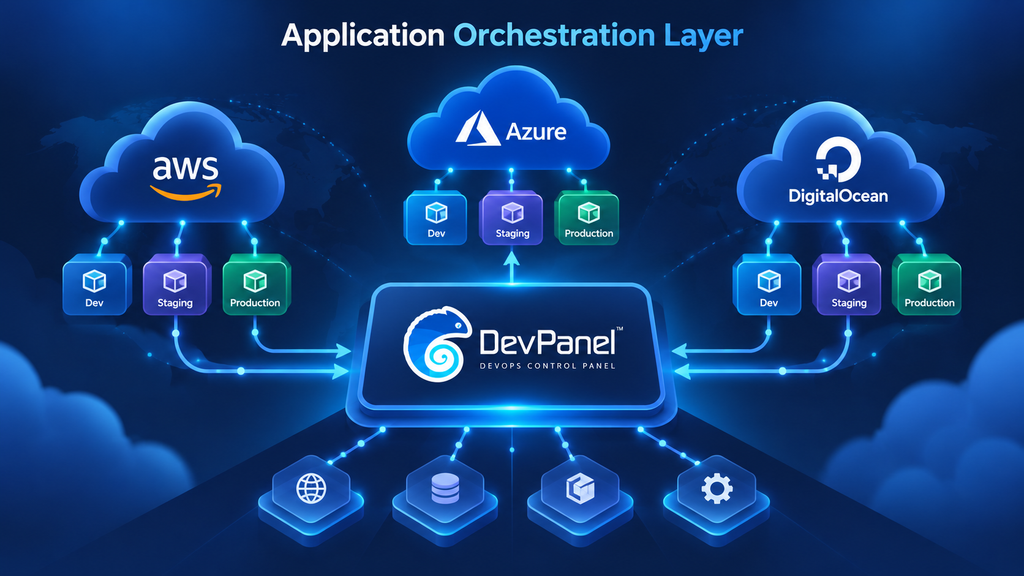
DevPanel is not just a cloud hosting dashboard.
It is better understood as an application orchestration platform for customer-owned cloud.
DevPanel helps teams manage applications, environments, deployments, Workspaces, cloud development environments, templates, and operational workflows across cloud infrastructure.
For teams working with AWS, Azure, DigitalOcean, or similar providers, DevPanel provides the control layer that connects application delivery with cloud infrastructure.
That matters because most teams do not need another dashboard that only shows resources.
They need a way to operate.
They need to create environments.
They need to deploy code.
They need to clone applications.
They need to manage access.
They need to support dev, test, staging, and production.
They need to reduce manual work.
They need to keep infrastructure ownership clear.
DevPanel helps with that operating model.
It gives teams a more practical way to manage sites across cloud providers without forcing everything into a provider-owned hosting environment.
What to Compare in a Cloud Hosting Dashboard
When comparing cloud hosting dashboards, teams should look beyond the interface.
A polished interface does not guarantee operational maturity.
A useful evaluation should include:
- Account connection process
- Supported cloud providers
- Supported application types
- Environment creation
- Deployment workflows
- Git integration
- Dev, test, staging, and production management
- Backup and restore workflows
- Access controls
- Audit trails
- Team and client separation
- Monitoring and alerts
- Cost visibility
- Recovery workflows
- Provider-specific limitations
- Exit path and infrastructure ownership
The best dashboard is not necessarily the one with the longest feature list.
It is the one that supports your real workflow with the least operational friction.
Test AWS, Azure, and DigitalOcean Separately
A dashboard may claim support for AWS, Azure, and DigitalOcean, but that does not mean the experience is equal across all three.
Each provider has different APIs, service models, permission structures, and regional considerations.
That is why teams should test each provider separately.
For AWS, test whether the platform can deploy into the right account and region, manage the needed resources, support the environment model, and respect access boundaries.
For Azure, test whether the platform works cleanly with subscriptions, resource groups, networking rules, identity controls, and the services your application needs.
For DigitalOcean, test whether the platform can create and manage the right project structure, droplets, databases, snapshots, firewalls, and deployment workflows.
Do not rely on provider logos alone.
A cloud dashboard should prove that it can perform the actions your team needs in each provider environment.
Access Control Is Part of the Security Boundary
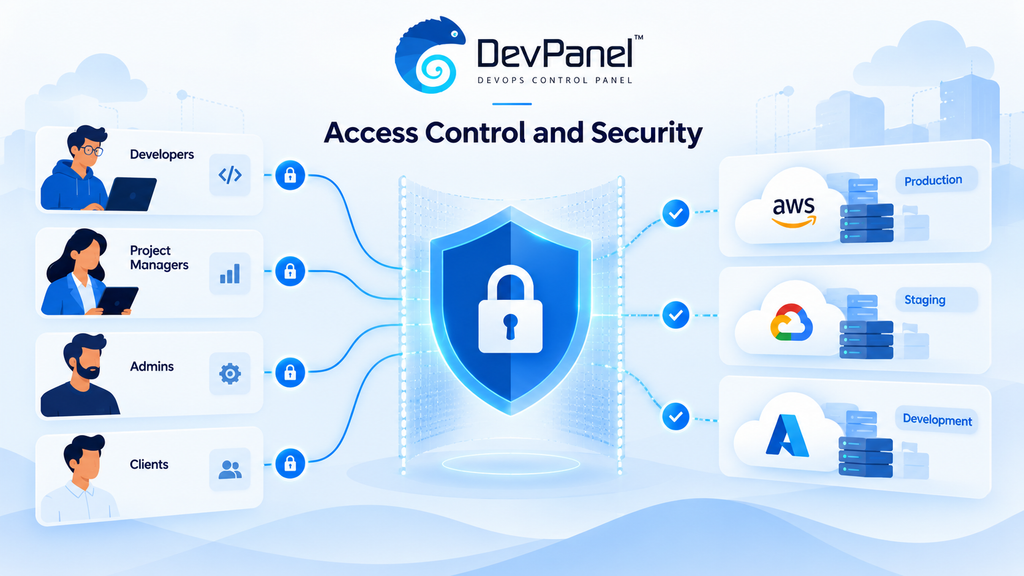
A multi-cloud dashboard becomes part of your security model.
If one platform can reach multiple cloud accounts, then access control matters.
Teams should avoid broad administrator access when narrower roles can support the required workflows.
A strong access model should include:
- Scoped credentials
- Role-based access
- Auditable actions
- Separate client or project boundaries
- Credential rotation
- Clear ownership of service accounts
- Limited access to production
- Separation between teams and environments
This is especially important for agencies managing client-owned infrastructure.
The agency may need access to deploy and manage applications, but the client still needs confidence that infrastructure ownership and security boundaries remain clear.
DevPanel’s Workspace model supports this kind of organization by helping teams separate clients, projects, and access patterns inside a centralized platform.
The Dashboard Should Support Deployment and Recovery
A successful deployment is not enough.
Teams should also test what happens when something goes wrong.
Can the dashboard help restore a backup?
Can the team see the logs needed to troubleshoot?
Can an alert reach the right person?
Can the team identify which environment is affected?
Can the team recover without waiting for one specific engineer?
Can the team use provider-native access if the dashboard is unavailable?
These questions matter because incidents reveal whether the dashboard is truly operational or only decorative.
A cloud hosting dashboard should support normal delivery and abnormal recovery.
That includes deployment, monitoring, backup, restore, rollback, and access to the underlying provider when needed.
DevPanel helps teams build a more repeatable model around application operations, but teams should still document provider-native recovery paths for critical infrastructure tasks.
A good platform improves the workflow.
It should not become the only way the team understands its infrastructure.
Cost Comparison Should Include Operating Effort
Cloud hosting cost is not only compute.
A real comparison should include:
- Compute
- Storage
- Managed databases
- Backups
- Snapshots
- IP addresses
- Data transfer
- Monitoring
- Security services
- Dashboard or platform fees
- Developer time
- DevOps effort
- Support time
- Incident response
- Billing reconciliation
- Migration cost
A low server price may not mean a lower operating cost.
If a provider requires more manual work, more troubleshooting, or more specialized knowledge, that effort has a cost.
The same is true for dashboards.
A low-cost dashboard that does not reduce operational work may not save the team much at all.
The right question is:
“What does it cost to operate this site reliably over time?”
That includes infrastructure cost and human effort.
DevPanel’s value is strongest when teams need to reduce manual application operations while keeping infrastructure in accounts they control.
Agencies Need More Than a Unified View
Agencies often manage sites for multiple clients across multiple cloud accounts.
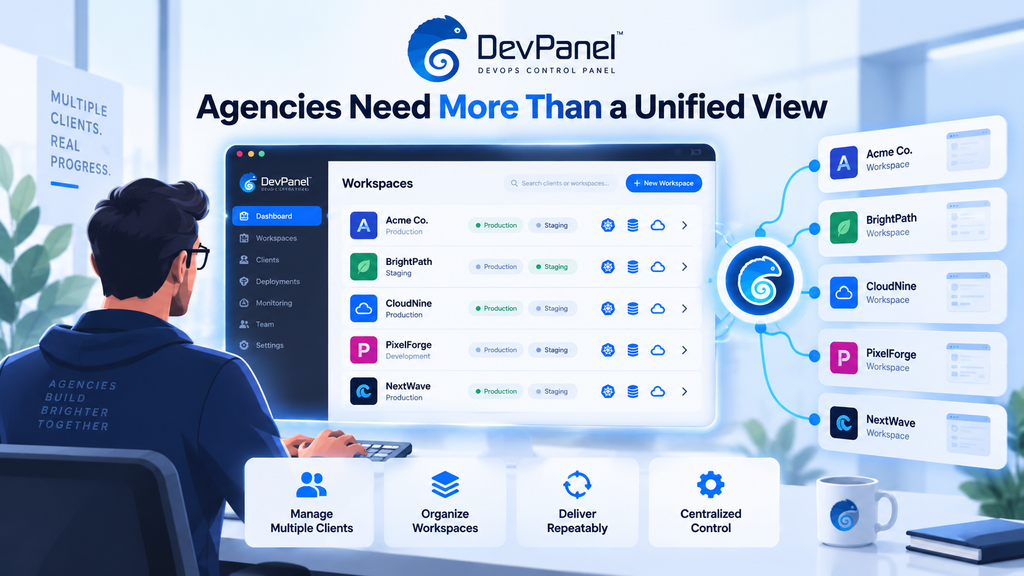
A unified view is helpful, but it is not enough.
Agencies need:
- Client separation
- Workspaces
- Repeatable deployment workflows
- Cloud development environments
- Templates
- Access control
- Git-based releases
- Backup and recovery processes
- Multi-cloud flexibility
- Client-owned infrastructure support
- Recurring service delivery
For agencies, the cloud hosting dashboard becomes part of the business model.
It affects how the agency prices services, supports clients, assigns teams, manages environments, and protects margins.
DevPanel fits this model because it helps agencies operate applications inside client-owned or agency-managed cloud accounts while standardizing delivery workflows.
That gives agencies a stronger foundation for premium cloud services.
They are not just reselling hosting.
They are managing the operating model.
When Provider Consoles Still Matter
A multi-cloud dashboard does not eliminate the need for provider consoles.
AWS, Azure, and DigitalOcean each have native features, service-specific settings, support paths, and diagnostic tools.
Some tasks may still be better handled directly in the provider console.
That is not a failure.
It is part of a mature operating model.
The dashboard should handle the workflows it is designed to standardize. Provider consoles should remain available for deep provider-specific configuration, troubleshooting, and tasks the shared platform does not expose.
Teams should document this clearly.
Which tasks are handled in the platform?
Which tasks remain provider-native?
Who has access?
What happens during an incident?
How does the team recover if the dashboard is unavailable?
A good cloud operating model includes both centralized workflows and provider-native fallback paths.
A Practical Evaluation Checklist
Before choosing a cloud hosting dashboard, teams should run a practical test.
Connect one low-risk account for each provider being considered.
Deploy a representative site.
Create a development or staging environment.
Make a small configuration change.
Test access controls.
Trigger an alert.
Review logs.
Create a backup.
Restore from backup.
Confirm audit history.
Document which steps required the provider console.
Estimate total cost, including staff time.
Repeat this for AWS, Azure, and DigitalOcean if all three providers matter to your workflow.
The goal is not to choose the dashboard that looks best in a demo.
The goal is to choose the platform that supports your actual operating model.
How DevPanel Fits the Evaluation
DevPanel should be evaluated as an application orchestration layer, not only as a dashboard.
Teams should look at how it supports:
- Customer-owned cloud
- Application deployment
- Environment management
- Cloud development environments
- Workspaces
- Templates
- Git-based workflows
- Deploy and clone actions
- Team access
- Multi-cloud operations
- Agency and client-owned infrastructure models
This is where DevPanel is different from a basic resource dashboard.
It helps teams operate applications, not just inspect cloud accounts.
For teams managing sites across AWS, Azure, DigitalOcean, or client-owned infrastructure, that distinction is important.
The goal is not to make cloud complexity invisible.
The goal is to make application workflows repeatable, manageable, and easier to govern.
FAQ
What is the best cloud hosting dashboard for AWS, Azure, and DigitalOcean?
The best cloud hosting dashboard is the one that supports your real workflows across the providers you use. It should help with deployment, access control, monitoring, backup, recovery, and environment management, not just display connected resources.
Does a multi-cloud dashboard replace AWS, Azure, or DigitalOcean consoles?
No. A multi-cloud dashboard can centralize selected workflows, but provider consoles remain useful for deep configuration, troubleshooting, support, and provider-specific features.
What is the difference between a cloud dashboard and an application orchestration platform?
A cloud dashboard often focuses on visibility into resources. An application orchestration platform helps manage workflows such as deployments, environments, cloning, access, and application operations.
Why does infrastructure ownership matter?
Infrastructure ownership affects control, portability, governance, data access, security, and long-term flexibility. Customer-owned cloud keeps infrastructure in accounts the organization or client controls while allowing a management layer to support workflows.
How should teams compare AWS, Azure, and DigitalOcean support?
Teams should test each provider separately. Confirm whether the dashboard can deploy, manage, restore, and monitor the specific resources your site needs in each provider account.
Is multi-cloud always a good idea?
No. Multi-cloud is useful when there is a clear business or technical reason, such as workload fit, client requirements, resilience planning, or cloud ownership needs. Without a reason, it can add unnecessary operational work.
How does DevPanel help with multi-cloud hosting?
DevPanel helps teams manage applications in customer-owned cloud infrastructure through Workspaces, templates, cloud development environments, deployment workflows, cloning, and application orchestration.
Conclusion: Choose the Dashboard That Can Operate
The best cloud hosting dashboard is not the one that simply connects to AWS, Azure, and DigitalOcean.
It is the one that helps your team operate.
That means deployment, access control, environment management, monitoring, backup, recovery, and clear infrastructure ownership.
A unified screen is useful only when it supports real workflows.
For teams that want to manage sites across cloud providers while keeping ownership of the underlying infrastructure, DevPanel offers a stronger model than a basic dashboard.
It acts as an application orchestration layer for customer-owned cloud.
That gives teams a better way to standardize operations, reduce manual work, and manage sites across providers without giving up control.
Own the infrastructure.
Test the workflow.
Choose the platform that helps your team operate with confidence.