
Cloud Development Environments: The Complete Guide For Faster, Safer, Remote‑Ready Software Teams
Only 7% of organizations can create development environments in under an hour, which means most teams still lose days before writing a single line of code on a new project or branch. Cloud Development Environments change that by giving teams on‑demand, browser‑based workspaces that are secure, consistent, and ready for collaboration from anywhere.
Key Takeaways
| Question | Answer |
|---|---|
| What is a Cloud Development Environment (CDE)? | A CDE is a preconfigured development workspace that runs in the cloud, usually accessed through a browser-based IDE like VS Code, with source code, tools, and runtimes managed centrally. With DevPanel, these environments are created per branch using cloud-based dev environments that sync directly with your Git provider. |
| How can cloud IDEs improve collaboration for remote teams? | Cloud IDEs make pair programming, code reviews, and shared debugging easier because everyone connects to the same standardized environment. Our work-with-cloud-IDEs capabilities include real-time collaboration, shared URLs, and branch-based workspaces for distributed teams. |
| Which security features matter most in a cloud dev workspace? | Role-based access control, SSO, network isolation, and secrets management are critical. With DevPanel, you manage isolation and access at the workspace level using Workspaces, combined with secret management in our platform features. |
| Where can I host Cloud Development Environments? | You can run CDEs in your own AWS, Azure, or other cloud accounts. DevPanel uses “Bring Your Own Cloud” so you retain ownership of your infrastructure and link it using Link My Cloud Account. |
| How much does it cost to get started? | Our DevPanel Community Edition is $0 to use in your own cloud, and you can add on expert services as needed, as shown on our pricing page. |
| Where can I find cloud dev environments with built-in collaboration? | Look for platforms that bundle cloud IDEs, workspaces, and Git integration. DevPanel’s platform overview centralizes dev environments, deployments, and collaboration in one place. |
1. What Are Cloud Development Environments and Why Teams Are Moving To Them
Cloud Development Environments (CDEs) are full development workspaces that run in your cloud instead of on individual laptops. They give developers browser-based access to source code, runtimes, databases, and tools, all preconfigured and standardized.
For teams, this means new developers and new branches get ready-to-code environments in minutes instead of days. For organizations, it means tighter governance, simpler support, and lower hardware costs.
Traditional local setups often break when dependencies drift, operating systems update, or security policies change. CDEs avoid this by keeping tools and runtimes in centrally managed images that your team can reproduce at any time.
As more enterprise applications move to the cloud, centralizing dev environments around the same infrastructure helps reduce friction between development, DevOps, and operations.
2. Core Benefits of Cloud Development Environments for Modern Teams
CDEs solve three recurring problems: slow onboarding, inconsistent setups, and fragile laptop-based workflows. When every environment is defined once and provisioned automatically, teams gain both speed and reliability.
In our experience, the most impactful benefits of cloud development environments are:
- Faster onboarding: new developers can start coding in minutes with a browser.
- Branch-per-environment workflows: every feature branch gets its own isolated environment.
- Lower hardware requirements: developers can use lightweight devices, since heavy lifting runs in the cloud.
- Better visibility: project managers and testers can access live environments without manual setup.
Cloud-based environments also reduce “it works on my machine” issues, because everyone runs against the same base images, tools, and application configuration. This directly improves handoffs between developers, QA, and operations.
Finally, centralizing dev environments simplifies compliance and auditing, since administrators can manage access and resource usage in a controlled, observable way.
3. Inside a Modern Cloud Development Environment: What Really Matters
A robust CDE is more than a server with an editor installed. It is an opinionated set of tools that match your stack, wired to your repositories, databases, and pipelines.
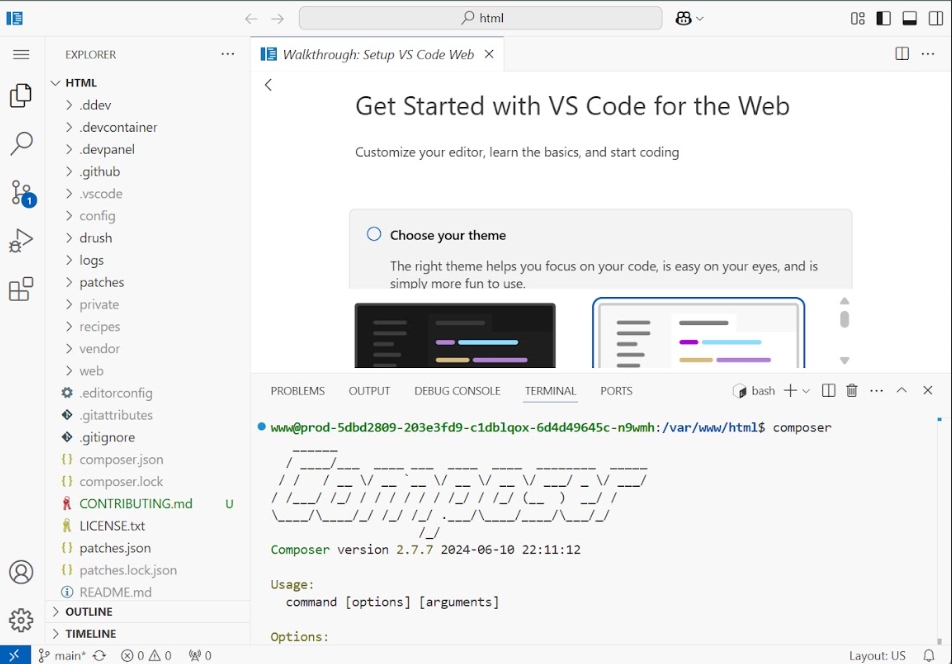
In DevPanel, our Build Dev Environments capabilities include a few key components that most teams now consider essential.
Preconfigured IDE and tools
We include a browser-based VS Code IDE with built-in SSH and SFTP. Developers access familiar tooling in the browser, without installing plugins or SDKs locally.
PhpMyAdmin is included for browser-based database management, so teams can inspect or tweak data easily within the same environment.
Branch per environment
Each branch can have its own environment, which is ideal for parallel feature work, testing, and user acceptance testing. Project managers, testers, and clients can each get their own URLs to check progress.
Because code stays in your own Git repository, “One Source of Truth” is maintained while DevPanel syncs and builds environments per branch automatically.
Cloneable branches and sites allow you to spin up staging or test copies in a few clicks. This is especially helpful for agencies that need one environment per client, per feature, or per release.
Because everything runs in your cloud account, you keep full control of resources, networking, and data locality.
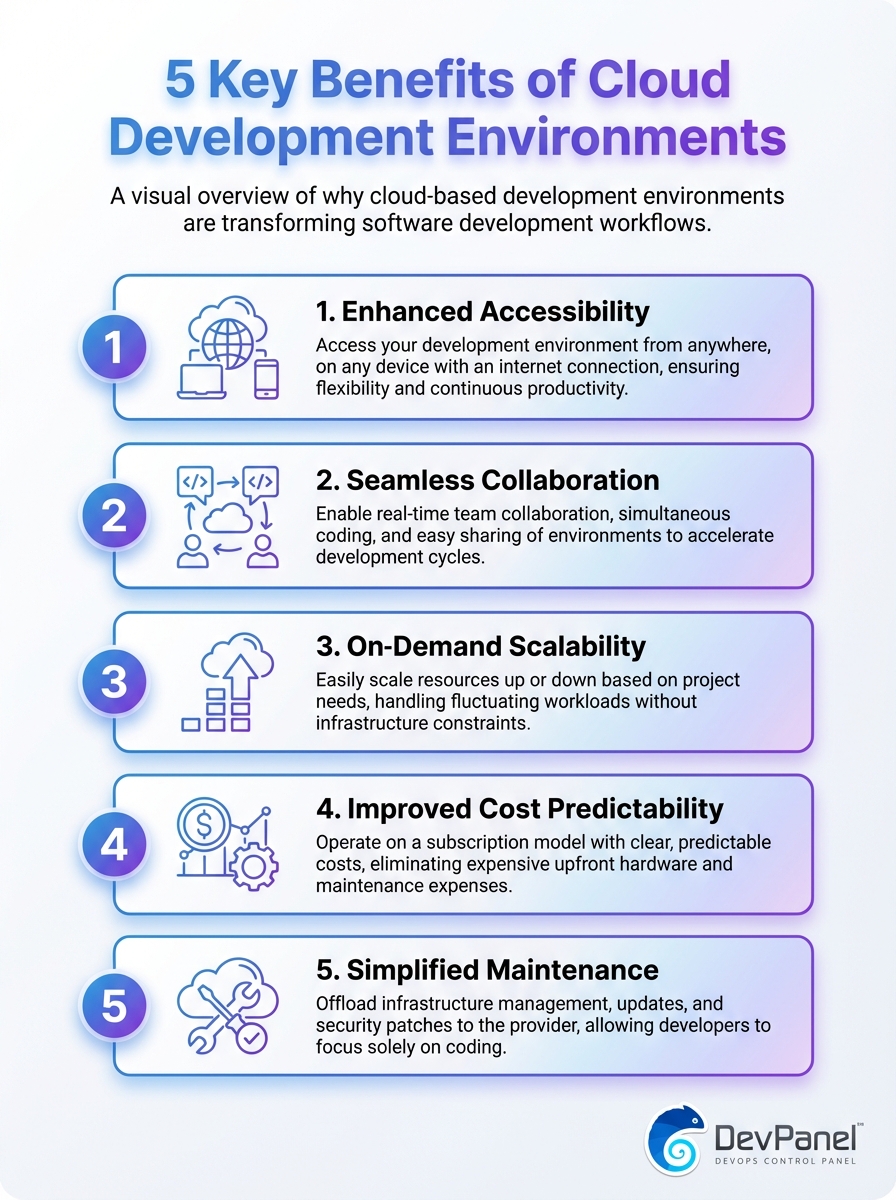
This infographic highlights the five main benefits of using Cloud Development Environments. See how they boost productivity, scalability, collaboration, and security.
4. Cloud IDEs and Remote Collaboration: How Teams Actually Work Day to Day
Cloud IDEs sit at the heart of the CDE experience. Instead of managing local editors, SDKs, and debuggers on every laptop, we centralize a fully featured editor that runs in the browser.
With DevPanel’s cloud IDEs, teams develop in VS Code in a browser, with preconfigured tools, runtimes, and project settings for each stack.
How cloud IDEs improve collaboration for remote teams
Because environments run in the cloud, multiple team members can access the same branch environment for pair programming or group debugging. Live sessions are easier to set up when everyone uses the same URL and configuration.
Testers, product owners, and stakeholders can open the running application in their browser for smoke tests, demos, or user acceptance tests, without installing anything locally.

For globally distributed teams, this “work from anywhere” model is especially powerful. Developers can connect from home, the office, or a low-power device during travel and still have the same experience.
Onboarding is faster as well, because new team members do not spend days installing compilers, package managers, or framework-specific tools before they can contribute.
Did You Know?
75% of surveyed executives say cloud platform-based environments will have the greatest impact on developer productivity.
5. Essential Security Features For Any Cloud Development Workspace
Security is one of the first concerns teams raise when they consider moving development into the cloud. A well-designed CDE can strengthen security by centralizing access and reducing data sprawl across laptops.
When we design secure workspaces, we pay attention to both infrastructure-level controls and day-to-day developer workflows.
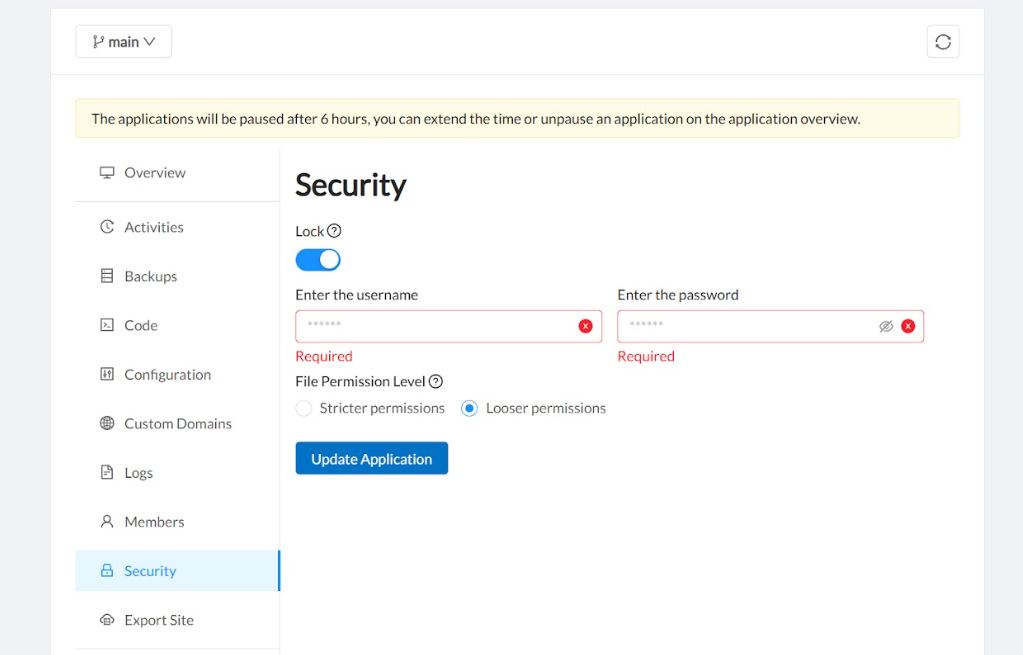
Must-have security features in CDEs
- Single sign-on (SSO) and RBAC: control who can access which workspaces and environments, with roles like Administrator or Developer.
- Network isolation: environments should run in isolated networks or namespaces, aligned with your cloud account’s security standards.
- Secrets management: API keys and credentials must be stored securely, not hard-coded in code or environment files.
- Auditability: actions like deployments, access changes, and environment creations should be logged.
DevPanel uses Workspaces to isolate teams, resources, and applications, so you can separate clients, departments, or projects cleanly. Combined with our secret management features, this gives your security team clear boundaries to manage.
Because you “Bring Your Own Cloud”, you also keep your existing security tooling, VPC designs, and compliance controls, rather than shifting sensitive workloads into a third-party multi-tenant environment.
6. Version Control Integration: GitHub, GitLab, Bitbucket And Beyond
Strong version control integration is non-negotiable for any serious cloud development environment. Developers expect environments to track Git branches closely and update automatically as code changes.
DevPanel connects to your Git provider and syncs project branches so that each branch can be deployed as its own CDE.
Why Git integration is critical for cloud-based IDEs
When your cloud IDE runs against a branch-aware environment, workflows like feature development, hotfixes, and release candidates become much easier to manage. You can deploy “from scratch” or clone an existing application environment tied to any Git branch.
On our Deploy and Clone flow, we sync branches with GitHub, GitLab, or Bitbucket, then let you choose between deploying a new app or cloning an existing one, including database, files, and settings.
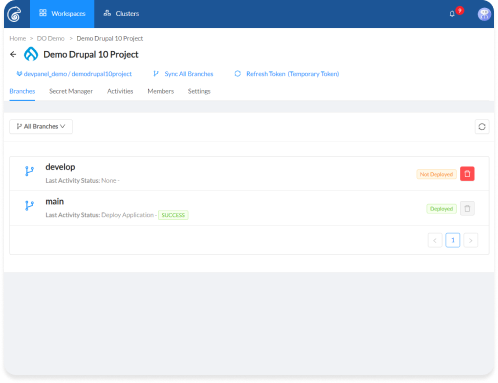
This model gives you “one environment per branch”, which is ideal for parallel feature work, QA, and stakeholder demos. It keeps Git as the canonical source of truth while environments follow code changes automatically.
For teams adopting continuous integration and continuous delivery, this tight coupling between Git and CDEs simplifies pipelines and reduces the risk of configuration drift.
7. Workspaces and Multi-Team Governance in Cloud Dev Platforms
As organizations grow, environment sprawl and access control become real concerns. Cloud development environments need to scale across teams, projects, and clients, not just individual developers.
Workspaces in DevPanel are designed specifically to handle this kind of multi-team governance in a simple, visual way.
How Workspaces structure your cloud development environments
A Workspace is a container for teams, projects, environments, and custom domains. You can create as many Workspaces as you need, either within a single cluster or across multiple clusters.
Inside each Workspace, you manage:
- Projects and resources for that team or client
- Team members, with Administrator or Developer roles
- Activity logs and environment status across all projects
This model is especially helpful for agencies, consultancies, and multi-division enterprises that need clean separation of environments, billing, and access. It also creates a simple path for contractors or partners to work safely inside a limited scope.
By linking Workspaces to different clusters, you can align infrastructure with regions, security levels, or business units while using the same DevPanel interface everywhere.
Did You Know?
78% of organizations plan to standardize their development environments within the next year.
8. Bring Your Own Cloud: Running CDEs In Your Own AWS, Azure, Or On‑Prem
Many teams want cloud development environments, but they also want to keep direct control of cloud accounts, security policies, and cost management. That is why we designed DevPanel around a Bring Your Own Cloud (BYOC) model.
With our Link My Cloud Account feature, you connect your preferred provider to DevPanel and run everything inside your own infrastructure.
How BYOC works in practice
The flow is straightforward:
- Select a cloud provider, such as AWS or another supported option.
- Link your accounts using our Cloud Link technology.
- Use DevPanel’s dashboard to size and deploy development environments.
This approach lets you reuse existing credits, reserved instances, and enterprise agreements. It also aligns dev environments with your production stack, which improves parity and reduces surprises during deployment.
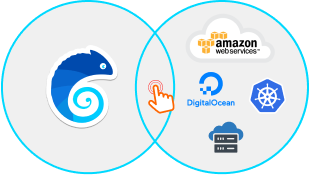
Because deployments stay in your account, you keep full visibility in your existing monitoring and logging stacks. This can simplify internal approvals and compliance, compared to moving development into a vendor-controlled cloud.
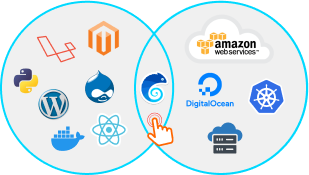
If you use on-prem servers or hybrid setups, this model also makes it easier to align dev environments with your broader infrastructure strategy.
9. Templates, Prebuilt Apps, And Faster Time To First Commit
Even with good tooling, starting from a blank slate on every project is slow. Many teams want opinionated templates and starter apps they can launch and customize quickly.
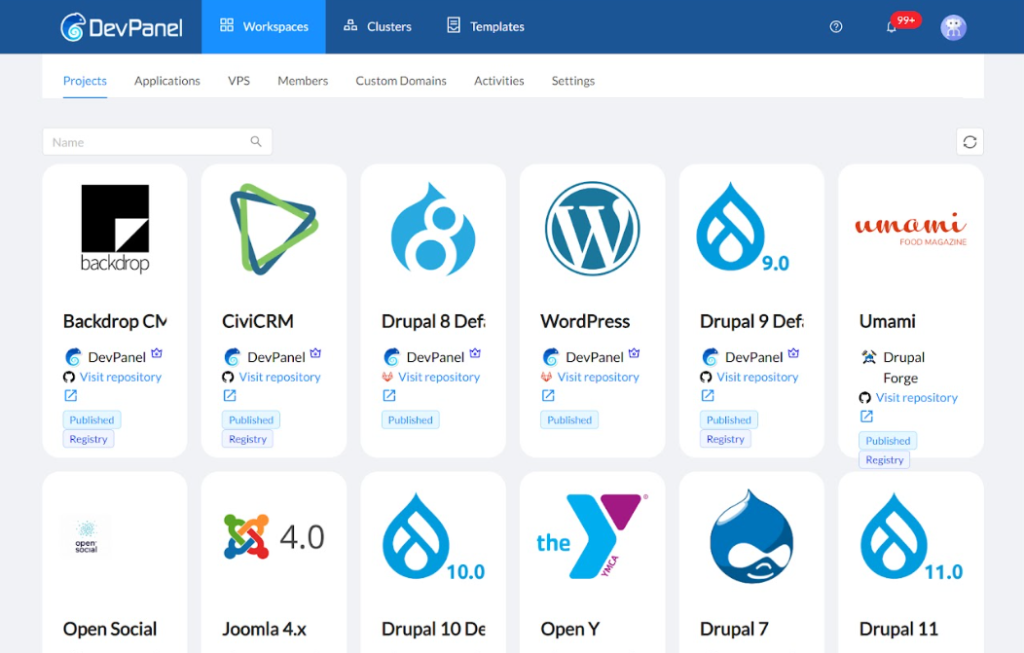
DevPanel provides prebuilt applications and templates that run inside your cloud development environments, which helps teams deliver value faster.
How templates help teams ship faster
Prebuilt applications give you a working stack out of the box, configured with best practices for that framework. Templates come with themes, modules, and sample content, which is especially useful for content-heavy platforms.
Sample frameworks let your internal team define standard patterns once, then reuse them across projects. This standardization aligns with what many organizations are already planning for their development environments.
Teams can still customize these apps and templates as needed, but they spend their time on unique requirements instead of boilerplate setup. This is particularly impactful for agencies and internal platforms teams that repeat similar projects often.
Because these templates are deployed into full CDEs, developers can modify code, run tests, and demo changes quickly from the same environment.
10. Cost And Pricing: What Cloud Development Environments Really Cost
Cost is always part of the conversation when teams evaluate cloud development environments. The good news is that with a BYOC model and a free platform tier, you can modernize your dev workflow without a large upfront commitment.
Our pricing model keeps the platform itself accessible, then lets you bring in experts when you need them.
| Offering | Price | Notes |
|---|---|---|
| DevPanel Community Edition (CE) | $0 | Free to use in your own cloud, no subscriptions or lock-in. |
| Support Staff | $85/hour | On-demand support for your environments. |
| DevOps Engineer | $150/hour | Expert help with pipelines and automation. |
| Cloud Architect | $250/hour | Strategic design for large-scale cloud setups. |
Because environments run in your own cloud accounts, you stay in control of compute and storage costs. You can scale resources up or down based on team size, project load, or time of day.
This model lets small teams adopt cloud development environments early, then scale up to larger expert-supported deployments as their needs become more complex. It also aligns costs closely with usage, which is important for finance and leadership stakeholders.
11. How To Get Started With Cloud Development Environments Using DevPanel
Moving to cloud development environments does not need to be a big-bang migration. We usually recommend a phased approach that starts with one project or team and then expands across your organization.
With DevPanel, you can experiment safely in your own cloud while keeping your existing workflows in place.
Suggested rollout steps
- Pick a pilot project or team that feels the current pain of local setups or remote collaboration.
- Link your cloud account, create a Workspace, and sync your Git repository.
- Use our Build Dev Environments flow to create per-branch CDEs with VS Code in the browser.
- Invite developers, testers, and project managers into the Workspace and gather feedback.
- Refine your templates, security policies, and workflows, then roll out to more teams.
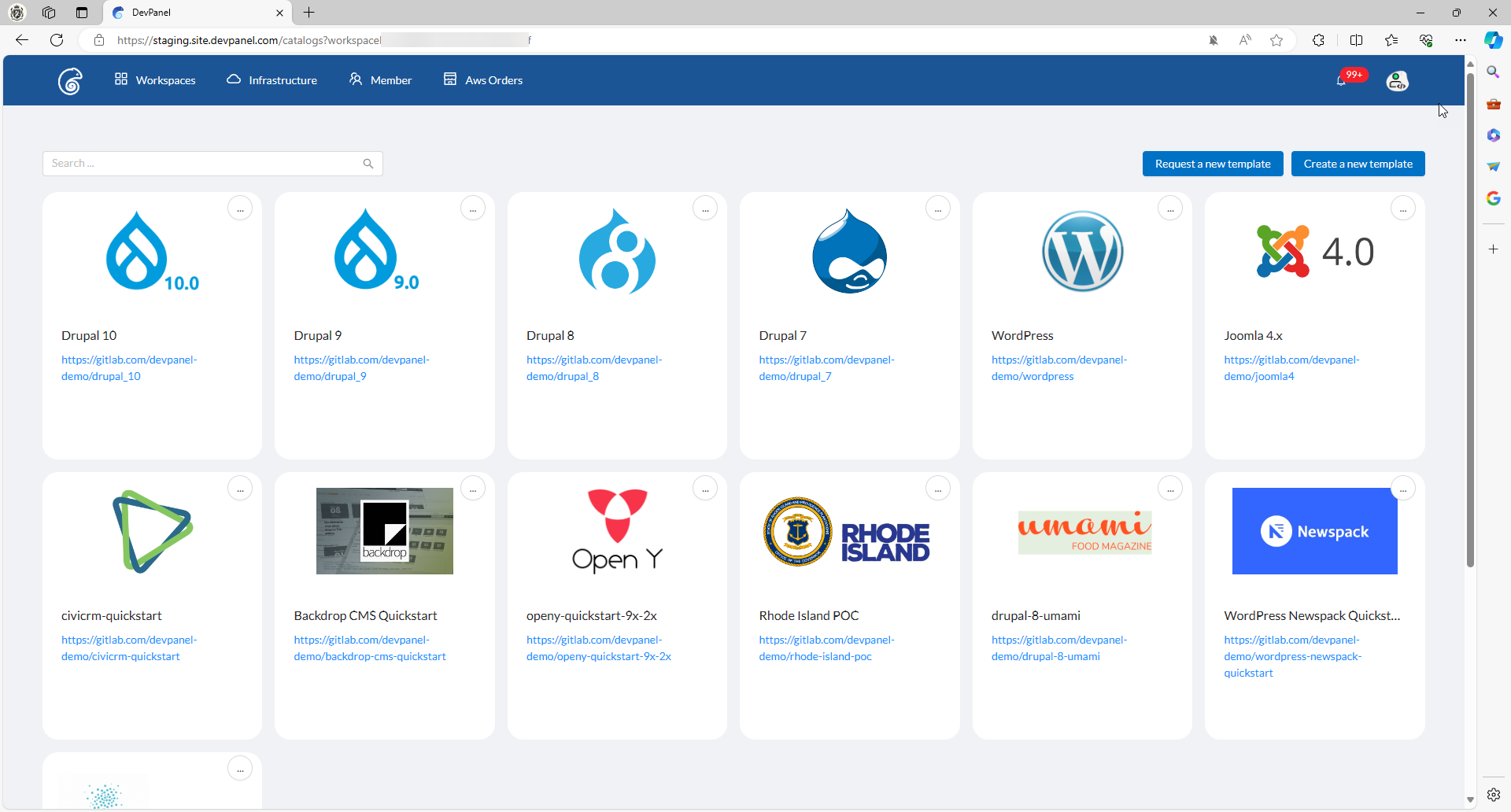
If you want to see cloud development environments in action before committing, you can explore our live demos or talk to our team about your current setup. We can help you design a path that matches your tools, security requirements, and timelines.
Over time, you can standardize more of your tooling, templates, and workflows around CDEs, which improves developer experience and governance across the board.
Conclusion
Cloud Development Environments give teams a practical way to speed up onboarding, simplify collaboration, and improve security without sacrificing control of their infrastructure. Instead of wrestling with local setups and inconsistent tools, developers can work in consistent, browser-based environments that match their production stack.
With DevPanel, you run these environments in your own cloud, organize them with Workspaces, connect them to your Git provider, and equip developers with a full-featured cloud IDE out of the box. If your team is looking for a faster, safer way to build and ship software, moving to cloud development environments is one of the most effective steps you can take.