
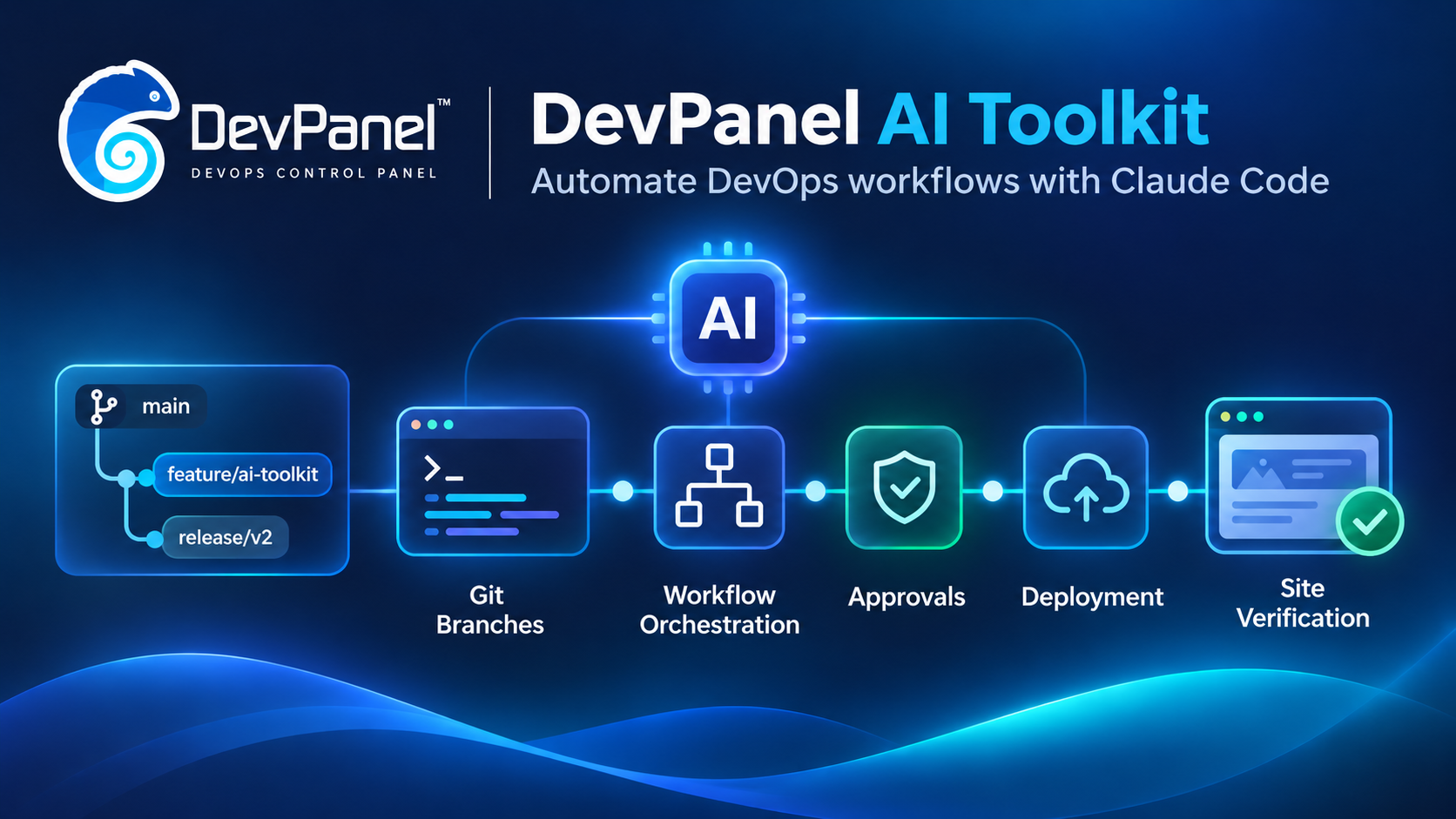
DevPanel AI Toolkit: Automate DevOps Workflows with Claude Code
The DevPanel MCP lets your assistant read DevPanel and change it one approved plan at a time. The DevPanel AI Toolkit teaches Claude Code the workflows around those plans: the GitHub work, the right order of plans, and a check that the site really loads.
In Part 1, DevPanel MCP: Manage Your Cloud Infrastructure with AI, we introduced the DevPanel MCP: one URL that gives an AI assistant access to your workspaces, applications, logs and backups, with a human approving every change. It is good at single tasks. Find out why staging returns 500s. Take a backup. Add a domain.
Most real work is a chain of those tasks, and part of the chain lives outside DevPanel. A review environment for a feature branch starts with a branch on GitHub, then a DevPanel application for that branch, then an activation with the right server size and PHP version, then a wait for the deploy, then a look at the site. Every step is simple. Getting all of them right, in order, every time, is where time goes.
The DevPanel AI Toolkit is an open-source Claude Code skill that coordinates GitHub tasks, DevPanel MCP change plans, deployment monitoring, and site verification into repeatable, human-approved DevOps workflows. It knows these chains. You ask for the outcome. Claude resolves your project, branch and application, runs the GitHub steps, prepares each DevPanel plan in the right order, waits for each job, and checks the result before it reports back.
How the DevPanel AI Toolkit keeps human approval in control
Claude may look and plan freely. It may not change DevPanel until you have approved the exact plan.
The toolkit builds on the MCP’s approval protocol and adds a stricter reading of it. Your request to “create an environment” is never treated as approval of plans you have not seen. A workflow that needs two DevPanel changes asks you twice, each time with the plan text shown word for word, and relays only your literal APPROVE or REJECT together with that plan’s hash.
DevPanel MCP vs. DevPanel AI Toolkit: what is the difference?
You don’t have to choose. The toolkit uses the MCP; the MCP works without the toolkit.
| DevPanel MCP | AI Toolkit | |
|---|---|---|
| What you add | One URL in your MCP client | A Claude Code skill and helper scripts, installed with one command |
| Works in | Claude, Claude Code, Cursor and other MCP clients | Claude Code |
| Unit of work | One tool call or one plan | A workflow: several plans in a fixed order |
| Touches | DevPanel | DevPanel, GitHub (through gh and Git), and the deployed site |
| After a job | Reports the job’s result | Also loads the site and classifies what it sees |
| Best for | Diagnosis, backups, domains, one-off changes | New projects, branch environments, data copies, moving existing sites in |
What the DevPanel AI Toolkit adds
Workflows that include GitHub
Branch work goes through the GitHub CLI, under your own GitHub login. Branches are created from an explicit commit and read back after creation. Nothing is ever force-pushed, reset or deleted as a “rollback”. If a step fails halfway, Claude reports what was completed and what is left, and leaves the decision to you.
Server configuration is your choice
When a DevPanel activation is missing a field, the MCP fills in generic defaults: the micro tier, a release-candidate PHP image and 5 GiB of storage. The toolkit never relies on them. Claude shows the supported CPU and memory tiers and PHP images, reuses what you already said, and passes every field explicitly. A plan that still carries a generic-defaults warning is replaced before you are asked to approve it.
A finished job is not a working site
In testing, a data copy job reported SUCCESS while the site returned HTTP 500. So after every deploy the toolkit loads the site and reports what it found: ready, behind authentication, waiting for the Drupal installer, showing a known error page, or failing with a server error. On an error it reads the deploy activity log and the HTTP logs before it reports.
A record of every run
Each workflow writes an execution record on your machine, outside any repository: the target, the plan IDs, the activity IDs, each completed step and the verification result. The record refuses to store anything shaped like a token, password or signed URL. If a deploy is still running when Claude stops waiting, the record holds the activity ID so the next session can resume monitoring instead of starting a duplicate job.
Secrets stay out of the conversation
Claude never asks for, accepts or repeats a GitHub token, DevPanel token or password. The GitHub token that DevPanel needs is saved by you, either in the DevPanel UI or with a small helper you run in your own terminal, which reads it with hidden input and sends it straight to DevPanel.
DevPanel AI Toolkit workflows in v0.2.0
| You ask for | What happens | Approvals |
|---|---|---|
| A project from a catalog template | Checks your DevPanel GitHub connection, copies the template into a new private repository, creates the project and deploys it | 1 plan |
| A project from your GitHub repository | Finds the repository, creates the project, activates it with the tier, PHP image and storage you chose | 2 plans |
| An environment for a branch | Creates the branch on GitHub if needed, creates its DevPanel application, activates and checks it | 2 plans |
| A copy of data from A to B | Backs up B first and waits until both database and files are saved, then copies database and files | 2 plans |
| An existing Drupal site on DevPanel | Inspects the code, prepares DevPanel configuration on a branch, then guides deployment planning and manual data import; end-to-end deployment validation is still in progress | new · 2+ plans |
| A setup check | Your DevPanel identity, workspaces, GitHub owners and gh access, read-only | none |
Data is never copied as a side effect. Creating, activating or unpausing an application never pulls a database or files from another environment. A copy happens only when you ask for one.
Example: a review environment for a branch
The conversation below is an illustration. Names, IDs and hashes are examples.
You
Create an environment for feature/search in acme-site, branched from develop. Same size as main.
Claude
list_projects · get_project · gh-branch.sh lookup · gh-branch.sh create · list_project_applications
feature/search did not exist, so I created it from develop at 0123456. acme-site has no application for it yet. DevPanel creates branch applications by syncing the project’s branches. Here is that plan.
DevPanel Change Plan

Action: SYNC PROJECT BRANCHES
Risk: LOW
Summary: Create undeployed applications for branches of acme-site that have none

Planned operations:
  1. Create application for branch feature/search (undeployed) [WILL CHANGE]

Do you approve this plan? Reply APPROVE to execute it, or REJECT to cancel.
You
APPROVE
Claude
approve_and_execute_plan · get_application · plan_activate_application
The application exists and is not deployed. MCP doesn’t report main’s tier or image, so I need them from you. You said “same size as main”. From the DevPanel UI, is that small_2 with devpanel/php:8.3-base and 10 GiB?
You
Yes.
Claude
Here is the second plan.
DevPanel Change Plan

Action: ACTIVATE APPLICATION
Risk: MEDIUM
Summary: Deploy feature/search of acme-site

Configuration:
  capacity small_2 · capacityLimit small_2 · storage 10 GiB
  image devpanel/php:8.3-base · webRoot /var/www/html/web
  copy database/files: none

Planned operations:
  1. Verify the application is still undeployed
  2. Deploy the application [WILL CHANGE]
  3. Follow the DEPLOY_APPLICATION activity

Do you approve this plan? Reply APPROVE to execute it, or REJECT to cancel.
You
APPROVE
Claude
approve_and_execute_plan · get_activity (every 20 s) · check-site.sh · exec-record.mjs
Branch environment ready  feature/search · acme-site

  Branch        created from develop at 0123456
  Application   created by branch sync
  Activated     small_2 · devpanel/php:8.3-base · 10 GiB · no data copy
  Deploy job    SUCCESS
  Site check    ready · HTTP 200
  URL           https://feature-search-acme.example.devpanel.app

  Note  The deployed commit can't be read through MCP; the branch was at 0123456.
  Note  No database yet. Ask me to copy data from main if you need it.

  Record: ~/.local/state/dp-ai-toolkit/runs/…-create-branch-environment-….json
The closing report. Every line comes from a live read, not from what Claude expected to happen.
New in v0.2.0: bring an existing Drupal site
Many teams want DevPanel for a site that already runs somewhere else. Version 0.2.0 introduces a guided path for Composer-managed Drupal 10 and 11 sites, without rewriting the site. Status: the configuration steps have been verified locally, but the end-to-end DevPanel deployment behavior has not yet been fully verified. Test with a non-production site before relying on this workflow for a migration.
The guided sequence is:
- Inspect the Drupal codebase (read-only).
- Authorize the proposed source changes.
- Add DevPanel configuration on a GitHub branch.
- Review and approve the required DevPanel deployment plans.
- Deploy to a test environment and verify the result.
- Manually import the database and files.
- Check the site and address any errors.
- Inspect. A read-only report on the codebase: Drupal version, Composer layout, web root, a suggested PHP image, existing deployment configuration, and risks such as committed credentials, SQL dumps or uploaded files in Git. Risks are reported by path; file contents are never printed.
- Configure. The DevPanel scripts come from the Drupal Forge starter template, pulled with Composer at a pinned commit, so the toolkit keeps no copy of its own. One short addition to
settings.phploads the DevPanel settings only when the site runs on DevPanel. Local, DDEV and your current hosting are unaffected. - Data. Your database and files never go into Git, a container image or the conversation. You move them yourself in the application’s VS Code terminal, following a step-by-step guide that includes the transfer from your old host, the import, permissions and clean-up. Claude checks storage before you start and verifies the site after.
Why the data step is manual. DevPanel has no upload or import interface for a database dump or a files archive yet. We prefer a clear human step to a workaround that puts customer data in a repository. When DevPanel adds an import API, the toolkit will use it.
How to install DevPanel AI Toolkit
You need a DevPanel account with a workspace, a GitHub account, and a Linux, macOS or WSL machine. One command checks for Git, curl, Node.js 18+, the GitHub CLI and Claude Code, offers to install what is missing, installs the toolkit and connects it to https://mcp.devpanel.com/mcp:
curl -fsSL https://raw.githubusercontent.com/devpanel-developer/devpanel-ai-toolkit/v0.2.0/install.sh | bash -s -- --ref v0.2.0The installer then walks you through the four sign-ins only you can do, in order:
- Log in to Claude Code.
- Sign in to DevPanel: run
/mcpin Claude Code and choose devpanel. - Sign in to GitHub with
gh auth login. - Create a GitHub personal access token (classic,
reposcope) and save it in DevPanel, in the DevPanel UI or with the helper the installer offers.
Stopped halfway? Run the command again. Finished steps are skipped. Then open Claude Code and ask: “Check my DevPanel toolkit setup.”
The source, the setup guide and the change log are on GitHub.
Keep the approval prompt on. As with the MCP alone, leave your client’s permission prompt on for devpanel_approve_and_execute_plan. The toolkit asks for your APPROVE in the conversation; that prompt is the final safeguard.
Current limits and requirements
- The toolkit runs in Claude Code only. Other assistants can still use the DevPanel MCP directly.
- Existing-site configuration supports inspection and local configuration for Composer-managed Drupal 10 and 11 with the web root in a subdirectory such as
web/; end-to-end deployment is not yet fully verified. WordPress and other stacks are planned. - Database and files of an existing site are imported by hand.
- Branch environments are created through branch sync, which considers the first 50 branches of a GitHub repository.
- MySQL version is set per environment cluster, so a workflow can confirm it but not choose it per application.
Frequently asked questions about DevPanel AI Toolkit
What is DevPanel AI Toolkit?
DevPanel AI Toolkit is an open-source Claude Code skill with helper scripts. It coordinates GitHub operations and DevPanel MCP change plans into multi-step workflows, then checks the deployed site and records the outcome.
How is DevPanel AI Toolkit different from DevPanel MCP?
DevPanel MCP supplies the connection, read tools, and explicit plan-based approval for DevPanel actions. The toolkit uses that MCP connection and adds workflow coordination across GitHub, DevPanel, and site verification. The MCP can be used without the toolkit.
Can the toolkit make infrastructure changes without approval?
No. Each DevPanel change requires review and approval of its exact plan. If a workflow needs multiple changes, each plan is presented for approval separately. Keep the MCP client’s final approval prompt enabled.
Can DevPanel AI Toolkit migrate an existing Drupal site automatically?
Not end to end. Version 0.2.0 can inspect and help configure Composer-managed Drupal 10 and 11 sites, but its deployment behavior has not yet been fully verified. Database and file imports remain manual.
Try it
Install the toolkit, run the setup check, then hand Claude something you do every week: a review environment for your next feature branch. Tell us which workflow you want next. If you are new to DevPanel MCP, start with Part 1: Manage Your Cloud Infrastructure with AI.