
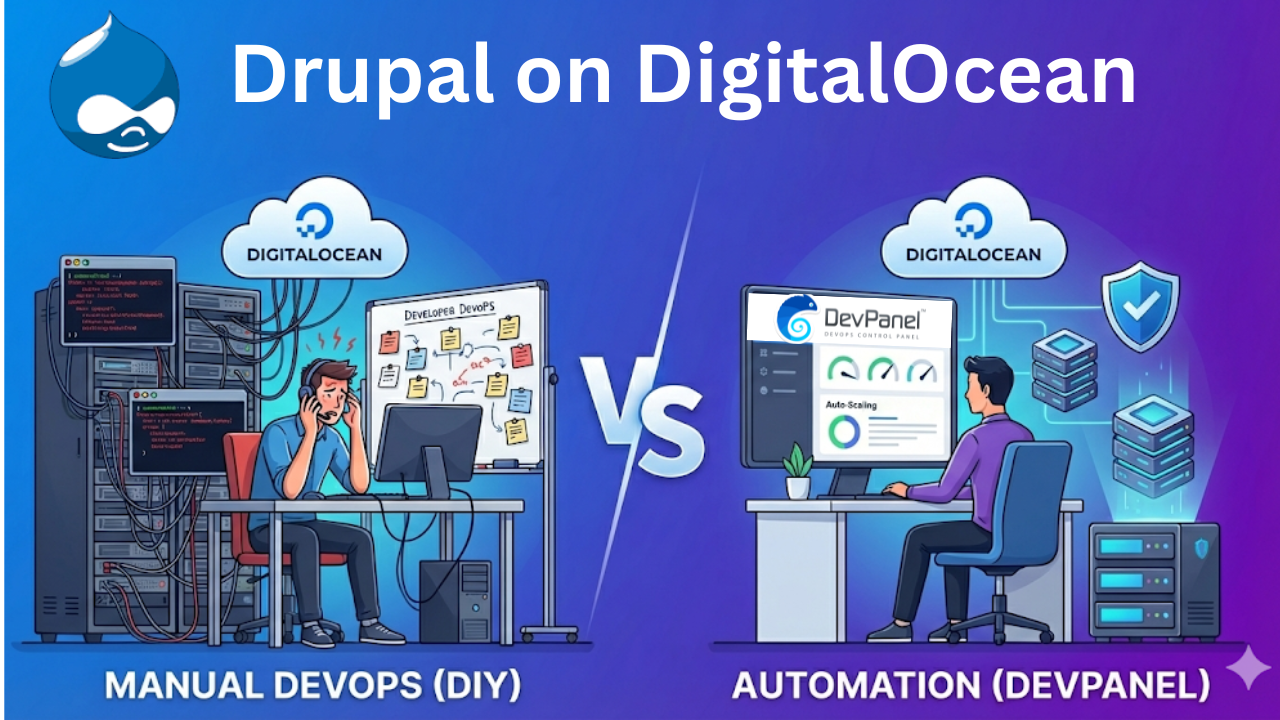
Drupal on DigitalOcean: The Hidden Cost of Manual DevOps vs. The Power of DevPanel Automation
Introduction: The Infrastructure Paradox
For organizations deploying Drupal today, the challenge is rarely about code—it is about the infrastructure that supports it. DigitalOcean has democratized access to cloud computing, offering raw power like Droplets and Kubernetes at accessible price points. However, for Drupal teams, this accessibility creates a paradox: low infrastructure costs often mask high operational liabilities.
Recent industry analysis indicates that teams managing Drupal manually on DigitalOcean infrastructure typically spend 30 to 60 hours per week on non-billable DevOps tasks. This hidden “operational tax”—comprising server patching, scaling, and troubleshooting—can often exceed the cost of the infrastructure itself.
This report analyzes two distinct deployment pathways for 2026:
- The DIY Route: Leveraging DigitalOcean’s raw infrastructure primitives manually.
- The Automated Route: Using DevPanel to orchestrate DigitalOcean as a fully managed Platform-as-a-Service (PaaS).
Part 1: The DIY DigitalOcean Landscape
The “Ladder of Complexity”
DigitalOcean provides a robust toolkit, but each option demands a specific level of operational maturity.
1. The Single Droplet (IaaS)
The entry point for many is the Droplet—a Linux virtual machine with root access.
- The Reality: While cost-effective ($6–$24/month), it represents a “snowflake server.” Developers must manually install the LEMP stack (Linux, Nginx, MySQL, PHP) and manage all OS patches.
- The Risk: There is zero redundancy. Recovery depends entirely on manual backups, and the environment often drifts from local development setups.
2. Marketplace 1-Click Apps
Pre-configured images can launch Drupal in 15-30 minutes.
- The Reality: These are strictly “Day 1” solutions. Post-launch, the team retains full responsibility for updates, security hardening, backup configuration, and scaling. It solves installation, not ongoing operation.
3. DigitalOcean Kubernetes (DOKS)
For high availability, DOKS offers auto-scaling and resilience.
- The Reality: Kubernetes introduces significant complexity. Deploying a monolithic application like Drupal requires managing Deployment manifests, Ingress controllers, and Persistent Volumes. Without a dedicated DevOps engineer, the learning curve is steep.
Part 2: The Hidden “DevOps Tax”
Analyzing the 30-60 Hour Burden
Data suggests that the “30-60 hours per week” operational burden stems from four persistent friction points:
- Security Management: DigitalOcean secures the data center, but the user must secure the OS and application. Critical security patches for PHP or Drupal Core require immediate, manual intervention across all servers.
- Environment Parity: Manual configurations lead to “drift,” where production environments differ subtly from development. This causes deployment failures that are time-consuming to diagnose.
- Reactive Scaling: In a DIY setup, scaling is often manual and reactive. Teams must provision and configure new nodes during traffic spikes, rather than having infrastructure that adapts automatically.
- Disaster Recovery: Backup retention and restoration procedures are often untested until a failure occurs, creating high operational risk.
Visual Breakdown: For a detailed look at how these manual tasks compound over time, watch this Video Analysis: DigitalOcean Drupal Hosting Explained.
Part 3: The Automated Route (DevPanel)
Infrastructure-as-Code Orchestration
DevPanel offers an alternative model: acting as a control plane that orchestrates DigitalOcean infrastructure automatically. Crucially, it is not a hosting provider—infrastructure remains in the user’s own DigitalOcean account, ensuring zero vendor lock-in.
Core Capabilities
- Full SDLC Automation: The platform automates the software development lifecycle. Code pushed to Git triggers the creation of Preview Environments—exact clones of production—allowing for immediate testing.
- Browser-Based IDEs: Developers can launch cloud-based VS Code environments in minutes, eliminating local environment setup and “works on my machine” issues.
- Auto-Scaling & Auto-Pausing: The system scales resources up during traffic spikes and pauses non-production environments during inactivity. This “auto-pause” feature can reduce development infrastructure costs by up to 80%.
Part 4: Head-to-Head Comparison
| Feature | DIY DigitalOcean | DevPanel Automation |
| Setup Time | 2-4 hours (Single Server) | 15-30 minutes (Full Stack) |
| Scaling | Manual provisioning & config | Auto-scaling based on load |
| Updates | Manual OS & Security patching | Automated patching workflows |
| Multi-Site | High maintenance per site | Template-based cloning |
| Cost Control | Fixed monthly costs | Auto-pause idle envs (70-80% savings) |
Part 5: Total Cost of Ownership (TCO) Analysis
When evaluating costs, organizations must look beyond the raw infrastructure bill.
The DIY Equation:
- Infrastructure: ~$50–$300/month per site.
- Hidden Labor: Significant. A DevOps engineer’s pro-rated time (patching, scaling, fixing) can amount to $40K–$75K/year per team.
- Risk: High potential for downtime due to human error.
The Automated Equation:
- Infrastructure: ~$50–$250/month (Paid to DigitalOcean).
- Platform Fee: Transparent monthly subscription.
- Labor: Minimal. Automation handles the routine tasks.
For agencies and mid-sized teams, the reduction in labor hours typically offsets the platform cost, resulting in a lower total TCO and faster time-to-market.
Part 6: Recommendation Matrix
| Organization Type | Recommended Path | Why? |
| Solo Developer | DIY (Marketplace) | Low initial cost and manageable overhead for a single person. |
| Small Team (2-5) | Hybrid (DO Managed DBs) | Balances convenience and control; Managed DBs remove some admin burden. |
| Mid-Sized Team (6+) | DevPanel | Eliminates the need for a dedicated DevOps engineer; speeds up onboarding. |
| Agency | DevPanel | Essential for managing multiple sites. Template-based creation and cost tracking are critical. |
| Compliance Required | DevPanel | Provides auditable, repeatable Infrastructure-as-Code (IaC) necessary for compliance. |
Conclusion: Strategic Infrastructure
The choice between DIY and automation is a strategic one. For solo developers or hobbyists, the DIY route on DigitalOcean is cost-effective and educational. However, for agencies and businesses managing multiple critical sites, the operational overhead of the DIY model acts as a bottleneck.
By utilizing an orchestration layer like DevPanel, organizations can leverage the raw power and pricing of DigitalOcean without inheriting the sysadmin workload—effectively turning DevOps from a manual burden into an automated utility.
Deep Dive: For a more comprehensive discussion on choosing the right hosting strategy for your agency, listen to this Strategic Podcast Episode.
Frequently Asked Questions (FAQ)
Q: Does DevPanel replace DigitalOcean?
A: No. DevPanel is a control panel for DigitalOcean. Your servers, databases, and files live in your DigitalOcean account, and you pay DigitalOcean directly for infrastructure usage.
Q: What happens if I cancel DevPanel?
A: Due to the “Zero Vendor Lock-In” architecture, your sites stay online. They continue running in your DigitalOcean account. You simply lose the automated deployment pipelines and dashboard management, reverting to manual control.
Q: Can I use DigitalOcean Kubernetes (DOKS) with DevPanel?
A: Yes. DevPanel can deploy your Drupal sites directly to DOKS clusters, managing the complex Kubernetes configurations (Ingress, PVCs, Pods) automatically behind the scenes.
Q: How does DevPanel save money compared to DIY?
A: Beyond eliminating expensive DevOps labor hours, DevPanel’s “Auto-Pause” feature spins down development and preview environments when they are not in use (such as nights and weekends), which can reduce cloud infrastructure bills by up to 80%.
One Comment
Comments are closed.