
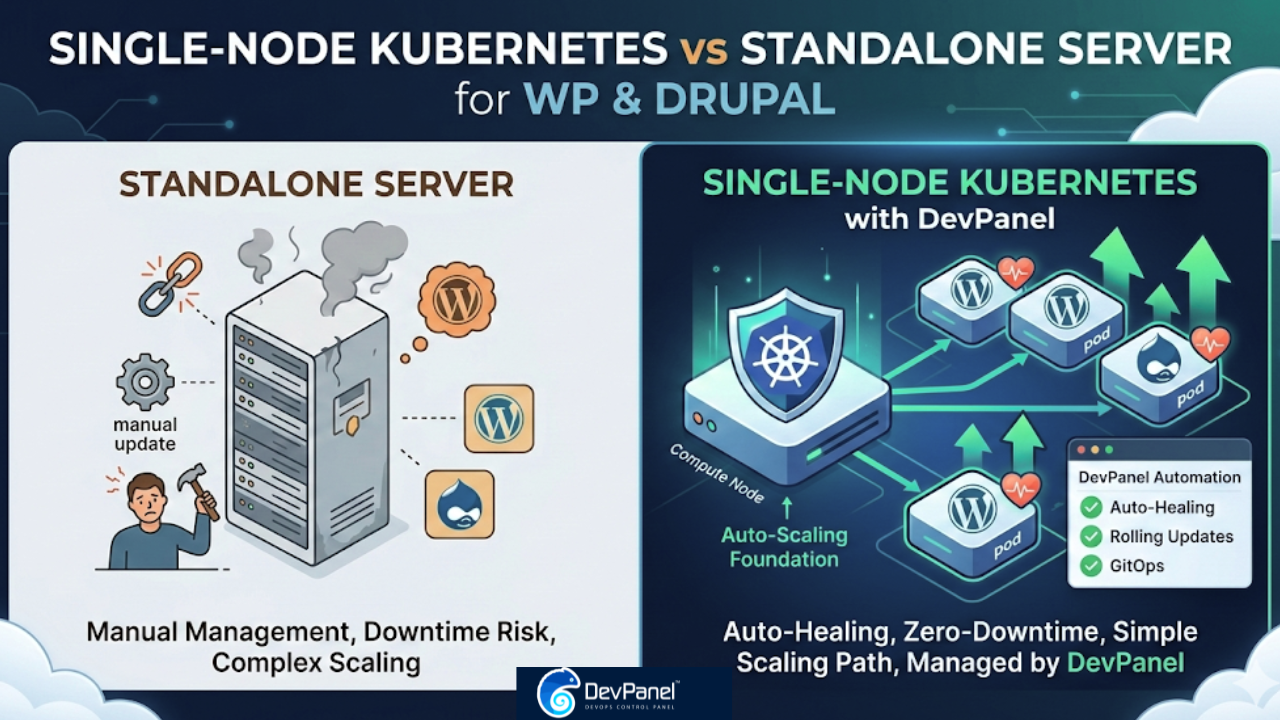
Why Kubernetes on a Single Node Beats Standalone Servers for WordPress & Drupal: A Technical Deep Dive
In the world of web hosting, the “Standard VPS” has long been the default. You spin up a Linux instance, install a LAMP or LEMP stack, and drop your WordPress or Drupal files into /var/www/html. It’s familiar, it’s simple, and for a long time, it was “good enough.”
But as digital experiences become more complex and uptime requirements become more stringent, the limitations of standalone servers are becoming glaringly obvious. Enter Kubernetes (K8s). While often associated with massive, multi-node clusters used by the likes of Spotify or OpenAI, there is a burgeoning movement toward Single-Node Kubernetes.
You might ask: Why add the orchestration layer of Kubernetes if I’m only using one server?
The answer lies in the fundamental shift from “managing a server” to “managing a service.” This technical deep dive explores why a single-node Kubernetes setup—orchestrated through a platform like DevPanel—is objectively superior to traditional standalone servers for WordPress and Drupal development.
Part A: The “Hidden” Benefits of Kubernetes on a Single Node
Even without a dozen worker nodes, Kubernetes changes the DNA of your hosting environment. It introduces a layer of intelligence that a standard Linux OS simply doesn’t possess.
1. Auto-Healing: The End of 3 AM Reboot Calls
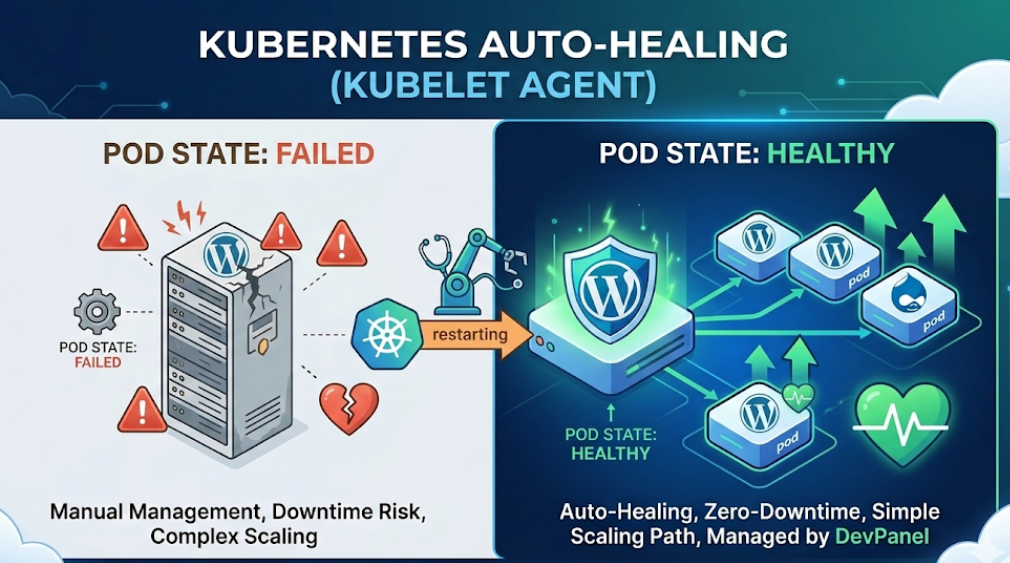
On a standalone server, if a PHP-FPM process hangs or a WordPress site hits a fatal error that crashes the service, the site stays down until a human intervenes or a crude cron job restarts the service.
Kubernetes uses Liveness and Readiness Probes. The kubelet agent constantly checks the health of your WordPress or Drupal pod. If the application becomes unresponsive, Kubernetes kills the failing container and spins up a fresh one instantly. It maintains the “Desired State” without you ever lifting a finger.
2. Declarative Infrastructure (Infrastructure as Code)
On a standalone server, your configuration is “procedural.” You run commands: apt-get install, vi /etc/nginx/nginx.conf, etc. If that server dies, you have to remember every command you ran to rebuild it.
In Kubernetes, everything is declarative. You define your site in a YAML manifest:
- “I want 2 WordPress replicas.”
- “I need a 2GB memory limit.”
- “I need an Ingress controller for SSL.”
This file is your source of truth. It can be version-controlled in Git, meaning your entire infrastructure is documented, reproducible, and portable.
3. Rolling Updates and Zero-Downtime Deployments
Updating a Drupal core or a WordPress theme on a standalone server usually involves a brief window of “Maintenance Mode” or the risk of a broken site if the update fails.
Kubernetes Deployments allow for Rolling Updates. It spins up the new version of your container, waits for it to pass health checks, and only then routes traffic to it while decommissioning the old version. If the new version fails, K8s can automatically roll back to the previous stable image.
4. Workload Isolation and Resource Quotas
“Noisy neighbor” syndrome isn’t just for shared hosting; it happens on your own VPS too. A runaway backup script or a heavy Drupal cron job can hog 100% of the CPU, starving your web server.
With Kubernetes, you define Resource Limits and Requests. You can hard-limit a specific WordPress site to 0.5 CPU cores and 1GB of RAM. This ensures that one site’s traffic spike doesn’t crash the other five sites living on the same node.
Part B: The “Kubernetes Tax” – Why It Used to Be Hard
If Kubernetes is so great, why hasn’t everyone switched? Historically, Kubernetes had a massive “barrier to entry” known as the Learning Curve.
- Complexity of Setup: Setting up a cluster “the hard way” involves manual certificate generation, networking configuration (CNI), and managing an
etcddatabase. - Specialized Expertise: A traditional SysAdmin knows Linux, but a K8s Admin needs to understand Pods, Services, PersistentVolumes, Ingress Controllers, and RBAC (Role-Based Access Control).
- Operational Overhead: Industry analysis suggests that for many teams, the operational overhead of managing Kubernetes manually accounts for 35% of their total cloud spend.
- Stateful Complexity: WordPress and Drupal are “stateful”—they have databases and uploaded files (like
wp-content/uploads). Managing these in a containerized environment requires sophisticated handling of Persistent Volume Claims (PVCs) to ensure data isn’t lost when a container restarts.
Part C: How DevPanel Changes the Equation
DevPanel was built to provide the power of Kubernetes without the “DevOps Tax.” It transforms Kubernetes from a complex beast into a transparent utility.
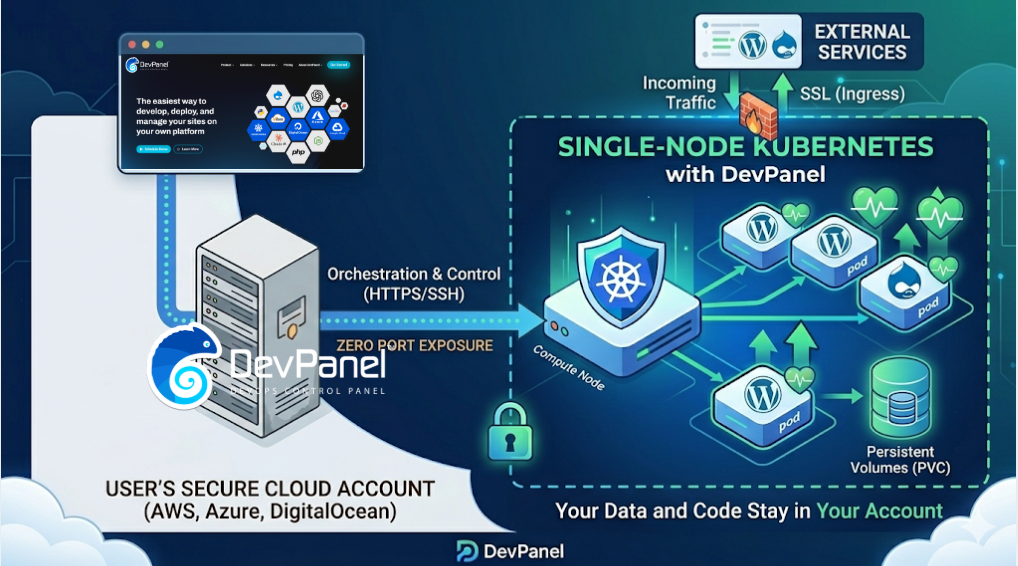
1. Automated Provisioning in Your Own Cloud
DevPanel doesn’t host your sites; it orchestrates them. You connect your AWS, Azure, or DigitalOcean account, and DevPanel automatically provisions the Kubernetes cluster for you. You get the enterprise-grade power of K8s while maintaining 100% ownership of your data and infrastructure.
2. The Browser-Based Development Revolution
DevPanel provides a pre-configured, browser-based VS Code IDE. Developers can write code, run Drush or WP-CLI commands, and debug in an environment that is identical to production. This eliminates the “It works on my machine” excuse forever.
3. Git-Based Preview Environments
This is a game-changer for agencies. When a developer creates a new feature branch in Git, DevPanel can automatically spin up a temporary Preview Environment. Clients can review the feature on a live URL before it’s ever merged into the main site. Once the branch is merged, the environment is deleted, reclaiming resources.
4. Handling WordPress/Drupal Specifics
Unlike generic K8s platforms, DevPanel understands the nuances of PHP applications. It automatically handles:
- Synchronized File Storage: Ensuring
wp-contentor Drupalfilesare persistent and accessible. - Cron Coordination: Preventing multiple pods from running the same cron job simultaneously and overloading the database.
- Database Connectivity: Automated secure linking between your app and its managed database.
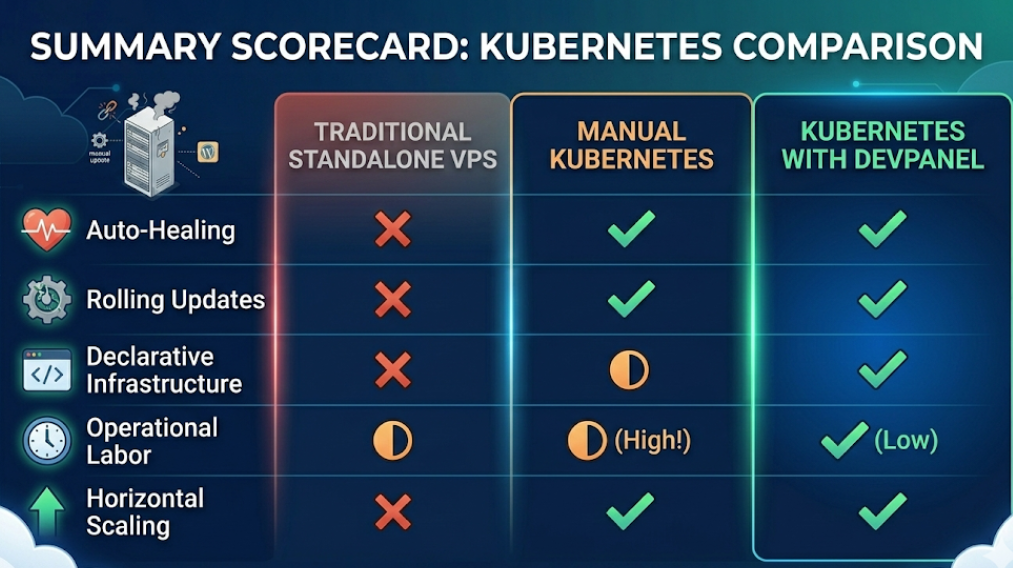
Part D: Comparison Table – Manual vs. DevPanel
| Aspect | Standalone VPS | Manual Kubernetes | Kubernetes with DevPanel |
| Setup Time | 1 Hour | 40-80 Hours | 30 Minutes |
| Self-Healing | No | Yes | Yes (Out of the box) |
| Updates | Manual / Risky | Rolling Updates (Complex) | Rolling Updates (1-Click) |
| Scalability | Vertical Only (Reboot) | Horizontal (Complex) | Horizontal (Seamless) |
| Preview Sites | Manual Setup | Hard to Automate | Automated via Git |
| Cost | Low ($) | High ($$$ Labor) | Low ($ Cloud Costs Only) |
Part E: Cost and Risk Analysis
The Cost Reality
Many assume Kubernetes is more expensive. On a single node, the infrastructure cost is identical to a standalone server. A $40/month compute instance costs $40 whether it’s running Ubuntu + Apache or Ubuntu + K3s.
The difference is in Labor Costs.
- Standalone: Cheap to start, expensive when it breaks and needs manual fixing.
- Manual K8s: Massive upfront cost in engineering hours.
- DevPanel K8s: $0 platform cost, low labor cost because the “heavy lifting” is automated.
Risk Mitigation
Standalone servers carry the risk of Configuration Drift. Over time, “quick fixes” made via SSH make the server unique and impossible to replicate. Kubernetes (via DevPanel) enforces a “clean” environment. If a node fails, you simply redeploy your manifests to a new node, and you are back online in minutes with the exact same configuration.
Part F: When is a Standalone Server Still Okay?
We aren’t saying standalone servers are obsolete for everyone. They still make sense for:
- Personal Hobbies: A small blog with 10 visitors a day.
- Disposable Demos: A 24-hour proof of concept.
- Deeply Budget-Constrained: If you are managing a $5/month “micro-VPS” where every megabyte of RAM counts, the Kubernetes overhead (small as it is) might be too much.
However, for Agencies, Freelancers, and Enterprise Teams, the risks of a standalone server far outweigh the perceived simplicity.
Part G: The Recommendation
For Agencies
You are likely managing 10, 50, or 100+ client sites. Managing these as individual VPS instances is an operational nightmare. Moving to a single-node Kubernetes model via DevPanel allows you to centralize management, automate backups, and offer “Enterprise-grade” uptime to small-business clients.
For Development Teams
Stop wasting time on local environment setup. Use DevPanel’s cloud IDE and automated Dev/Test/Live workflows. It moves your team from “Managing Servers” to “Shipping Features.”
Conclusion: The Era of “Simple Power”
The debate between the simplicity of a standalone server and the power of Kubernetes is a false dichotomy. You no longer have to choose.
By using Kubernetes on a single node, you gain the architectural foundation of the world’s most powerful tech companies. By using DevPanel, you remove the complexity that once made that power inaccessible.
The result is a hosting environment for WordPress and Drupal that is more resilient, easier to scale, and cheaper to operate than any traditional server could ever be. It’s time to stop managing servers and start orchestrating your success.