
The Ultimate Guide to Drupal Hosting in 2026: Beyond PaaS to Hybrid Orchestration
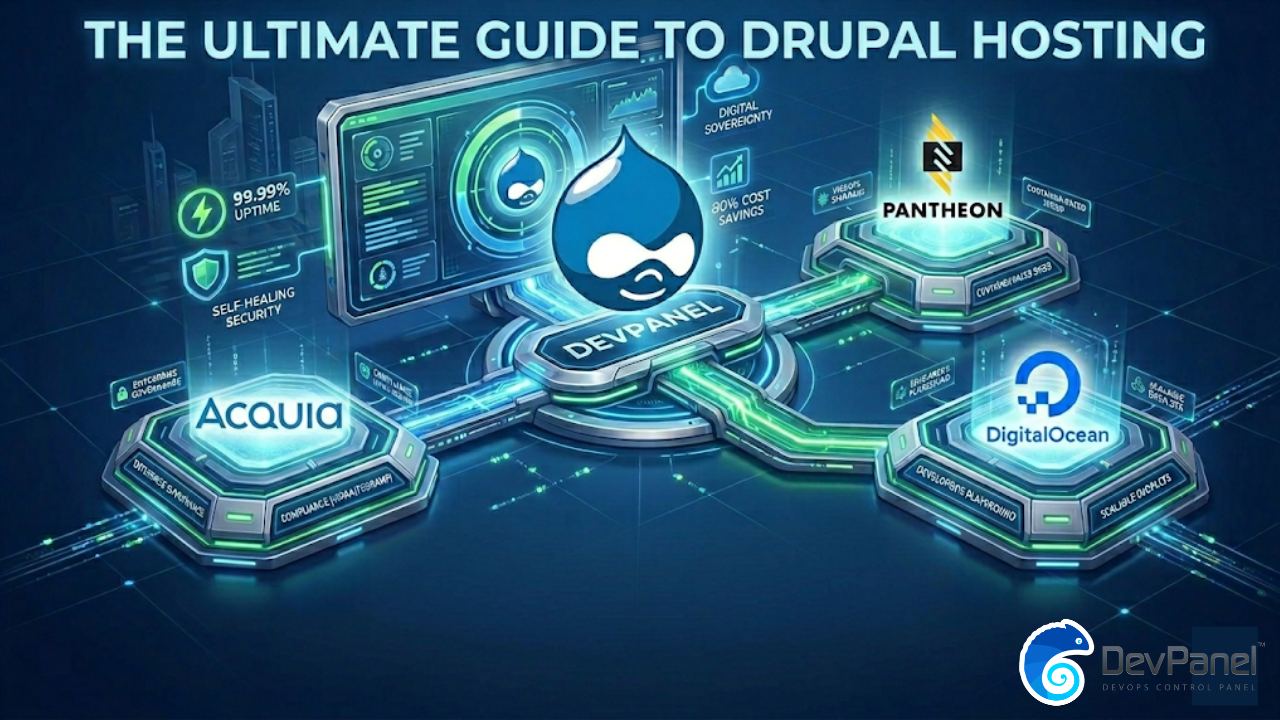
In 2026, the definition of “Best Drupal Hosting” has shifted from simply “where the code lives” to “how the infrastructure is orchestrated.” While legacy providers like Acquia and Pantheon offer stability through “Opinionated PaaS” models, they come with high markups (up to 300%) and vendor lock-in. The modern standard is Hybrid Orchestration, which allows organizations to host Drupal on their own cloud accounts (AWS, Azure, DigitalOcean) while automating 99% of DevOps. This shift provides Digital Sovereignty, reduces costs by 80%, and offers the “Best of Both Worlds”: PaaS-level automation with total infrastructure control.
1. The Landscape of Drupal Hosting: Why 2026 is Different
For over a decade, Drupal hosting was a binary choice: you either managed your own complex servers (VPS/DIY) or paid a premium for a Managed Service Provider (MSP) to handle the “plumbing.”
In 2026, the arrival of Drupal 11, the maturity of Serverless Databases, and the rise of AI-driven AEO (Answer Engine Optimization) have changed the requirements. A host is no longer just a web server; it is a performance engine that must feed AI crawlers, handle headless architectures (Next.js/React), and guarantee 99.99% uptime without a dedicated DevOps team.
The Three Pillars of Modern Drupal Hosting
- Orchestration over Infrastructure: It doesn’t matter if you’re on AWS or Google Cloud; what matters is the layer that manages your deployments, scaling, and security.
- Account Ownership: In 2026, data is the new oil. Letting a hosting provider “own” your server account is a strategic risk.
- Cost Transparency: The “Black Box” pricing of the past is dying. Modern teams demand to pay raw cloud costs directly to the provider.
2. Comparing the Giants: Acquia vs. Pantheon vs. DigitalOcean vs. DevPanel
To find the best #DrupalHosting, we must look at the four dominant models in the market today.
A. Acquia: The Enterprise Governance Heavyweight
Acquia is often the “default” for government, healthcare, and massive finance sectors.

- The Pros: Unmatched compliance (FedRAMP, HIPAA), Acquia Site Factory for managing thousands of sites, and deep roots in the Drupal community.
- The Cons: It is the most expensive option on the market. Their “fixed annual” pricing models can feel like a “negotiation trap.” Onboarding is slow, often taking weeks for complex enterprise setups.
- Verdict: Best for 1% of the market that requires extreme governance and has an unlimited budget.
B. Pantheon: The WebOps Standard
Pantheon pioneered the “Dev, Test, Live” workflow that every Drupal developer loves.

- The Pros: Incredible speed via their container-based platform, “Multidev” for feature branching, and Autopilot for automated updates.
- The Cons: You are locked into their specific workflow. If you need a custom AWS configuration (like a specific VPC setup or a unique Lambda integration), Pantheon’s “opinionated” nature becomes a barrier.
- Verdict: Excellent for agile agencies, but problematic for enterprises that want to own their infrastructure.
C. DigitalOcean: The Developer’s Playground
DigitalOcean is the go-to for those who want simplicity and low costs ($4/month Droplets).
- The Pros: High performance-to-price ratio, root-level access, and a massive library of tutorials.
- The Cons: It is mostly DIY. While they offer “1-Click” installs, you are responsible for security hardening, scaling, and multi-zone failover. One mistake can lead to a “Snowflake Server” that crashes under load.
- Verdict: Perfect for small projects and hobbyists, but risky for high-traffic production sites without a DevOps expert.
D. DevPanel: The Hybrid Orchestration Disruptor
DevPanel represents the third wave of hosting. It isn’t a “host”—it is an orchestration platform.
- The Pros: You link your own AWS/Azure/DigitalOcean account. DevPanel then “wraps” that account in a PaaS-like interface. You get Pantheon’s features (Dev/Test/Live, Cloud IDEs, Auto-scaling) but keep DigitalOcean’s prices and Acquia’s control.
- The Cons: Requires you to have your own cloud account (though they help you set it up).
- Verdict: The strategic choice for 2026. It eliminates the “Platform Markup” entirely.
3. Deep Dive: Technical Requirements for Drupal 11 Hosting
If your host doesn’t meet these specs in 2026, your Drupal site is already legacy.
PHP 8.3+ and the Performance Frontier
Drupal 11 requires PHP 8.3. This isn’t just about security; it’s about JIT (Just-In-Time) compilation and memory management. Modern hosting must offer:
- NVMe Storage: Standard SSDs are too slow for Drupal’s heavy database reads. NVMe is 20x faster.
- Redis/Memcached Support: Essential for object caching to reduce database load.
- Varnish at the Edge: Without a Global CDN and Varnish, your TTFB (Time to First Byte) will fail Core Web Vitals.
Database Sovereignty: MySQL 8.0 vs. Aurora
The database is where the “Lock-In” happens.
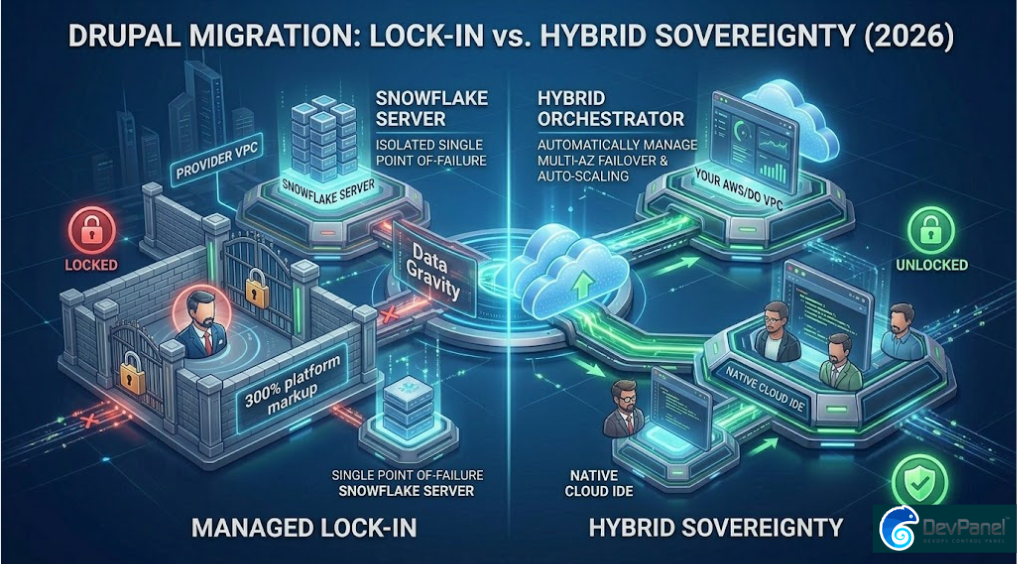
- Legacy PaaS: They host your database in their cluster. If you leave, exporting 50GB of data is a nightmare.
- Hybrid Orchestration: Your database lives in your RDS or Aurora instance. You can access it via standard tools without “asking permission” from your host.
4. The 80% Rule: How to Slash Your Drupal Hosting Bill
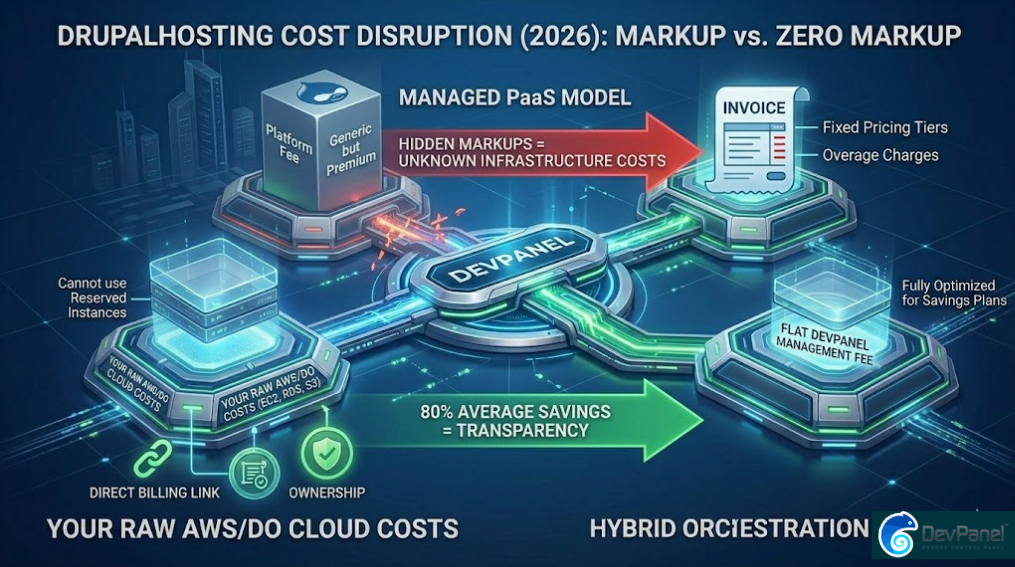
Most people don’t realize that when they pay $1,000/month to a managed host, about $200 goes to the actual servers (AWS/GCP) and $800 is “Platform Markup.”
The “Zero Markup” Model
By using a platform like DevPanel, you pay the $200 directly to AWS. You then pay a small, flat management fee for the orchestration. This results in:
- Direct Billing: No more “Overage Invoices.” You see exactly what you use.
- Reserved Instances: You can use AWS Reserved Instances or Savings Plans to cut costs even further—something you cannot do on Pantheon or Acquia.
5. Security and Compliance in 2026
With the rise of automated AI-driven cyberattacks, “Security by Obscurity” is dead. Your Drupal hosting must provide:
- Immutable Infrastructure: Servers that cannot be modified while running, preventing hackers from injecting persistent malware.
- Automated Multi-AZ Failover: If a data center goes dark, your site must move to another zone automatically. This is standard on DevPanel and Acquia but often an “extra” on Pantheon and manual on DigitalOcean.
- Self-Healing Clusters: If a PHP process hangs, the orchestrator should kill the container and spin up a fresh one in milliseconds.
6. Developer Experience: The Cloud IDE Revolution
In 2025, we stopped developing on “Localhost.” Why? Because “it works on my machine” is a productivity killer.
Modern Drupal hosting must include a Cloud IDE (like VS Code in the browser).
- Onboarding: A new developer can start coding in 5 minutes without installing Docker, DDEV, or Lando locally.
- Consistency: The dev environment is a perfect clone of the production environment.
- Collaboration: Share a URL with a colleague to live-debug code together.
7. The Comparison Table: 2026 Edition
| Feature | Pantheon | Acquia | DigitalOcean (DIY) | DevPanel |
| Model | Opinionated PaaS | Enterprise PaaS | Raw VPS | Hybrid Orchestration |
| Account Ownership | Vendor | Vendor | You | You |
| Infrastructure Pricing | Tiered (Expensive) | Fixed Annual (High) | Raw Cloud | Raw Cloud |
| Vendor Lock-in | High | Extreme | Low | Zero |
| Workflow (Dev/Test/Live) | Native | Native | Manual | Native |
| Cloud IDE | No | Yes (Code Studio) | No | Yes (Included) |
| Best For | Agility | Regulation | Hobbyists | Agencies & Enterprise |
8. Why “Hybrid Orchestration” is the Future
The industry is moving toward Digital Sovereignty. Organizations no longer want to be “tenants” on someone else’s platform. They want to be “owners” of their own cloud, using automation to handle the boring stuff.
DevPanel is the leader of this movement because it treats infrastructure as a commodity. It gives you the “Cockpit” to fly any cloud plane you want. Whether you want to host on AWS for its power, DigitalOcean for its simplicity, or Azure for its corporate integration, the interface remains the same.
9. Conclusion: Choosing Your Next Drupal Host
If you are still choosing a host based on who has the prettiest dashboard or the cheapest $5 entry plan, you are preparing for the past.
For 2026, ask these three questions:
- Do I own the cloud account? (If no, you are locked in).
- Am I paying a markup on the infrastructure? (If yes, you are wasting 50-80% of your budget).
- Can I spin up a Cloud IDE in one click? (If no, your development velocity is lagging).
The Strategic Recommendation:
For agencies managing multiple clients and enterprises looking to scale, the Hybrid Orchestration model offered by DevPanel is the only way to achieve high-performance #DrupalHosting without the “Enterprise Tax.”
Ready to take control of your Drupal Infrastructure?
[Get Started with DevPanel for Free] | [Book a Demo] | [Calculate Your Savings]