
Best WordPress Cloud Hosting Infrastructure: How to Pick Your Perfect Stack in 2026
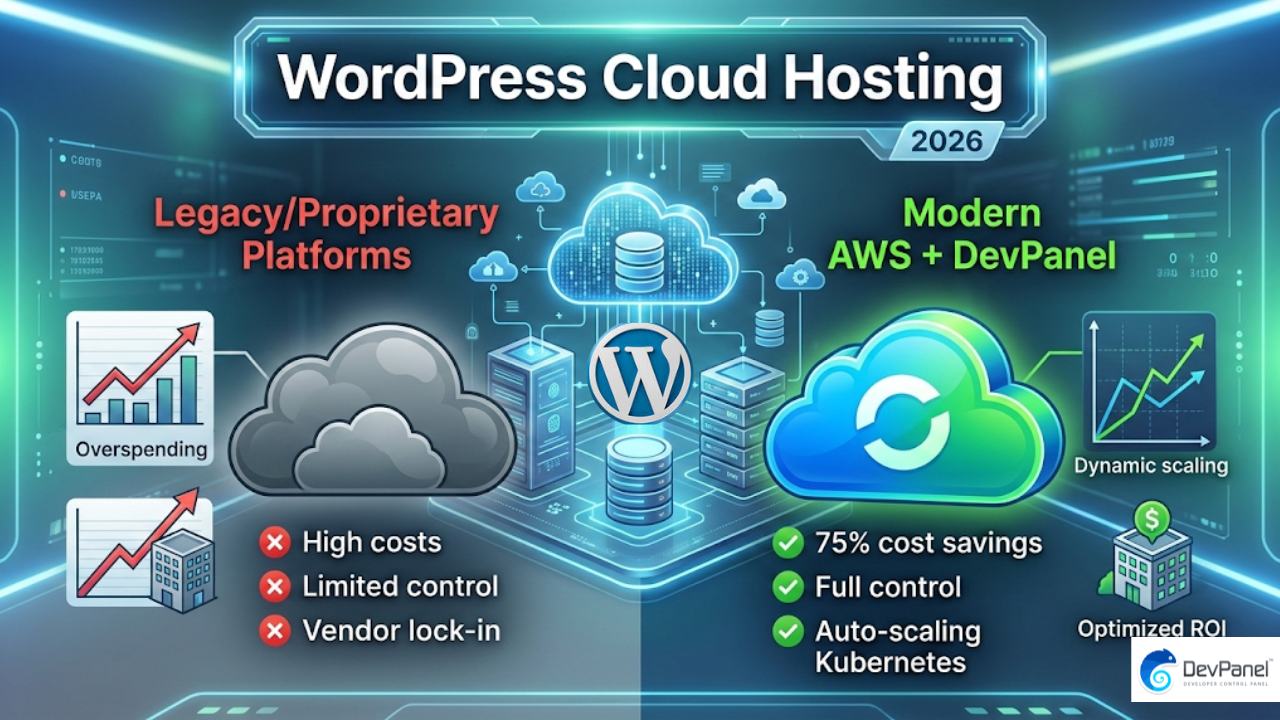
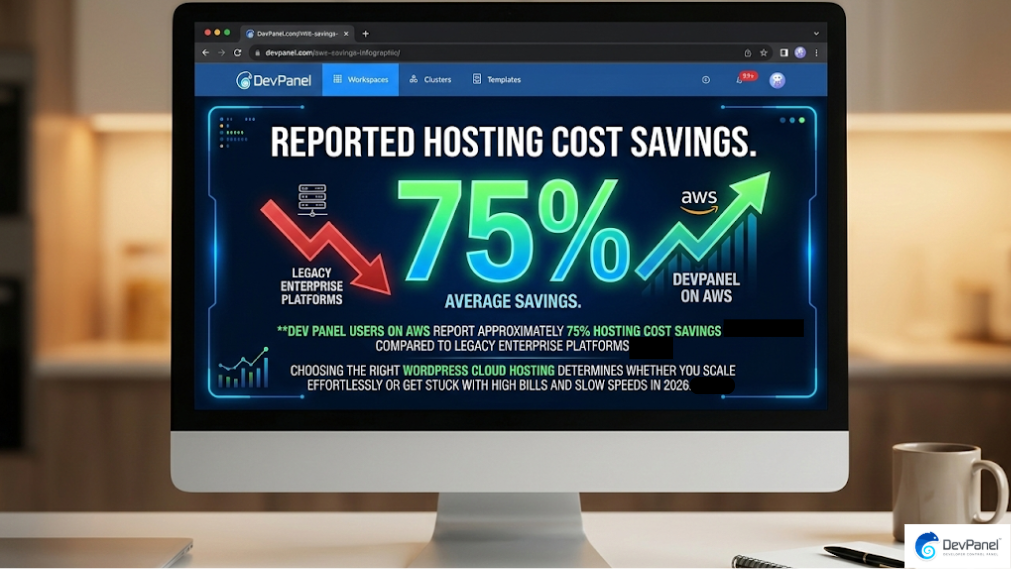
Did you know that DevPanel users on AWS report approximately 75% hosting cost savings compared to legacy enterprise platforms? Choosing the right wordpress cloud hosting for your business determines whether you scale effortlessly or get stuck with high bills and slow speeds in 2026.
Key Takeaways
| Feature | Description |
|---|---|
| Best for Savings | AWS with DevPanel offers the best managed wordpress cloud hosting value with up to 80% lower costs. |
| Best for Simplicity | Pantheon provides an opinionated stack but often at a premium price with less flexibility. |
| Key Question | Which is the best cloud hosting for wordpress 2026? It depends on whether you value platform control or ease of use. |
| Infrastructure Choice | We recommend Business and Enterprise plans for teams needing high-availability and security. |
| Security Focus | Ensure your host offers compliance standards like SOC2 or HIPAA for 2026 requirements. |
Understanding WordPress Cloud Hosting Infrastructure Options
WordPress cloud hosting has evolved significantly by 2026, moving away from simple shared servers to complex, auto-scaling clusters. We see many organizations struggling to choose between proprietary platforms like Pantheon and raw infrastructure providers like AWS.
Proprietary platforms offer a “black box” experience where everything is managed for you, but you lose granular control and often pay a hefty markup. Raw infrastructure gives you total freedom and lower costs, yet it typically requires specialized DevOps skills that most teams lack.
We believe the middle path is the most effective way to manage your sites today. By using an automation layer, you can get the ease of a managed platform while keeping the savings of your own cloud account.
Pantheon vs AWS: Which Managed WordPress Cloud Hosting Wins?
Pantheon is well-known for its “opinionated” workflow, which enforces a strict dev-test-live structure for all users. This approach works well for small teams that do not want to worry about server configuration or site architecture.
However, many digital agencies find Pantheon’s pricing tiers restrictive as they scale their client portfolios in 2026. AWS offers virtually infinite scalability and a global footprint that Pantheon simply cannot match on its own.
When you use AWS without an automation tool, you face the “DevOps tax,” where your expensive engineers spend hours on manual maintenance. We solve this by providing a control plane that manages AWS just as easily as Pantheon, but within your own account.
The Power of AWS with DevPanel: Automation Meets Freedom
Using AWS with DevPanel means you own your infrastructure and data without the headache of manual server management. You pay AWS directly for exactly what you use, eliminating the middle-man markups common in the hosting industry.
Our platform automates 99% of common tasks, from setting up Kubernetes clusters to configuring secure SSL certificates. We give you the “safety net” of a managed service while preserving your ability to customize every aspect of the stack.
For developers, this means you can build what you want, the way you want, without being locked into a specific vendor’s workflow. We call this “Bring Your Own Cloud” (BYOC), and it is the fastest way to achieve true cloud sovereignty.
This infographic highlights the five crucial factors to consider when choosing a WordPress cloud hosting infrastructure. It helps you compare performance, scalability, reliability, security, and cost.
Why Infrastructure Matters for Site Performance and Scalability
Performance in 2026 is no longer just about fast page loads; it is about maintaining that speed during massive traffic surges. Auto-scaling infrastructure on AWS allows your site to grow and shrink its resources dynamically based on real-time demand.
Sites that rely on fixed-tier hosting often crash during viral moments or marketing campaigns because their infrastructure cannot breathe. We ensure your environments are sized correctly, from small dev sites to massive government portals that require 100% uptime.
By leveraging Kubernetes (K8s) via our platform, you gain the same industrial-strength orchestration used by the world’s largest tech companies. This ensures high availability (HA) and disaster recovery (DR) are built into your WordPress sites from day one.
Did You Know?
A 1-second delay in Time to First Byte (TTFB) consumes 40% of the entire budget for reaching ‘Good’ Largest Contentful Paint (LCP) scores.
Cost Analysis: Saving 75% on Hosting with the Right Setup
Traditional managed hosting providers charge you based on the value of your site, not the actual cost of the resources used. This leads to “success tax,” where your hosting bill skyrockets just because your traffic increased slightly.
We believe in transparent pricing where you pay your cloud provider for compute and us for management. Our DevPanel Community Edition (CE) is 100% free to use, allowing you to run apps in your own cloud without extra fees.
For more complex needs, our DevOps Engineer services start at $85/hour to help with Kubernetes tuning and multi-cloud setups. This model allows you to maximize efficiency and minimize costs by effectively managing cloud resources.
Managing Workspaces and Teams in Your Cloud Environment
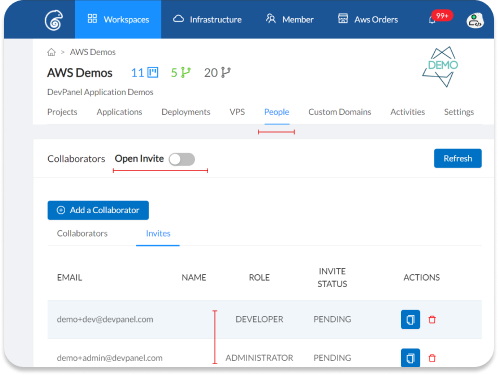
Efficiency depends on how well your team can collaborate without stepping on each other’s toes. DevPanel’s workspaces act as a central hub for isolating teams, resources, and projects.
You can create as many workspaces as needed to organize your clients or internal departments effectively. We provide granular access controls so admins can see everything while developers focus only on their assigned projects.
This isolation ensures that a configuration change in one project never accidentally breaks another. It is the professional way to manage a large-scale WordPress portfolio in 2026.
Building and Deploying with Cloud IDEs and Templates
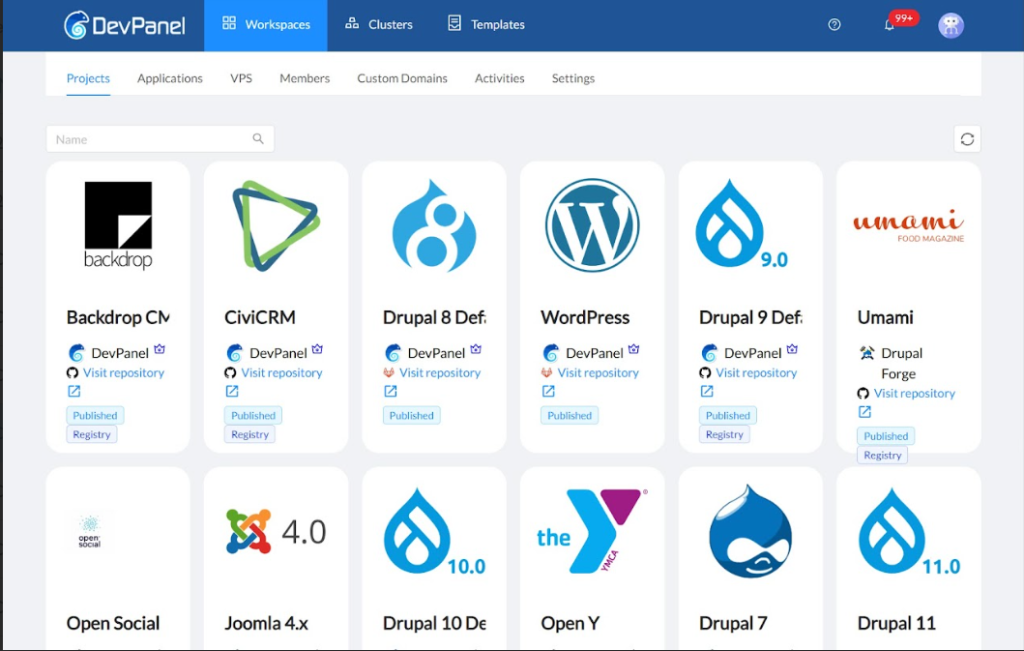
Onboarding developers should take minutes, not days. By using cloud IDEs, your team can develop anywhere and anytime using just a browser.
These browser-based environments come preconfigured with all the tools needed for WordPress development. You can clone branches, debug as a team, and deploy changes without ever setting up a local server environment.
We also offer preconfigured templates to help you launch new projects faster. Whether you need a standard site or a complex framework, our library of ready-to-run apps eliminates thousands of hours of manual setup.
Security and Compliance: Protecting Your Cloud Infrastructure
In 2026, security is a non-negotiable part of your infrastructure choice. We provide DDOS protection and Web Application Firewalls (WAF) to keep your workloads safe at any scale.
Our platform also includes automated backups and disaster recovery as standard features. This gives you a reliable “guardian angel” that protects your data even if the worst happens.
For organizations in highly regulated sectors like healthcare or higher education, we offer enterprise-grade security and SSO integration. We make it easy to maintain data sovereignty while following the latest compliance standards.
Did You Know?
96% of WordPress site owners faced at least one security incident in 2025, with 64% suffering a full breach.
Scalability for Agencies: Deploying and Cloning Applications
Agencies need to move fast, which is why we’ve streamlined the process to deploy and clone applications with just a few clicks. You can sync your branches with any Git provider and manage the entire lifecycle from a single dashboard.
Terraform and Ansible drive our provisioning process, ensuring that every environment is consistent and repeatable. This eliminates the “it works on my machine” problem once and for all.
Whether you are working with non-profits or large corporations, the ability to spin up staging environments instantly is a game-changer. We remove the bottlenecks so your dev teams can deliver projects faster than ever before.
How to Link Your Cloud Account and Get Started
Getting started is easy because we allow you to link your cloud account directly to our platform. We support AWS, Azure, DigitalOcean, and even on-prem servers for maximum flexibility.
Once linked, you can size your environment to match your specific needs, from low-cost dev boxes to high-performance production clusters. You don’t need to be an AWS expert to do this; we handle the infrastructure management for you.
If you’re still not sure which path is right for you, check out our live demos to see the platform in action. We are here to help you experience true cloud freedom in 2026.
Conclusion
Choosing the right WordPress cloud hosting infrastructure in 2026 comes down to balancing cost, control, and convenience. While platforms like Pantheon offer simplicity, the savings and scalability of AWS with DevPanel are hard to beat for growing organizations.
We empower you to take back control of your cloud while keeping the automated experience you need to stay productive. If you’re ready to stop overpaying for hosting and start building on your own terms, contact us today or explore our platform features.