
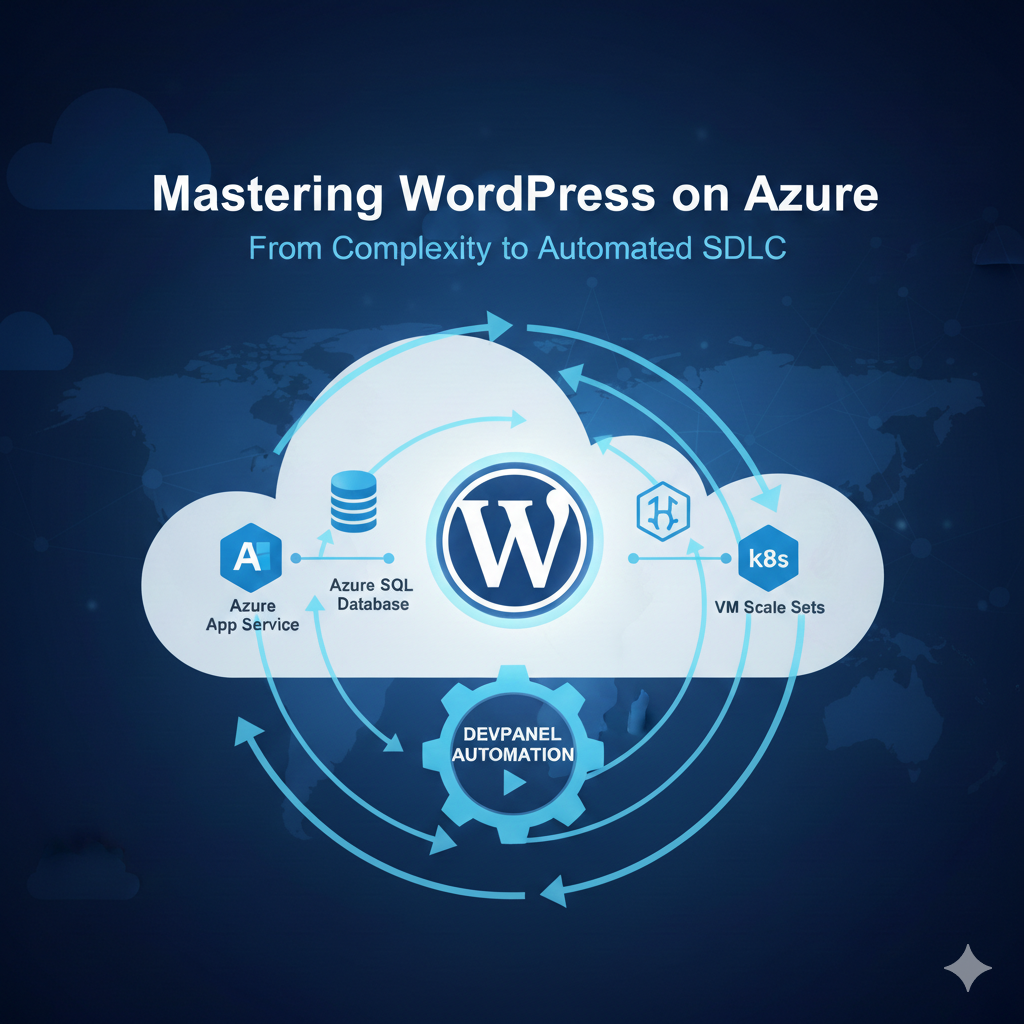
WordPress on Azure: The Ultimate Guide to Deployment Strategies and SDLC Automation
Deploying WordPress on Microsoft Azure represents a significant fork in the road for many technical teams. On one hand, you have the backing of a trillion-dollar infrastructure provider with global reach and enterprise-grade security. On the other, the sheer number of moving parts—from resource groups and virtual networks to database scaling and CDN configurations—can lead to what many call the “Complexity Tax.”
Azure offers the raw materials, but it doesn’t give you the blueprint for a modern Software Development Life Cycle (SDLC). Without a layer like DevPanel, your team is often left building the “plumbing” of your hosting environment rather than focusing on building the website itself.
1. The Landscape: 5 Ways to Deploy WordPress on Azure
Before choosing a path, you must understand the operational burden associated with each native Azure method. As noted in the Perplexity Expert Analysis, the spectrum ranges from simple single-server setups to hyper-complex microservices architectures.
A. Manual Self-Managed VMs
This is the most traditional method. You provision a Virtual Machine (VM), install a Linux distribution (like Ubuntu), and manually configure the LAMP/LEMP stack (Linux, Apache/Nginx, MySQL, PHP).
- The Workflow: All provisioning, scaling, updates, and security hardening must be scripted or managed manually.
- Operational Burden: High. You are responsible for OS patching, PHP version updates, and manual backups.
- Best Use: Only for organizations that require 100% control over the kernel or specific server-level customizations and have the DevOps staff to maintain it.
B. Azure App Service (PaaS)
App Service is a Platform-as-a-Service (PaaS) offering that abstracts the underlying server management.
- The Workflow: Azure handles the OS and runtime patching, while you focus on the application code.
- Pros: It offers a good balance of control and ease, with built-in vertical and horizontal scaling.
- Cons: While it handles the infrastructure, it does not handle the WordPress application layer. You still have to manage plugin updates and theme deployments manually.
C. Azure Kubernetes Service (AKS)
For massive enterprises, AKS provides a containerized way to run WordPress.
- The Workflow: WordPress is deployed as a container, usually via Helm charts, with storage handled by Azure Files.
- The Reality: While highly scalable, it requires an “Expert” skill level. Most teams find that setting up monitoring, logging, and CI/CD for Kubernetes takes months of engineering time.
Watch the Deep Dive: In our latest YouTube video, we walk through the visual architecture of these different Azure setups and explain why the “Reference Architecture” is often overkill for 90% of WordPress users.
2. Why Native Azure is Often Not Enough: The SDLC Gap
The primary reason teams struggle with Azure isn’t the uptime—it’s the workflow. Azure is built for infrastructure engineers, but WordPress teams need a Productivity Platform.
What’s Missing in Native Azure?
- True Multi-Environment Parity: In a standard Azure setup, your “Dev” environment is often just a local machine, while “Production” is a complex cloud cluster. This leads to the “it works on my machine” syndrome.
- Automated Previews: Modern teams need a unique URL for every feature branch to allow for QA and stakeholder approval. In Azure, you have to build this automation yourself using complex GitHub Actions or Azure DevOps pipelines.
- One-Click Data Syncing: Moving a database from Production back to a Staging environment in Azure usually involves manual exports, search-and-replace scripts for URLs, and manual imports.
Podcast Insight: On our recent Buzzsprout episode, we discuss how the “hidden hours” spent on environment management are the #1 killer of agency profitability.
3. DevPanel: The Automation Layer for Azure
DevPanel doesn’t replace Azure; it harnesses it. It acts as a control plane that connects to your Azure subscription and automates the manual tasks described above.
Full SDLC Automation
DevPanel provides a “Wizard-based” setup that takes the complexity of the “Production Reference Architecture” and makes it accessible to generalist developers.
- Dev, Stage, Prod: With one click, you have three identical environments that mirror each other exactly.
- Branch Previews: For every Git branch you create, DevPanel automatically spins up a temporary preview site.
- Zero-Config CI/CD: You don’t need to write YAML files or manage build agents; the automation is built-in.
Integrated Cloud Development Environments
One of the most powerful features of DevPanel is the integrated Cloud Dev Environments.
- In-Browser VS Code: Developers can launch a fully configured VS Code instance directly in their browser.
- No Local Setup: New developers can start coding in minutes because the environment already has the correct PHP version, extensions, and database access configured.
4. Comparing Ongoing Operations: Azure vs. DevPanel
Deploying a site is a one-time event; managing it is a daily task. The following table highlights how DevPanel simplifies day-to-day operations:
| Operational Task | Azure Native Approach | DevPanel Solution |
| Scaling | Manual config or complex rules | Auto-scaling with simple UI controls |
| WP/Plugin Updates | Manual per site | One-click or automated across sites |
| Database Migrations | Manual export/import/scripting | One-click cloning between stages |
| Monitoring & Alerts | Must be manually configured | Pre-configured and automated |
| Template Management | Non-existent (Manual clones) | Centralized template library |
| Multi-Cloud Strategy | Not possible (Lock-in) | Native support for Azure, AWS, and more |
5. Security, Governance, and Multi-Site Management
For enterprises and agencies, the “Single Site” view is insufficient. You need to manage a fleet of sites with consistent security and governance policies.
Centralized Governance
In a native Azure environment, managing user access (RBAC) across 50 different WordPress installs is a nightmare involving Azure AD and manual permissions. DevPanel provides a centralized dashboard where you can manage team access, audit logs, and resource usage across your entire portfolio.
Disaster Recovery and Backups
While Azure offers snapshots and backup tools, they aren’t “WordPress-aware.” DevPanel automates backups that include both the filesystem and the database, ensuring that disaster recovery is a simple “restore” click rather than a manual reconstruction of the database state.
The Multi-Cloud Advantage
Business requirements change. What happens if a client insists on AWS, or if you need to move a site to DigitalOcean for cost reasons? Native Azure methods lock you into the Microsoft ecosystem. DevPanel is cloud-agnostic; the same SDLC you use on Azure works perfectly on AWS or Google Cloud, allowing for a true multi-cloud strategy.
6. Recommendations: Finding Your Best Fit
Not every project requires the same level of sophistication. Based on the Perplexity Research, here is how to choose:
The Solo Developer or Small Team
If you are currently using the Azure Marketplace or App Service, you are likely feeling the pain of manual updates and lack of a staging environment.
- The Fit: DevPanel allows you to stay on Azure but adds the “Developer Experience” (DX) that is missing, giving you professional tools without the enterprise price tag.
The Fast-Growing Agency
Agencies often waste hundreds of billable hours every month on “DevOps” tasks—cloning sites for new clients, updating plugins, and fixing broken deployments.
- The Fit: DevPanel’s Template Management and Automated SDLC are non-negotiable for agencies that want to scale. It allows you to roll out standardized, secure sites in minutes instead of days.
The Enterprise / Higher Ed
Large organizations with a “Kubernetes goal” often find that AKS is too hard to manage internally.
- The Fit: DevPanel allows you to provision WordPress on AKS automatically. You get the power and scalability of Kubernetes without requiring your web team to become certified Kubernetes administrators.
7. Conclusion: Stop Building Infrastructure, Start Building Sites
Azure is a world-class engine, but without a platform like DevPanel, your team is essentially trying to drive that engine while still building the chassis and the steering wheel.
By implementing a Control Plane for your WordPress deployments, you achieve:
- Faster Time-to-Market: Deploy complex architectures in minutes.
- Reduced Operational Cost: Automate the manual toil that burns developer hours.
- Better Security: Ensure every site follows a standardized, hardened blueprint.
- Peace of Mind: With automated backups and expert hands-on support, you’re never alone when a site goes down.
Next Steps with DevPanel:
- Try it yourself: Connect your Azure account and deploy your first automated WordPress cluster today.
- Consult with an expert: Not sure which Azure resource (App Service vs. AKS) is right for your traffic? Contact our support team for a tailored architecture review.
- Explore more: Check out our YouTube channel for more tutorials on mastering the cloud.
One Comment
Comments are closed.