
Affordable Ways to Host Multiple High Traffic Sites on AWS in 2026: Pantheon vs. AWS Alone vs. AWS + DevPanel
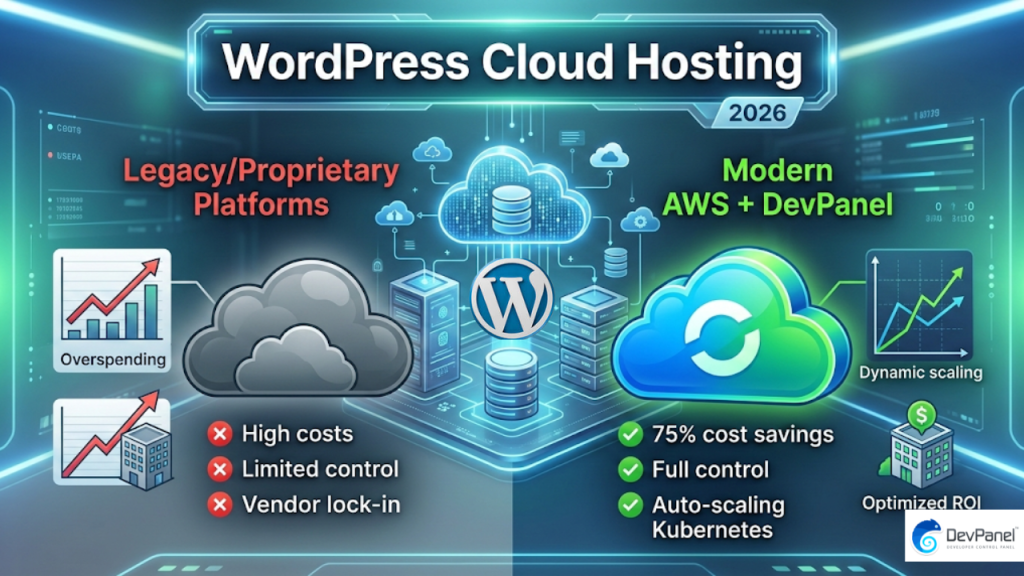
Finding truly affordable ways to host multiple high traffic sites on AWS is one of the most pressing challenges digital agencies and enterprise teams face in 2026. A high-traffic site that costs $1,000 per month on a platform like Pantheon can typically run for just $250 per month on AWS using a decoupled automation layer, which means most organizations are simply paying a massive premium for the convenience of a black-box PaaS they don’t fully control.
Key Takeaways
| Question | Quick Answer |
|---|---|
| What is the cheapest way to host multiple high traffic sites on AWS? | Using a BYOC (Bring Your Own Cloud) orchestration layer like DevPanel on your own AWS account eliminates platform markups and gives you access to Spot Instance discounts. |
| Is Pantheon cheaper than AWS for high traffic WordPress sites? | No. Pantheon’s flat-rate plans carry significant markup over raw AWS compute. For agencies running multiple high-traffic sites, AWS consistently delivers lower total cost. |
| What is the “DevOps tax” on raw AWS hosting? | Manual AWS setup cuts compute costs by 60-70%, but the engineering hours required to configure, maintain, and scale infrastructure add back a hidden labor cost. |
| Can I use AWS Spot Instances for WordPress hosting? | Yes, and they offer up to 90% discounts on spare capacity. Most managed platforms block this access entirely, but deploying to your own AWS account removes that restriction. |
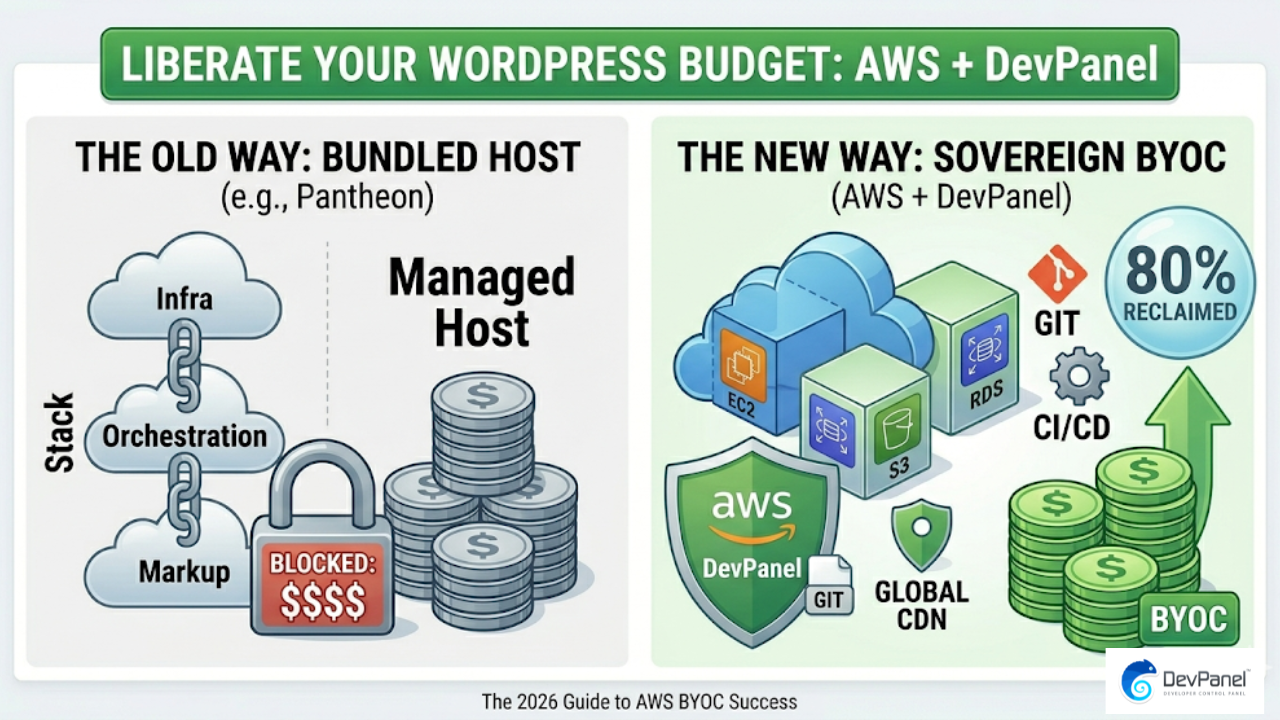
| What is BYOC hosting and why does it matter for affordability? | BYOC means the infrastructure lives in your cloud account, not the vendor’s. You pay AWS directly, eliminate the middleman markup, and keep your data sovereignty. See our DevPanel pricing page for how this works in practice. |
| How do agencies manage many client sites affordably on AWS? | Consolidating multiple sites into shared AWS clusters using IaC and GitOps workflows is the most scalable approach, particularly with auto-pause for idle staging environments. |
| Does DevPanel work for high-traffic WordPress sites? | Yes. DevPanel’s Application Orchestration Layer automates the AWS services (RDS, EFS, CloudFront, Auto-Scaling Groups) that WordPress needs to handle spikes from 50k to 1M+ hits per minute. Read the 11M hits case study for a real-world breakdown. |
Why Standard Hosting Platforms Break Down at Scale
The core problem is a familiar one: traditional managed platforms like Pantheon are built for convenience, not cost efficiency at scale. When you’re running one or two sites, the flat-rate pricing feels manageable.
The moment you’re managing a portfolio of ten, twenty, or fifty high-traffic sites, you’re essentially paying a per-site tax that compounds every month. We call this “The Platform Trap” because the very feature that attracted you (simplicity) becomes the reason your hosting bill is out of control.
Pantheon’s architecture also introduces the “noisy neighbor” problem. Because multiple customers share underlying infrastructure, a traffic spike on one site can degrade performance across others. On a platform like Pantheon, you have no visibility into this and no mechanism to fix it.
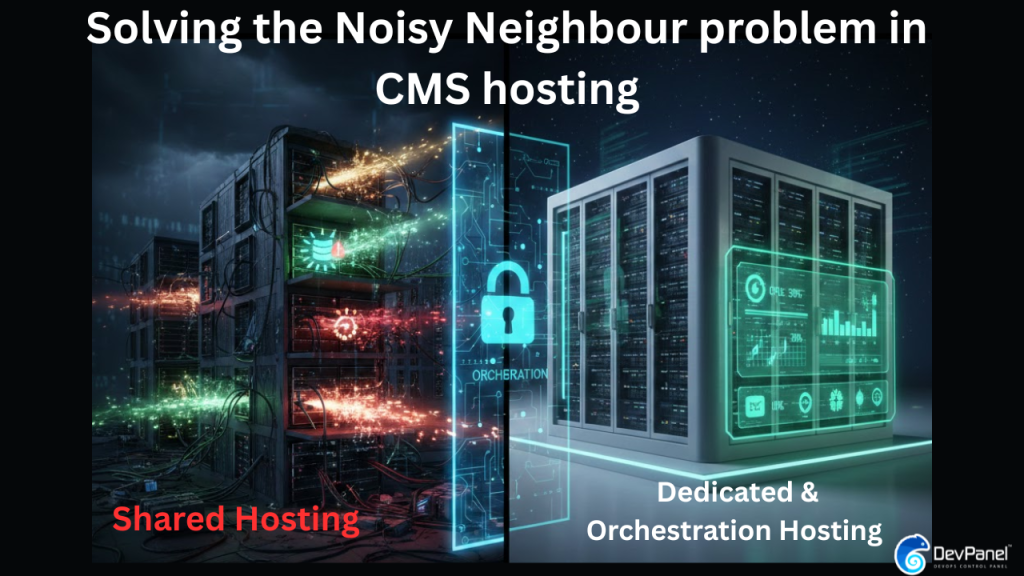
AWS, by contrast, gives you dedicated compute, isolated networking, and access to a full catalogue of purpose-built services. The challenge is that raw AWS is not a point-and-click experience, which is exactly where the comparison gets interesting.
Affordable Ways to Host Multiple High Traffic Sites on AWS: Understanding Your Three Options
When we break down the landscape in 2026, there are three realistic paths for teams running multiple high-traffic sites. Each has a fundamentally different cost and complexity profile.
- Option 1: Pantheon (and similar PaaS providers) – Managed, black-box hosting with per-site or per-traffic-tier pricing. Fast to set up, expensive at scale, no access to underlying infrastructure.
- Option 2: Raw AWS (DIY) – Direct EC2, RDS, CloudFront configuration. Maximum cost savings on compute, but requires full DevOps ownership. High labor overhead.
- Option 3: AWS + DevPanel (BYOC) – An orchestration layer that sits on top of your own AWS account. You get the cost advantages of AWS plus automation that eliminates the DevOps labor tax.
Understanding which option fits your situation depends on your team size, the number of sites you manage, and whether you have in-house DevOps capacity. We’ll break each one down honestly below.
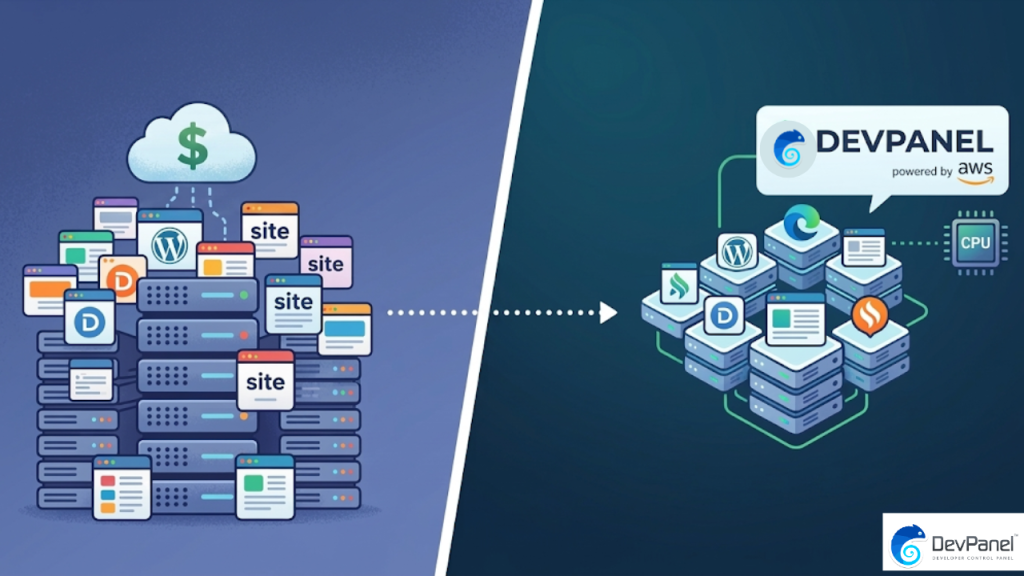
Pantheon vs. AWS: The Real Cost Breakdown for High Traffic Sites
Let’s be direct about the numbers. Pantheon’s Elite tier for a single high-traffic site can run $700 to $1,200+ per month. That pricing bundles managed hosting, a CDN, and basic support, but it also bundles a significant markup over the raw infrastructure cost.
The same site on AWS, using an Auto-Scaling Group behind an Application Load Balancer, CloudFront as the CDN, and Multi-AZ RDS for the database, typically runs $180 to $280 per month at comparable traffic levels. The infrastructure cost is genuinely lower.
The comparison gets more nuanced when you multiply it across a portfolio. An agency on Pantheon managing 20 high-traffic client sites might be paying $15,000 to $20,000 per month. The same 20 sites on a shared AWS cluster, properly architected, can run for $3,000 to $5,000 per month total. That is not a marginal difference. That is a structural one.
Did You Know?
AWS Spot Instances allow for up to 90% discounts on spare capacity, a mechanism that is blocked by most managed platforms like Pantheon entirely.
Source: Cloud Economics 2026
Pantheon also does not allow you to use AWS Spot Instances, Reserved Instance pricing, or AWS Savings Plans, because your infrastructure is not in your account. Every discount that AWS offers to direct customers is invisible to you behind a PaaS wall.
The DIY AWS Trap: Raw Cost vs. The Hidden DevOps Tax
Here is where many teams fall into a different kind of trap. They leave Pantheon, move to raw AWS, and discover that the infrastructure cost savings are real but the engineering overhead is brutal.
Manually configuring EC2 Auto Scaling Groups, setting up EFS for shared file storage across WordPress nodes, managing RDS read replicas, tuning PHP-FPM worker pools, and maintaining CloudFront behaviors for multiple sites requires significant ongoing DevOps time. We call these “Snowflake Servers,” manually configured, non-repeatable infrastructure that becomes increasingly fragile over time.
The real cost of DIY AWS hosting is not the AWS bill. It is the 20 to 40 hours per month a mid-level DevOps engineer spends keeping things running. At $150 per hour, that is a $3,000 to $6,000 per month labor cost that never appears on your AWS invoice but absolutely hits your margins.
This is exactly why Infrastructure as Code (IaC) and GitOps workflows are not just best practices in 2026. They are the difference between an affordable multi-site AWS setup and one that quietly bankrupts your operations budget.
AWS + DevPanel: The BYOC Solution to Affordable Multi-Site High Traffic Hosting
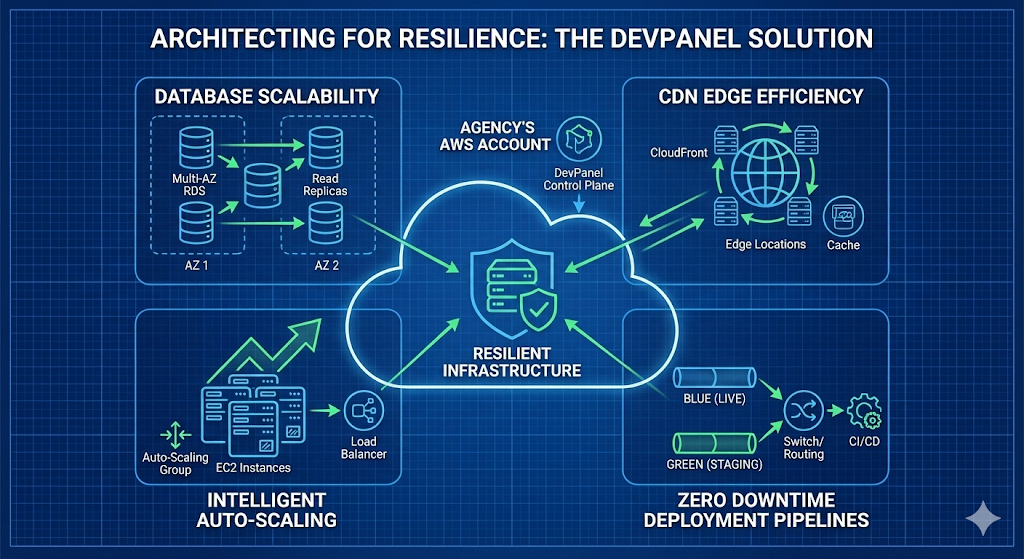
This is where the BYOC model genuinely changes the equation. DevPanel is not a hosting company. We are an Application Orchestration Layer that deploys and manages distributed AWS infrastructure inside your AWS account.
That distinction matters for affordability in three specific ways. First, you pay AWS directly, so every discount, Reserved Instance, and Spot Instance is available to you. Second, your data and infrastructure are never on our servers, so you face no per-site or per-pageview pricing tier. Third, our automation handles the heavy DevOps lifting that makes raw AWS expensive to run.
The deploy and clone workflow means you can spin up a full production-grade WordPress environment on AWS in minutes, not days. Every environment is built from code, not manual clicks, which eliminates Snowflake Server drift entirely.
For teams managing multiple high-traffic sites, the practical result is a centralized dashboard that governs every site, every environment, and every deployment across your AWS account. You have root-level access to the underlying infrastructure at all times. Unlike Pantheon, nothing is a black box.
Practical Features That Make Affordable High Traffic AWS Hosting Scalable
The features that translate directly to cost savings on a multi-site AWS setup are worth examining individually, because this is where theory meets practice.
Auto-Pause for Idle Environments
One of the most direct cost-saving mechanisms is the Auto-pause feature for development and staging environments. A typical agency running 20 client sites has 40 to 60 additional dev and staging environments sitting idle for 16+ hours a day. Auto-pausing these environments eliminates that wasted compute spend completely.
Branch-Based Cloud Development Environments
Our Cloud-Based Development Environments (CBDEs) use a branch or tag-based model, meaning any Git branch can become a full live environment with a single click. Developers work in isolated AWS environments without requiring local setup or dedicated staging servers per developer.
One-Click Clone and Deploy
When launching a new high-traffic site for a client, you should not be rebuilding AWS infrastructure from scratch each time. Our preconfigured templates and prebuilt applications mean a production-ready WordPress environment on AWS deploys in minutes using the same battle-tested architecture every time.
Isolated Workspaces Per Client or Team
The Workspaces feature isolates teams, resources, and applications per client or project. You connect multiple workspaces to different AWS clusters, which means you can consolidate smaller sites onto shared infrastructure while keeping enterprise clients on dedicated clusters. This is a direct lever for controlling cost without compromising isolation.
This infographic breaks down a cost-effective, scalable method to host several high-traffic sites on AWS in five steps. It highlights practical architecture choices and cost considerations.
Side-by-Side Comparison: Pantheon vs. Raw AWS vs. AWS + DevPanel for Multiple High Traffic Sites
To make the decision concrete, here is a direct comparison across the variables that matter most when evaluating affordable ways to host multiple high traffic sites on AWS.
| Factor | Pantheon | Raw AWS (DIY) | AWS + DevPanel |
|---|---|---|---|
| Monthly Cost (20 sites) | $15,000 – $20,000+ | $3,000 – $5,000 | $3,500 – $6,000 (including automation) |
| DevOps Labor Required | Minimal (abstracted) | High (20-40 hrs/month) | Low (automated, IaC) |
| Spot Instance Access | No | Yes | Yes |
| Root-Level Server Access | No | Yes | Yes |
| Noisy Neighbor Risk | Yes (shared infra) | No | No (dedicated account) |
| Auto-Scaling for Traffic Spikes | Yes (limited control) | Yes (manual config) | Yes (automated) |
| Multi-Site Management Dashboard | Yes | No (manual per-site) | Yes (centralized) |
| Data Sovereignty | No (vendor’s infra) | Yes | Yes (your AWS account) |
| Platform Cost (Control Plane) | Included in site price | None | Free (Community Edition) |
The table above makes the structural advantage clear. AWS + DevPanel delivers the cost profile of raw AWS without the engineering overhead, and it costs nothing to start. The DevPanel Community Edition is 100% free, with no subscriptions, no hidden fees, and no lock-in.
Did You Know?
Digital agencies managing 50+ sites can improve maintenance margins by 85% by consolidating portfolios into optimized AWS clusters.
Source: Agency Scalability Study 2026
Who Should Use Each Approach for Hosting Multiple High Traffic Sites?
The right answer depends on your operational context. Here is a direct breakdown.
Pantheon Is Right For You If:
- You are managing fewer than 5 sites and do not expect significant scaling
- You have no in-house DevOps capability and no interest in building it
- Your traffic patterns are predictable and your budget allows for a premium for simplicity
Raw AWS (DIY) Is Right For You If:
- You have a dedicated DevOps team with strong AWS expertise
- You want maximum control and are comfortable with Terraform, Ansible, and manual cluster management
- You are running large-scale infrastructure where even small efficiency gains justify engineering investment
AWS + DevPanel Is Right For You If:
- You are running 5 to 500+ high-traffic WordPress or Drupal sites and need to cut hosting costs without hiring a full DevOps team
- You want root-level access and data sovereignty without the configuration burden
- You are a small to medium agency or enterprise team looking for predictable, scalable hosting economics
- You want to use GitOps and IaC workflows without building the tooling from scratch
The Real Architecture Behind Affordable High Traffic AWS Hosting
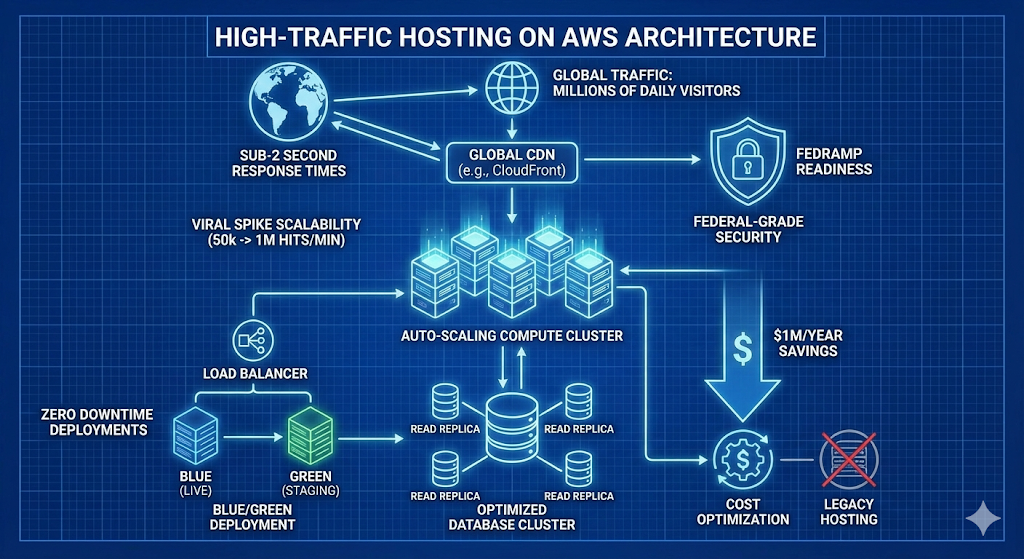
To close the loop on cost, it is worth understanding what a properly architected AWS setup for multiple high-traffic sites actually looks like. The components are consistent whether you build manually or use an orchestration layer.
- Auto-Scaling Groups (ASG) – Horizontal EC2 scaling triggered by CPU or request thresholds. Critical for absorbing traffic spikes without over-provisioning.
- Amazon CloudFront – CDN layer that serves cached content from edge locations globally, reducing origin compute load by 60-80% on content-heavy WordPress sites.
- Multi-AZ RDS with Read Replicas – Database high availability without the cost of a manually managed MySQL cluster. Read replicas handle WooCommerce or news site query loads efficiently.
- Amazon EFS for Shared Storage – Essential when running WordPress across multiple EC2 nodes. Shared file system without the complexity of custom NFS configuration.
- Blue/Green Deployments via Load Balancer – Zero-downtime releases, critical for high-traffic sites where even a 30-second outage means lost revenue.
- IAM Roles and RBAC – Fine-grained access control at the infrastructure level, far more granular than what any PaaS platform exposes to you.
The difference between a team spending $20,000 per month on Pantheon and a team spending $5,000 per month on AWS is not luck. It is the presence or absence of this architecture running efficiently under automation.
Conclusion
The most affordable ways to host multiple high traffic sites on AWS in 2026 are not complicated in principle, but they do require making an intentional choice about where the complexity lives. Pantheon takes the complexity off your plate at a significant recurring cost premium. Raw AWS puts the full complexity on your engineering team at the lowest possible infrastructure cost. AWS + DevPanel sits in the middle: your cloud account, your data, your cost structure, with the operational overhead handled by an orchestration layer that is free to use.
For most agencies and development teams managing more than five high-traffic sites, the BYOC model on AWS delivers the best total cost of ownership in 2026. The combination of direct AWS pricing, access to Spot Instances and Reserved Instance discounts, IaC-driven automation, and a free control plane is simply a better economic equation than any managed PaaS can offer.
If you are ready to move away from per-site platform fees and start building on infrastructure you actually own, start with the DevPanel Community Edition at no cost and connect your own AWS account in minutes.
Frequently Asked Questions
What are the most affordable ways to host multiple high traffic sites on AWS in 2026?
The most cost-effective approach is to use a BYOC orchestration layer on your own AWS account, giving you direct access to Spot Instances, Reserved Instance pricing, and Auto-Scaling without per-site platform fees. Consolidating multiple sites into shared AWS clusters with automated IaC workflows removes the DevOps labor cost that makes raw AWS expensive to manage alone.
Is Pantheon worth it for high traffic WordPress sites in 2026?
Pantheon is worth it if you are running fewer than five sites and prioritize simplicity over cost. For teams managing 10 or more high-traffic sites, Pantheon’s per-site pricing becomes significantly more expensive than an equivalent AWS setup, often by a factor of 3x to 5x on total monthly spend.
How do I host 50+ WordPress sites on AWS without a large DevOps team?
Using an Application Orchestration Layer like DevPanel, which deploys and manages your AWS infrastructure via IaC and GitOps, removes the need for a dedicated DevOps team. Features like one-click clone, auto-pause for staging environments, and preconfigured templates make it realistic for a small team to manage a large portfolio on AWS affordably.
Can AWS really handle traffic spikes for multiple WordPress sites at once?
Yes. AWS Auto-Scaling Groups combined with CloudFront and Multi-AZ RDS can handle spikes from 50,000 to 1,000,000+ requests per minute without manual intervention. The key is having the architecture configured correctly from the start, which is where automation and IaC templates eliminate guesswork.
What is the “DevOps tax” and how does it affect AWS hosting costs?
The DevOps tax refers to the hidden labor cost of manually configuring and maintaining AWS infrastructure. While raw AWS compute can be 60-70% cheaper than Pantheon, the engineering hours required to manage it can add $3,000 to $6,000 per month in labor costs. Automation tools that handle this overhead bring the true total cost back down to a level that actually beats managed platforms.
Does DevPanel work with existing AWS accounts for hosting multiple sites?
Yes. DevPanel connects directly to your existing AWS account via IAM roles, deploys infrastructure into your account, and manages it from a centralized control plane. Your data never leaves your account, your AWS billing stays in your name, and you retain root-level access to every resource at all times.
How much can I save by switching from Pantheon to AWS for multi-site hosting?
Based on current 2026 data, a portfolio that costs $1,000 per month per site on Pantheon typically runs for $250 per month per site on AWS using a proper orchestration setup. Across a 20-site portfolio, that translates to a potential saving of $12,000 to $15,000 per month, or $144,000 to $180,000 per year.