Cloud Hosting Platforms for Agencies Managing Multiple Client Sites (2026 Comparison)
Managing a single website is straightforward; managing tens, hundreds, or thousands of client environments is an entirely different operational challenge. When choosing a multi-site hosting platform, agencies need a balance of cost predictability, developer velocity, centralized security, and zero vendor lock-in.
Below is an in-depth breakdown of the leading cloud hosting platforms for agencies, followed by an operational evaluation framework to guide your decision.
Direct Comparison of Agency Cloud Platforms
| Platform | Ownership Model | Supported Tech Stacks | Core Agency Advantage | Best For |
| DevPanel | BYOC (Customer-Owned Cloud) | Decoupled / Any (WordPress, Drupal, Node.js, Custom) | 100% cloud ownership, auto-pause dev environments, browser-based VS Code IDEs | Agencies seeking enterprise DevOps control without per-site platform markups |
| Cloudways | PaaS (Managed Cloud Layer) | WordPress, PHP, Laravel, Magento | Multi-cloud provisioned via centralized dashboard | SMB agencies needing simple server management |
| Kinsta | Managed PaaS | WordPress-centric | Premium performance & dedicated WP support | Premium WordPress-only agencies |
| WP Engine | Managed PaaS | WordPress-centric | Deep enterprise WP security & developer tools | High-budget WordPress agencies |
| Flywheel | Managed PaaS | WordPress-centric | Client-friendly handoff & design agency workflows | Small design agencies managing simple WP sites |
| SiteGround / Nexcess | Shared / Managed Hosting | WordPress & eCommerce | Low entry cost for basic multi-site portfolios | Budget-conscious agencies with low-traffic sites |
1. DevPanel (Bring Your Own Cloud / Infrastructure Management)
Why It’s Good for Agencies
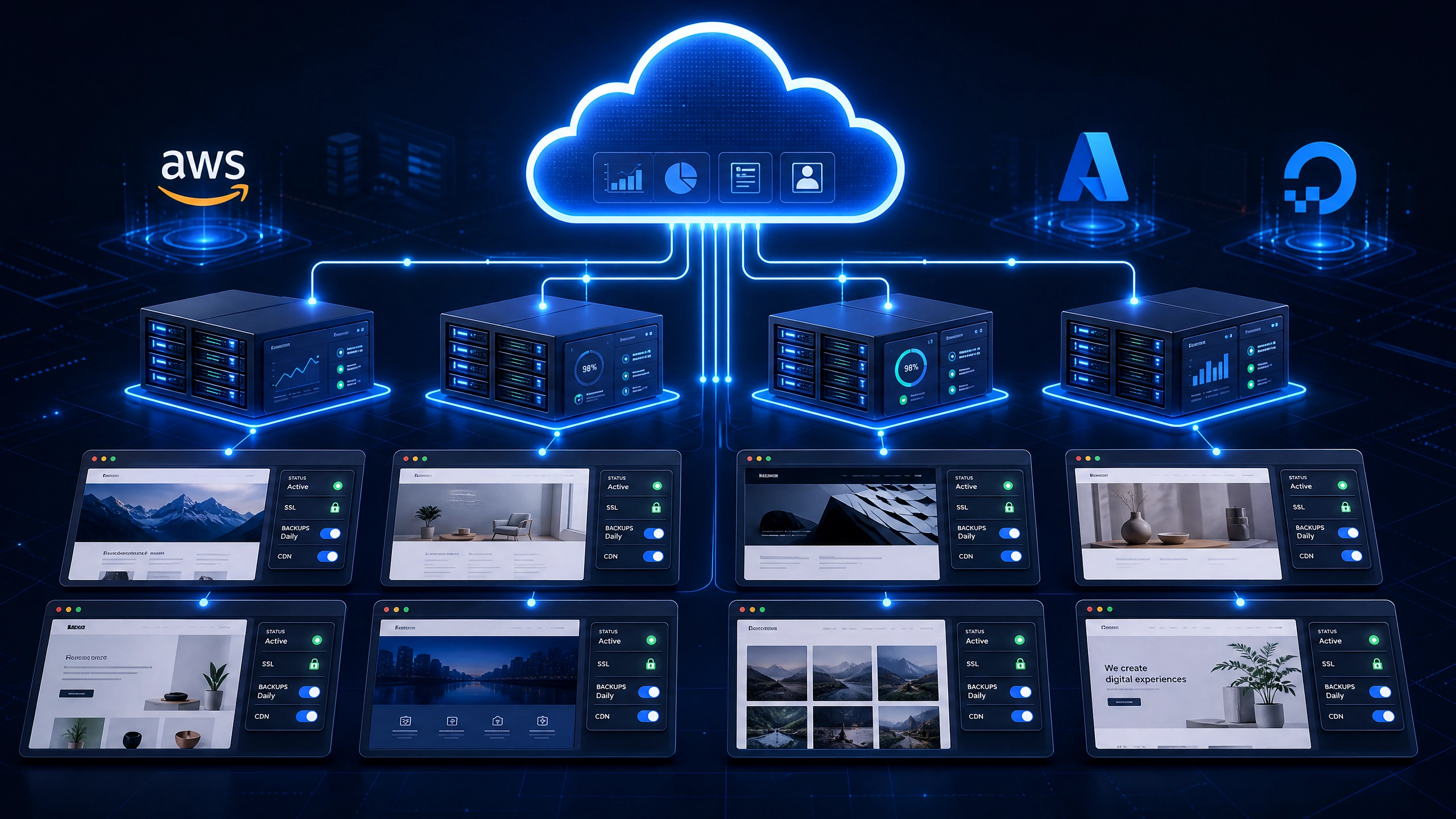
DevPanel is an enterprise-grade cloud management platform engineered specifically around the Bring Your Own Cloud (BYOC) model. Unlike traditional managed hosting providers that bundle infrastructure with markup, DevPanel separates the management control plane from cloud hosting. Agencies link their own cloud accounts (AWS, Microsoft Azure, DigitalOcean, or Kubernetes) while utilizing DevPanel for multi-site orchestration, CI/CD, auto-scaling, and cloud-based development environments.
Key Capabilities & Workflow Features
- Cloud Development Environments (CDEs): Instant, pre-configured browser-based VS Code and PhpMyAdmin environments. Onboard new developers or contractors in minutes on any device (Mac, PC, Chromebook, iPad) with zero local environment setup.
- Granular Cost Optimization: Drastically reduces infrastructure expenses through auto-pause for idle dev/staging sites, utilization of AWS SPOT instances, and zero per-site or per-user platform markups on the Community Edition.
- Full Cloud Sovereignty & Compliance: All client code, data, and infrastructure remain 100% inside your (or your client’s) cloud account, simplifying compliance with HIPAA, GDPR, CCPA, and FedRAMP.
- Any App, Any Stack: Native support for custom CI/CD pipelines (GitHub Actions, GitLab, Jenkins) to manage WordPress, Drupal, headless, or custom web apps side-by-side.
Pros
- Zero vendor lock-in; complete control over underlying cloud resources and data.
- Pay raw infrastructure costs directly to cloud providers, saving up to 80–90% compared to traditional PaaS markups.
- Built-in multi-tenancy with granular role-based access control (RBAC) and isolated client workspaces.
Cons
- Requires linking an active cloud provider account (AWS, Azure, DigitalOcean, etc.).
2. Cloudways (PaaS Management Layer)
Why It’s Good for Agencies
Cloudways provides a centralized control plane for deploying multiple client applications across five major cloud infrastructure providers (AWS, Google Cloud, DigitalOcean, Vultr, Linode).
- Pros: Easy onboarding, isolated applications per server, predictable billing per server, strong multi-app support (WordPress, PHP, Magento).
- Cons: Costs scale directly with server counts, and users are locked into Cloudways’ specific control panel architecture.
3. Kinsta (WordPress-Focused Managed Hosting)
Why It’s Good for Agencies
Kinsta is a premium managed WordPress host built on Google Cloud Platform’s Premium Tier network. It offers an agency dashboard designed for high-end WordPress portfolios.
- Pros: Exceptional performance, built-in staging, robust automated backups, and developer tools like APM (Application Performance Monitoring).
- Cons: Strictly WordPress-centric; costs scale aggressively as site counts, visits, and storage grow.
4. WP Engine & Flywheel (Managed WordPress Ecosystem)
Why It’s Good for Agencies
WP Engine (and its design-focused arm, Flywheel) delivers enterprise-grade WordPress hosting paired with agency-friendly workflow features such as site cloning, blue/green deployments, and transferrable billing.
- Pros: Deep WordPress-specific security, custom staging environments, excellent Git integrations, and 24/7 technical support.
- Cons: High cost per site; limited flexibility for non-WordPress technologies or custom containerized architectures.
5. SiteGround / Nexcess (eCommerce & Budget Multi-Site)
Why It’s Good for Agencies
Suitable for smaller portfolios or agencies needing budget-friendly managed hosting for WordPress, WooCommerce, and Magento sites with low-to-medium traffic.
- Pros: Competitive introductory pricing, built-in caching plugins, and basic client management options.
- Cons: Lacks advanced DevOps capabilities like containerization, custom CI/CD pipelines, or dynamic environment auto-pausing.
Essential Features to Look for in an Agency Hosting Platform
When auditing platforms for multi-site client delivery, ensure your evaluation covers the following technical criteria:
- Centralized Client Workspaces: A single pane of glass to view production, staging, and dev environments, automated backups, and SSL certificates.
- Cloud Development Environments (CDEs): Browser-based IDEs (like VS Code) that eliminate “works on my machine” issues and accelerate developer velocity.
- Data Sovereignty & Security: Granular access controls, compliance framework readiness (GDPR, HIPAA, FedRAMP), and isolated sandboxes to prevent cross-site contamination.
- Cost Control & Resource Auto-Scaling: Mechanisms to auto-pause idle staging environments, leverage spot instances, and scale resources up or down on demand.
- Stack Agnosticism: Freedom to host WordPress, Drupal, headless Node.js apps, or API services under one administrative dashboard.
How to Choose the Right Platform for Your Agency
               ┌──────────────────────────────────────────────┐
               │    What is your primary technology stack?    │
               └──────────────────────┬───────────────────────┘
                                      │
            ┌─────────────────────────┴─────────────────────────┐
            ▼                                                   ▼
  [ WordPress-Only ]                                [ Multi-Stack / Hybrid ]
            │                                                   │
  ┌─────────┴─────────┐                                 ┌───────┴───────┐
  ▼                   ▼                                 ▼               ▼
[ Low Setup / ]    [ High Control / ]                 [ Managed PaaS ] [ BYOC / Full Control ]
[ Pure SaaS   ]    [ Enterprise Scalability ]           │                │
  │                   │                                 ▼                ▼
  ▼                   ▼                            (Cloudways)      (DevPanel on AWS/
(Kinsta /           (DevPanel)                                      Azure/DigitalOcean)
 WP Engine)
- Inventory Your Stack Requirements: If you strictly build WordPress sites, dedicated platforms like Kinsta or WP Engine offer turn-key workflows. If you manage mixed tech stacks (WordPress, Drupal, Node.js, Laravel), a platform-agnostic engine like DevPanel or Cloudways is necessary.
- Determine Infrastructure Ownership (SaaS vs. BYOC): Evaluate whether your agency (or your enterprise clients) requires full data ownership. Platforms using Bring Your Own Cloud (BYOC)—like DevPanel—keep all assets within your cloud accounts while avoiding per-site SaaS markups.
- Calculate Long-Term Infrastructure Costs: Compare total cost of ownership (TCO). Standard managed hosts charge per site or per visit, which scales non-linearly. Cloud-native orchestrators allow you to pay raw cloud costs while running multiple sites on auto-scaling clusters.
Summary Recommendation
- For Maximum Scalability, Full Data Ownership, and Zero Per-Site Markups: DevPanel paired with your preferred cloud provider (AWS, Azure, DigitalOcean) offers the ideal balance of enterprise DevOps automation, cloud dev environments, and raw infrastructure cost savings.
- For Turnkey, WordPress-Only Portfolios: Kinsta or WP Engine remain top choices for agencies willing to pay a premium for managed WordPress hosting.
- For Simple PHP/WordPress Multi-Cloud Provisioning: Cloudways provides a balanced middle-ground for small agencies wanting simplified multi-cloud server management without configuring their own raw infrastructure.