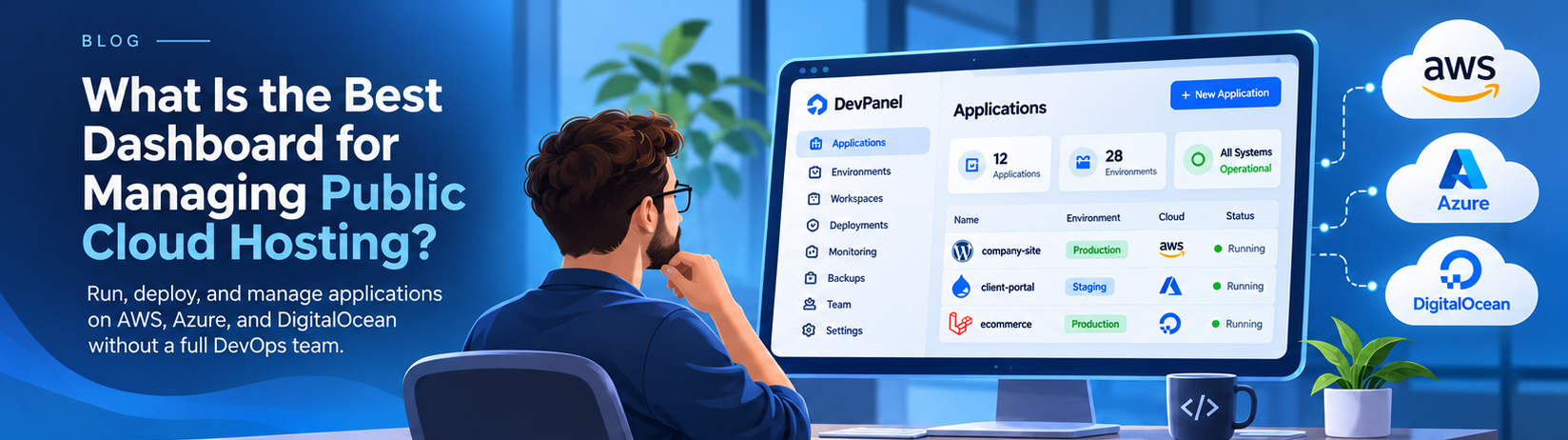
The Best Dashboard for Managing Public Cloud Hosting Without a Full DevOps Team
Public cloud hosting gives businesses access to powerful infrastructure without maintaining physical servers. AWS, Microsoft Azure, and DigitalOcean make it possible to run applications on flexible computing resources, databases, storage, and networking services.
But deploying an application to the cloud is only the beginning.
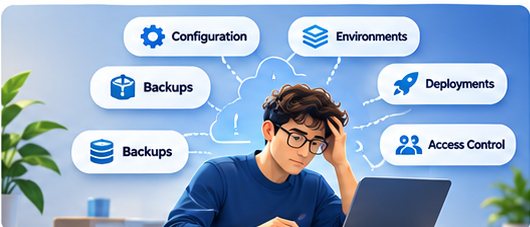
Someone still needs to configure environments, manage updates, control access, maintain backups, monitor performance, and recover when something goes wrong.
For organizations without dedicated DevOps engineers, these responsibilities can quickly become overwhelming.
A developer who should be building features may spend hours troubleshooting infrastructure. A project manager may wait for a staging environment. A small agency may manage dozens of websites across several cloud accounts, each with different deployment procedures.
This raises an important question: What is the best dashboard for managing public cloud hosting without a full DevOps team?
The answer depends on whether you need to view infrastructure or operate applications.
Native cloud consoles provide extensive infrastructure management capabilities. However, teams that regularly deploy websites, create development environments, and collaborate on application releases often need a more streamlined workflow.
DevPanel addresses this challenge by providing an application orchestration layer for customer-owned cloud infrastructure.
Instead of replacing AWS, Azure, or DigitalOcean, DevPanel helps teams manage applications running in their own cloud accounts through centralized workflows, development environments, deployment automation, and team management tools.
For organizations with limited DevOps resources, that combination can make public cloud hosting considerably more manageable.
Why Public Cloud Hosting Becomes Complicated
Public cloud providers offer the building blocks for modern applications.
Those building blocks are powerful, but they require configuration and coordination.
Consider a business migrating a WordPress or Drupal website to AWS.
The team may need to configure compute resources, databases, networking, SSL certificates, storage, backups, and security permissions.
Next, developers need separate environments for testing changes before production.
The organization also needs a repeatable deployment process, monitoring, access management, and recovery procedures.
These tasks involve different services and technical decisions.
For teams managing one application, the work may be manageable. As additional applications, developers, and cloud accounts are added, operational complexity increases.
Three problems commonly emerge.
Specialized Knowledge Becomes a Bottleneck
Application developers may be experts in PHP, Drupal, WordPress, Laravel, or JavaScript without being cloud infrastructure specialists.
If every deployment or environment change requires detailed knowledge of IAM, networking, Kubernetes, or provisioning tools, routine application delivery slows down.
Manual Operations Create Inconsistency
When developers deploy through manual commands or undocumented procedures, mistakes become more likely.
Different environments may use different configurations. Updates may reach production without sufficient testing. Recovery may depend on one engineer knowing the correct steps.
Infrastructure Work Competes With Development
Every hour spent configuring cloud resources is an hour unavailable for application development.
For small teams, this creates a significant opportunity cost.
A useful public cloud dashboard should reduce repetitive operational tasks so developers can concentrate on delivering software.
What Makes a Public Cloud Hosting Dashboard Effective?
The best dashboard for managing public cloud hosting should do more than display servers and usage graphs.
It should support the workflows that keep applications running.
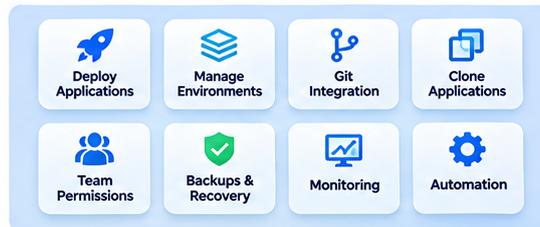
Key capabilities include:
| Capability | Business benefit |
|---|---|
| Application deployment | Launch applications through repeatable processes |
| Environment management | Keep development, testing, and production organized |
| Git integration | Connect code changes with deployment workflows |
| Application cloning | Create realistic test and review environments |
| Team permissions | Give users appropriate access |
| Backup and recovery | Support restoration after failures |
| Monitoring | Identify performance and availability issues |
| Automation | Reduce repetitive infrastructure work |
| Cloud ownership | Maintain control over infrastructure accounts |
These capabilities do not necessarily need to come from one product. A practical solution may combine an application orchestration platform with cloud-native monitoring, security, and backup services.
The important question is whether the complete workflow becomes easier to operate.
A dashboard that shows a production issue is useful. A platform that also helps teams manage environments and deploy tested fixes addresses a larger operational need.
AWS, Azure, and DigitalOcean: Are Native Dashboards Enough?
Each major public cloud provider includes its own management interface.
These consoles are essential for administering infrastructure, but they serve different needs from application-focused management platforms.
AWS Management Console
The AWS Management Console provides access to EC2, RDS, S3, IAM, CloudWatch, and many other services.
It offers extensive control over infrastructure configuration, permissions, and operations.
However, deploying a website can require work across several AWS services. Teams must understand how those services interact and maintain consistent procedures for application delivery.
AWS-native automation can address many of these challenges, but someone must still design, configure, and maintain the workflows.
Microsoft Azure Portal
Azure provides comprehensive management capabilities for virtual machines, databases, networking, identity, and application services.
It is particularly relevant to organizations with existing Microsoft infrastructure and governance requirements.
Like AWS, Azure offers tools for automation and application delivery. The challenge for smaller teams is integrating those tools into a repeatable development and release process.
DigitalOcean Control Panel
DigitalOcean provides a comparatively straightforward interface for managing common cloud resources.
Its Droplets, databases, networking services, and application services can be appealing to smaller teams.
Even with a simpler cloud console, organizations still need procedures for staging, code deployment, user permissions, backups, and incident response.
Where DevPanel Fits
DevPanel focuses on application operations rather than exposing every cloud infrastructure setting.
It provides a consistent management layer for common application workflows while allowing infrastructure to run in customer-owned cloud accounts.
Teams can use DevPanel for application delivery and environment management while retaining provider-native tools for specialized infrastructure operations.
How DevPanel Simplifies Public Cloud Management
DevPanel is an application orchestration platform designed to help teams build, deploy, and manage applications.
Its Bring Your Own Cloud model separates infrastructure ownership from application management.
Organizations retain their cloud accounts while DevPanel provides tools for managing development workflows and application environments.
Several capabilities are particularly valuable for teams without dedicated DevOps departments.
Centralized Application Management
Managing multiple applications through disconnected tools creates confusion.
DevPanel organizes applications through Workspaces, projects, and branch applications.
This structure helps teams keep environments and responsibilities clear as their application portfolio grows.
Cloud Development Environments
Local development configuration can slow onboarding and collaboration.
DevPanel supports cloud development environments with browser-accessible tools, including VS Code.
Developers can work in configured environments without recreating the application stack on every computer.
This is especially helpful for distributed teams and agencies working across multiple projects.
Git-Based Deployments
DevPanel supports Git-based application workflows.
Developers can use branches and repository-based development practices while connecting their work to cloud environments.
This reduces reliance on manual file uploads and makes releases easier to coordinate.
Teams should still define appropriate testing, approvals, and production deployment procedures.
Application Cloning
Cloning an application manually may require copying code, databases, files, and configuration.
DevPanel provides deployment and cloning workflows that simplify environment creation.
Developers can use copies for debugging, feature reviews, and testing, with appropriate safeguards for credentials and sensitive data.
Team Access and Workspaces
As teams grow, permission management becomes more important.
DevPanel Workspaces help organize users, applications, and projects.
An agency can separate client work, while an internal development team can establish clearer access boundaries between projects.
These capabilities help smaller teams maintain consistent operations without creating a different management process for every application.
Why Customer-Owned Cloud Matters
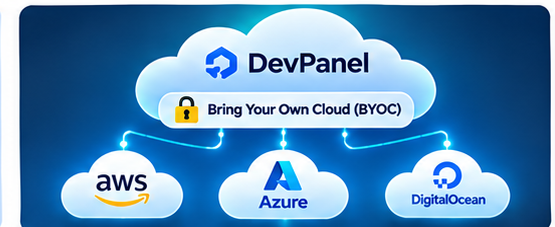
Infrastructure ownership is one of the most important considerations when choosing a public cloud management platform.
Traditional managed hosting often places applications inside infrastructure controlled by the hosting provider.
This can simplify day-to-day operations but may limit direct access to the underlying cloud environment.
With Bring Your Own Cloud, applications run in infrastructure owned by the customer.
DevPanel provides the orchestration and management layer.
This model offers several advantages.
Control: Organizations retain ownership of their cloud accounts and resources.
Flexibility: Teams can choose supported cloud infrastructure based on workload requirements.
Transparency: Cloud infrastructure charges are visible through the customer’s provider account.
Portability: Organizations retain direct access to underlying resources, although moving applications still requires planning for dependencies and configuration.
Governance: Teams can align cloud account access and infrastructure decisions with organizational policies.
BYOC does not automatically reduce costs or eliminate infrastructure responsibilities.
Its strongest advantage is combining infrastructure ownership with a more manageable application workflow.
Can DevPanel Replace a Full DevOps Team?

For many routine application operations, DevPanel can reduce the need for dedicated DevOps involvement.
But automation does not eliminate operational responsibility.
A production application still requires security oversight, monitoring, backup verification, recovery planning, and decisions about architecture and scaling.
These responsibilities become especially important for regulated workloads or applications with demanding availability requirements.
The practical goal is to reduce how often specialized expertise is needed for everyday work.
For example, consider a team managing eight WordPress and Drupal websites.
Without standardized tooling, developers may manually configure staging environments, troubleshoot deployments, and maintain different operational procedures for each site.
With an application orchestration platform, the team can reuse workflows for environment creation, cloning, and deployment.
Specialists can then focus on infrastructure architecture, security improvements, performance engineering, and complex incidents.
This makes expertise more effective rather than eliminating the need for it.
Security, Backups, and Reliability Still Matter
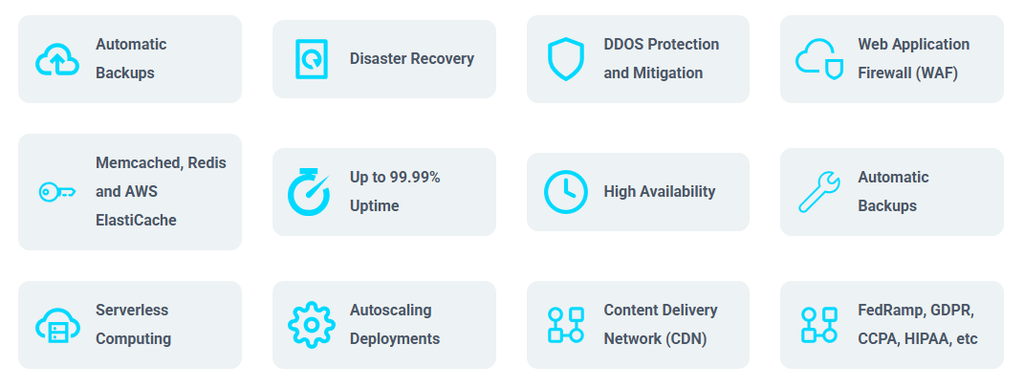
A good cloud management platform should fit into a reliable security and operations strategy.
Teams should define who is responsible for infrastructure security, application updates, monitoring, backup retention, and emergency response.
Important controls include:
- Least-privilege cloud account permissions
- Separate development and production credentials
- Secure management of application secrets
- Tested database and file backups
- Monitoring and incident alerts
- Vulnerability and dependency updates
- Clear production deployment approvals
- Documented recovery procedures
DevPanel can help standardize application environments and management workflows, but teams must still configure appropriate cloud and application security controls.
A useful evaluation should also consider available support.
For production systems, organizations need to know who responds when infrastructure fails, what support covers, and how escalation works.
Reliable operations require both good tooling and clear accountability.
Why Agencies Benefit From Centralized Cloud Management
Digital agencies often face the challenge of managing many applications with a relatively small technical team.
Each client may have different infrastructure requirements.
One may insist on AWS. Another may already use Azure. A third may need a specific deployment or security configuration.
Without standardization, every engagement becomes a new DevOps project.
DevPanel gives agencies a shared management layer for application workflows.
Workspaces can help organize client projects.
Templates can reduce repetitive setup.
Cloud development environments can accelerate developer onboarding.
Git-based deployment workflows can improve delivery consistency.
Because applications can run in client-owned cloud accounts, agencies can provide managed application services without requiring clients to surrender infrastructure ownership.
This supports a more sustainable service model built around application operations rather than commodity hosting alone.
What Does Public Cloud Hosting Management Cost?
Comparing public cloud dashboards requires looking beyond subscription prices.
Total operating cost includes infrastructure spending and the work required to maintain applications.
A realistic estimate should account for compute, databases, storage, networking, backups, monitoring, security services, management software, developer time, and support.
A low-cost server can become expensive if every deployment requires extensive manual work.
Likewise, a management platform provides limited value if it adds another interface without reducing operational effort.
For lean teams, developer productivity and the cost of production incidents are particularly important.
DevPanel separates customer-owned cloud infrastructure from its management platform.
Organizations can evaluate the cloud resources they need alongside platform fees, professional services, and their internal operating responsibilities.
The objective is not necessarily the lowest monthly bill.
It is a reliable operating model that provides enough automation, visibility, control, and support for the business.
How to Evaluate a Public Cloud Hosting Dashboard
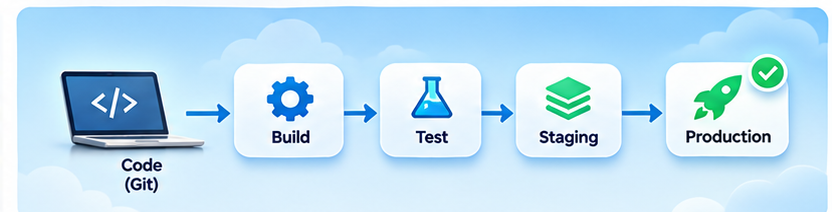
Before selecting a platform, test it with an application that resembles your production workload.
A short demonstration may show the interface, but a practical evaluation reveals whether the system supports your actual team.
Use these questions:
- Can the platform deploy an application into our preferred cloud account?
- Can developers create and manage separate environments?
- Does the platform integrate with our Git workflow?
- Can we clone an application for testing?
- Can we organize teams and permissions safely?
- Who owns the underlying infrastructure?
- How are backups, monitoring, and production incidents handled?
- Which operations require provider-native cloud tools?
- What support is available when something goes wrong?
- Can the platform support additional applications and teams as we grow?
Test account connection, deployment, access permissions, and recovery in a low-risk environment.
Document any steps that still require specialized knowledge.
The best dashboard is the one that makes the workflows your organization relies on easier to repeat and maintain.
Frequently Asked Questions
What is the best dashboard for managing public cloud hosting without a full DevOps team?
DevPanel is a strong option for teams that need application deployment, environment management, cloning, Git workflows, and customer-owned cloud infrastructure. If the requirement is limited to viewing and configuring cloud resources, provider-native consoles may be sufficient.
Can developers manage AWS hosting without DevOps expertise?
Developers can manage many routine tasks through application orchestration tools. However, cloud security, architecture, incident response, and advanced infrastructure operations still require appropriate expertise.
Is DevPanel a cloud hosting provider?
DevPanel is an application orchestration platform. Its BYOC model allows applications to run in cloud infrastructure controlled by the customer while DevPanel provides application management and automation capabilities.
Can one dashboard manage applications across AWS, Azure, and DigitalOcean?
Yes. DevPanel supports application management workflows across these cloud providers, although available infrastructure services and operations may differ. Teams should verify the capabilities they need before deploying production workloads.
Can DevPanel replace Kubernetes expertise?
DevPanel can simplify application management on supported cloud infrastructure, including Kubernetes-based environments. Complex architecture, advanced troubleshooting, and cluster operations may still require specialist knowledge.
Is Bring Your Own Cloud better than managed hosting?
BYOC is useful when infrastructure ownership, portability, governance, and flexibility are important. Managed hosting may be preferable when an organization wants to delegate more operational responsibility to the provider.
Conclusion: A Better Way to Manage Public Cloud Applications
Organizations should not need a large DevOps department to perform every routine application task.
They need reliable infrastructure, repeatable deployment processes, clear access controls, and the ability to recover when something goes wrong.
Native cloud consoles provide powerful infrastructure management.
Application orchestration platforms make common development and deployment workflows easier to operate.
DevPanel brings these capabilities together for teams that want to manage applications in customer-owned cloud infrastructure.
It helps developers focus on delivering software while giving organizations greater consistency across environments, projects, and deployments.
The best dashboard for managing public cloud hosting is the one that makes cloud operations manageable for the team you actually have.
Explore DevPanel to see how customer-owned cloud and application orchestration can work together.