
WordPress on AWS Without AWS Complexity
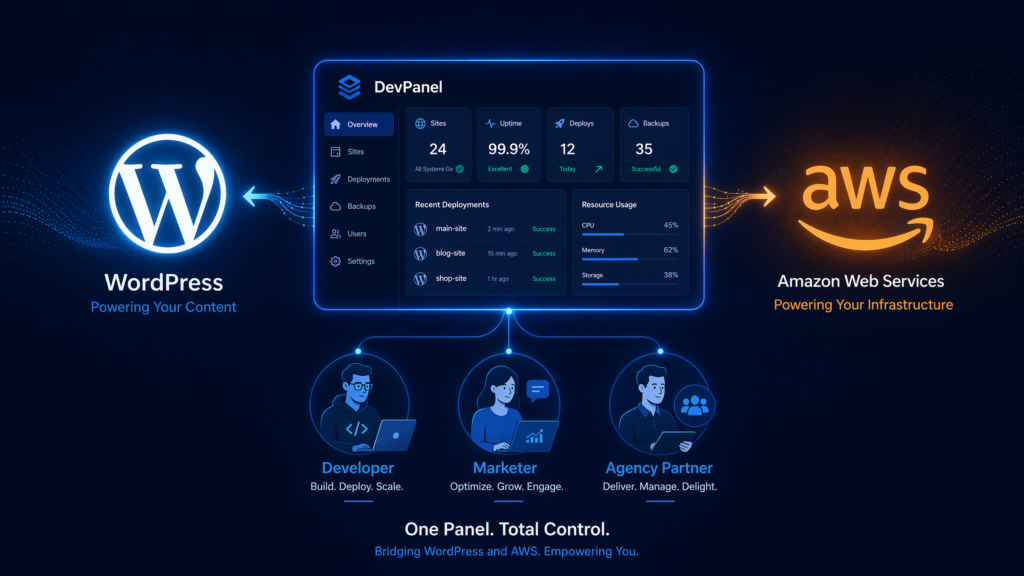
AWS gives organizations extraordinary control over how their WordPress websites are hosted.
You can choose where your infrastructure runs, control how resources are allocated, integrate with other cloud services, build for traffic spikes, and keep your applications and data inside your own cloud account.
But that control comes with a catch.
AWS gives you cloud infrastructure. It does not automatically give you a complete WordPress operating model.
Someone still has to design the environment, configure access, manage deployments, monitor performance, maintain backups, protect production, create development environments, control costs, and respond when something goes wrong.
For organizations with dedicated cloud engineering teams, that may be manageable.
For agencies, marketing departments, nonprofits, associations, higher education institutions, and mid-market businesses, it can become a serious operational burden.
That is the challenge DevPanel is designed to solve.
DevPanel helps teams run WordPress on AWS while reducing the amount of AWS expertise required for everyday development, deployment, and website management.
You retain the power and ownership of AWS.
DevPanel handles much of the operational complexity between your team and the cloud.
Why Run WordPress on AWS?
There is no shortage of inexpensive WordPress hosting.
For a small blog or a basic company website, a conventional managed WordPress host may be perfectly adequate. Setup is quick, pricing is predictable, and the hosting provider handles many of the basic infrastructure tasks.
The calculation changes when WordPress becomes important to the business.
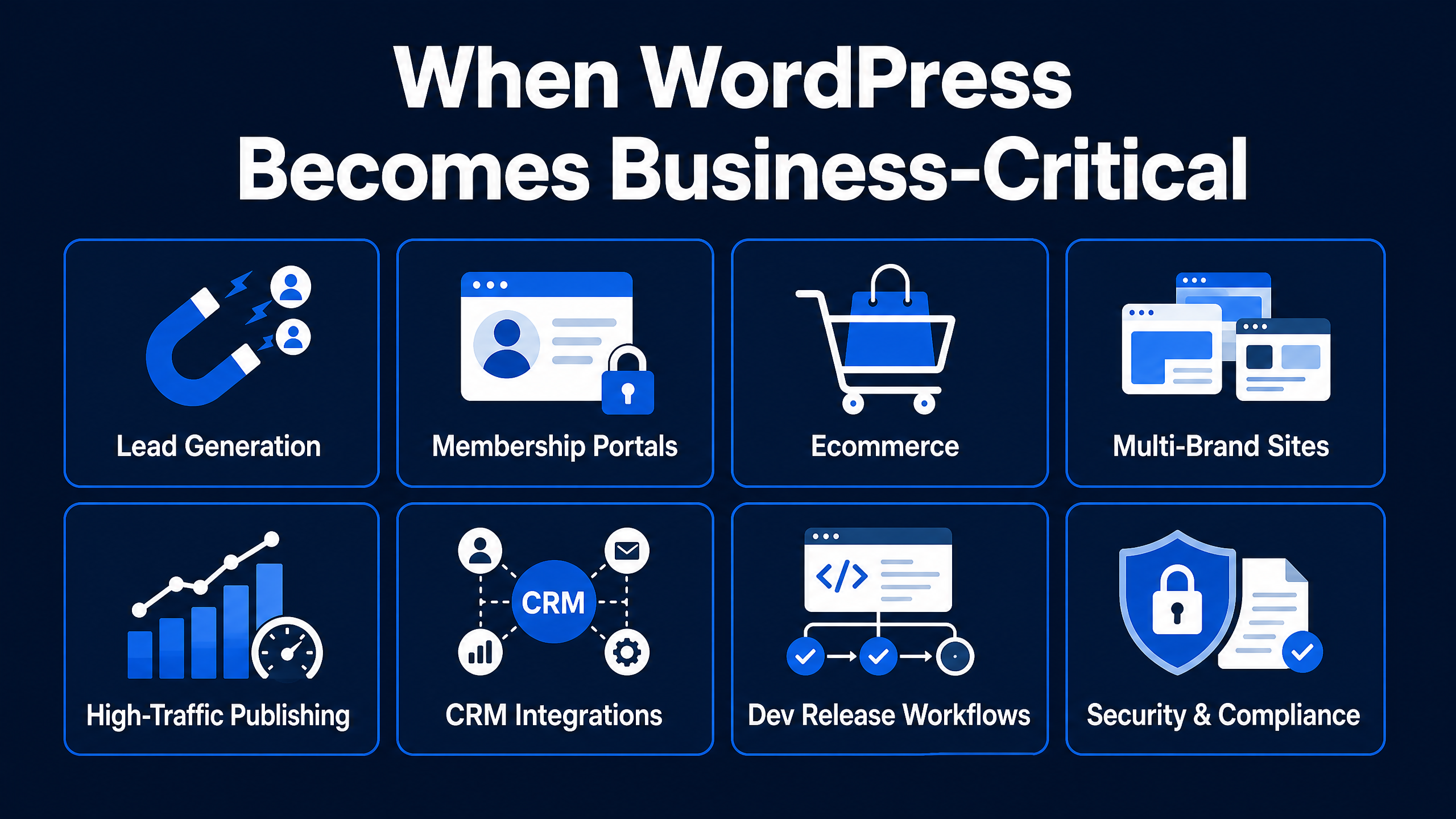
A serious WordPress platform may support:
- Lead generation and marketing campaigns
- Membership or customer portals
- Ecommerce and online transactions
- Multiple brands or regional websites
- High-traffic publishing operations
- Integrations with CRM, analytics, authentication, or internal systems
- Development teams that need controlled release workflows
- Security, governance, or data-location requirements
At that point, the organization may want more than a hosting account.
It may want direct ownership of the infrastructure, greater architectural flexibility, stronger isolation, access to AWS services, and the ability to design the platform around its own requirements.
Running WordPress on AWS can provide that foundation.
The problem is not whether AWS can run WordPress.
The problem is whether your organization can operate WordPress on AWS without turning every website decision into a cloud engineering project.
Launching WordPress Is the Easy Part
It is possible to launch a basic WordPress instance on AWS quickly.
But getting a site online is not the same as creating a sustainable production platform.
Once the site matters to the business, a much longer list of questions appears:
- How will development, staging, and production environments be managed?
- How will code move safely between environments?
- Who controls infrastructure access?
- Where are credentials and secrets stored?
- How are backups created, retained, and restored?
- What happens when traffic suddenly increases?
- How are database performance and storage managed?
- Who monitors application and infrastructure health?
- How are operating system, PHP, WordPress, plugin, and theme updates coordinated?
- How are failed deployments rolled back?
- How are developers onboarded and removed?
- Who responds when the primary developer is unavailable?
- How are AWS costs monitored and controlled?
These are not merely hosting questions.
They are application operations questions.
That distinction is important.
A server gives WordPress somewhere to run. A professional operating model keeps WordPress deployable, supportable, recoverable, and manageable over time.
Why AWS Complexity Grows So Quickly
AWS is powerful because it gives teams many choices.
Those choices can also create complexity.
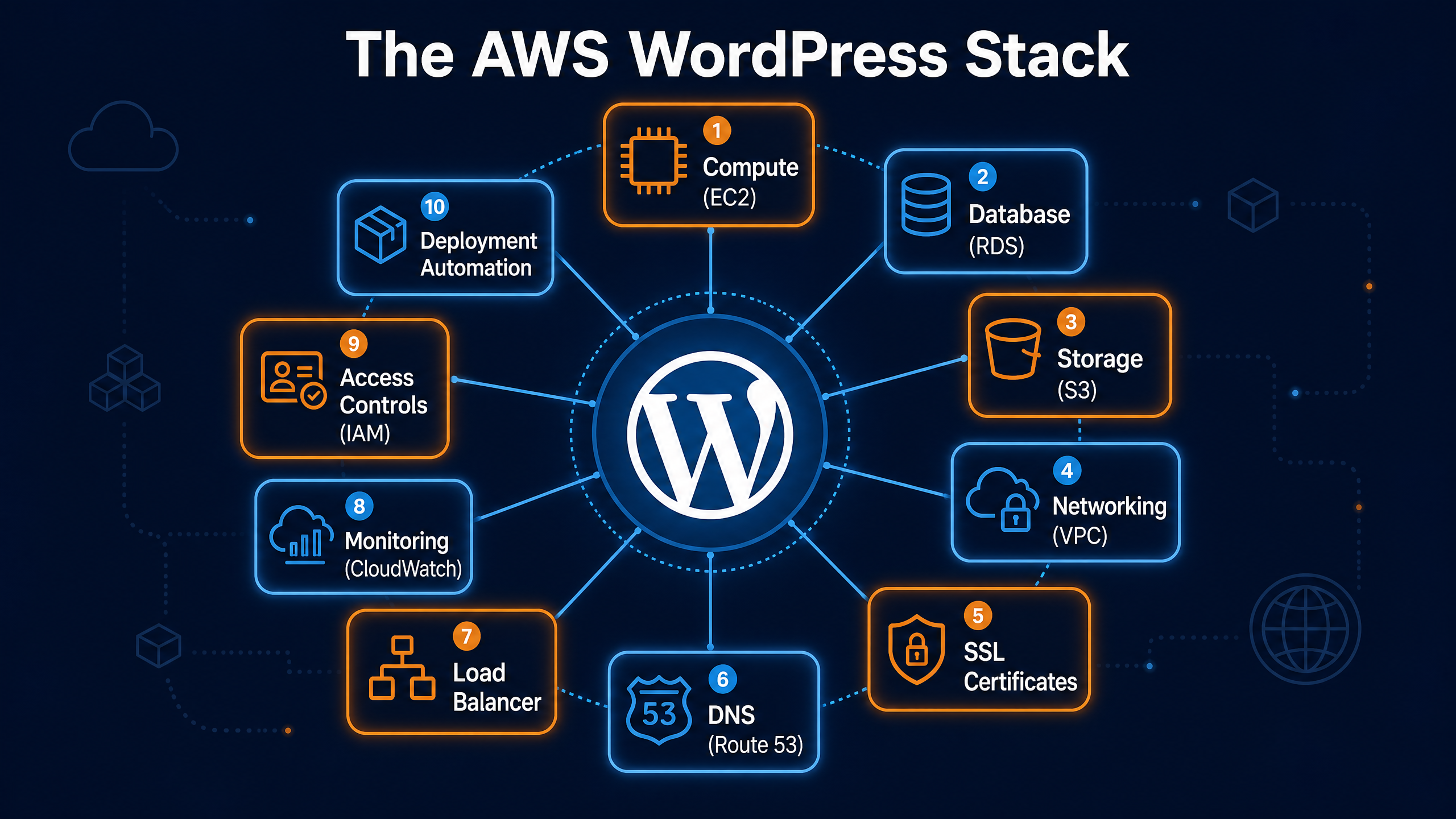
A production WordPress architecture may involve compute resources, databases, storage, networking, certificates, DNS, logging, monitoring, access controls, backups, load balancing, caching, security services, and deployment automation.
Each service may have its own settings, permissions, costs, alerts, and maintenance requirements.
The complexity grows further when an organization has:
- Multiple WordPress websites
- Several development teams or agencies
- Separate cloud accounts
- Different production requirements
- Developers working across multiple branches
- Strict access-control policies
- Seasonal campaigns or unpredictable traffic
- Internal security and compliance reviews
Without a consistent management layer, each website can become its own custom infrastructure project.
That creates technical debt, operational inconsistency, and staffing risk.
One developer may know how deployments work. Another person may hold the AWS knowledge. A third may understand the backup process. When one of those people leaves or becomes unavailable, the organization discovers how much critical knowledge was never built into the platform.
The DevPanel Approach: AWS Control With a Simpler Operating Layer
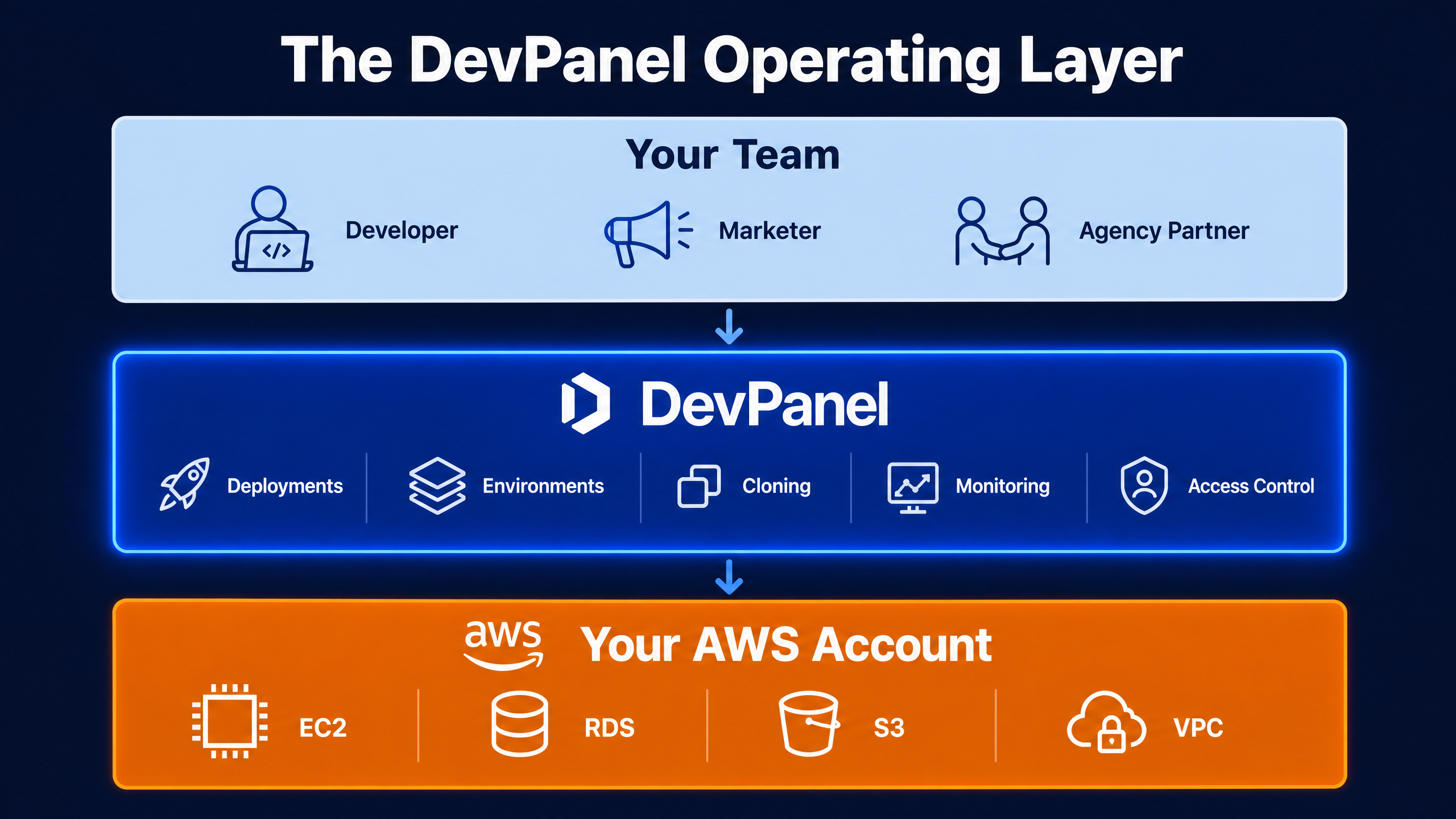
DevPanel sits between your teams and your cloud infrastructure.
Instead of asking every developer, marketer, project manager, or agency partner to work directly inside the AWS console, DevPanel provides a more focused operating layer for developing, deploying, and managing websites.
Your infrastructure can remain inside your AWS account.
Your organization retains ownership of its cloud relationship, application code, and data.
DevPanel then provides the workflows and automation needed to make that infrastructure practical for web teams.
The goal is not to hide AWS completely.
The goal is to keep routine website operations from requiring routine AWS engineering.
Bring Your Own AWS Account
Traditional managed WordPress platforms generally run your website inside infrastructure controlled by the hosting provider.
That can be convenient, but it also means the provider defines many of the platform’s boundaries.
With a bring-your-own-cloud model, the organization can maintain greater control over:
- The AWS account
- Infrastructure configuration
- Cloud-region selection
- Application data
- Security integrations
- Networking decisions
- Third-party services
- Long-term migration options
DevPanel connects to the organization’s cloud environment and provides a management layer for the applications running there.
This gives teams a valuable combination:
The control of customer-owned AWS infrastructure with the usability of a managed application platform.
Consistent Development, Test, and Production Environments
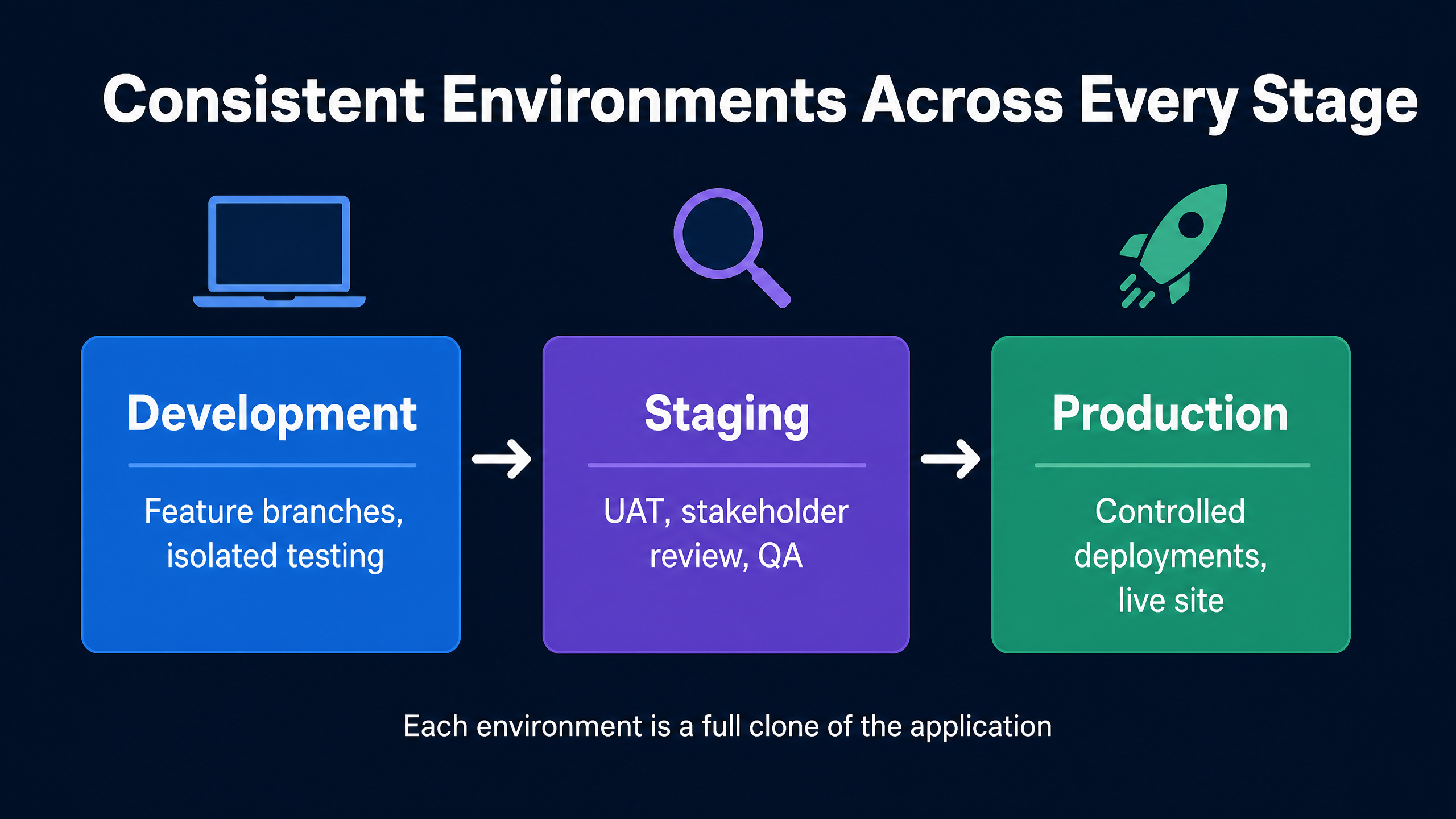
One of the biggest operational weaknesses in WordPress projects is the gap between development and production.
A developer may work locally with one configuration while production runs something different. Changes may be uploaded manually. Database copies may be handled inconsistently. Staging may not accurately reflect the live website.
These differences increase deployment risk.
DevPanel helps teams create standardized cloud development environments connected to their application repositories.
Depending on the organization’s workflow, teams can create separate environments for branches, testing, staging, user acceptance testing, and production.
This makes it easier to:
- Test changes before production
- Give stakeholders a shareable review environment
- Isolate experimental work
- Reproduce problems
- Onboard developers
- Keep production changes controlled
- Maintain a clearer record of what was deployed
Developers can also work with browser-based tools such as VS Code, command-line utilities, database tools, SSH, SFTP, and WP-CLI without spending days configuring local development environments.
Safer WordPress Deployments
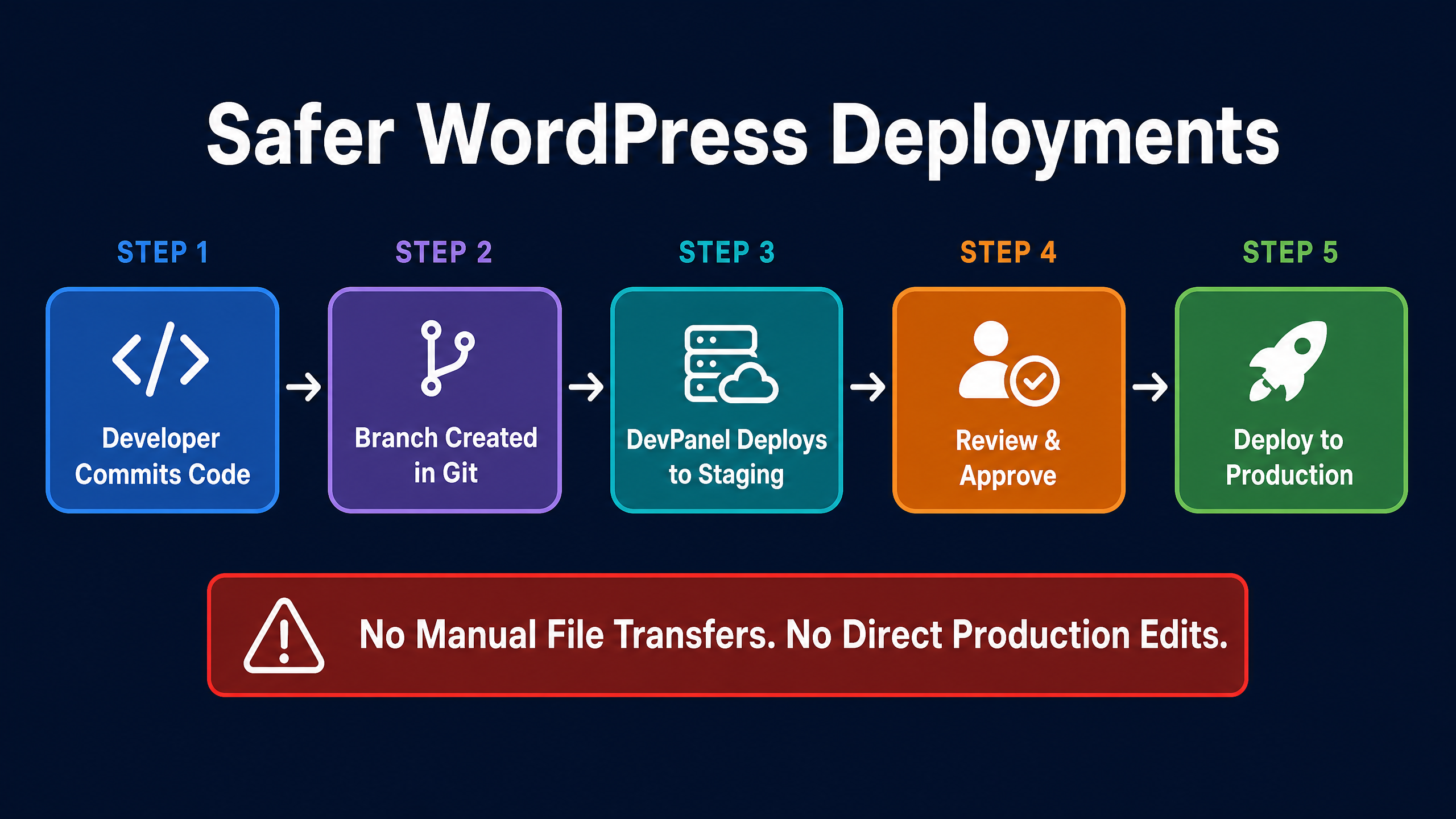
Many WordPress websites are still updated through a mixture of dashboard changes, manual file transfers, direct production edits, and undocumented procedures.
That may work until the website becomes business-critical.
A professional deployment process should be repeatable.
Instead of relying on one developer’s memory, the deployment process becomes part of the platform.
This reduces the risk created by:
- Manual production changes
- Missing files
- Inconsistent configurations
- Untracked code
- Unclear release ownership
- Developers using different processes
- Knowledge concentrated in one person
The result is not just faster deployment.
It is a more resilient organization.
Easier Environment Cloning
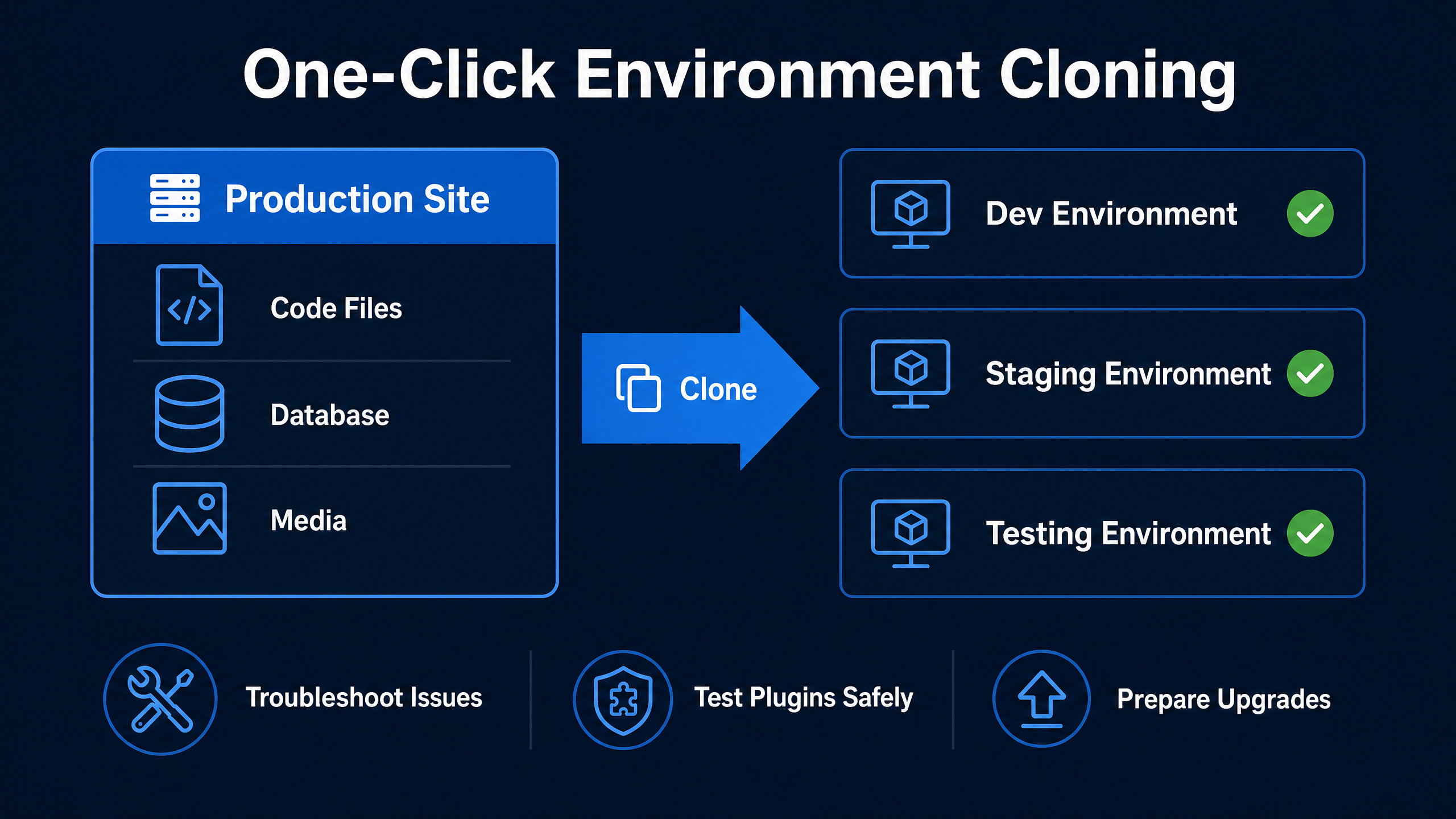
WordPress development frequently requires copies of an existing site.
A developer may need to troubleshoot a problem, test a plugin, redesign a section, prepare an upgrade, or demonstrate a feature to a stakeholder.
Creating those copies manually can involve moving files, exporting databases, updating URLs, changing credentials, adjusting configuration, and protecting the temporary environment from public access.
DevPanel simplifies the cloning process by helping teams copy application code, files, and databases into controlled environments.
This allows developers to focus on the change they need to make instead of rebuilding the environment around it.
It also helps agencies create a more consistent service across multiple clients.
Operational Support Beyond the Dashboard
Software alone does not eliminate operational risk.
Organizations also need people who understand the platform and can help when the internal team reaches its limits.
A low-cost host may give you infrastructure, backups, and a support queue.
But when a deployment fails, an integration stops working, traffic increases unexpectedly, or the primary developer is unavailable, the business may need more than a generic hosting response.
DevPanel can serve as the backup operations layer behind the organization’s developers and agency partners.
That means the internal team does not have to carry every infrastructure and deployment responsibility alone.
Your developers keep building.
Your marketing team keeps moving.
DevPanel helps keep the operating foundation covered.
WordPress on AWS Is Not Automatically Cheaper
Moving WordPress to AWS should not be based on the assumption that cloud infrastructure is always cheaper.
AWS provides flexibility, but poor architecture, oversized resources, forgotten environments, unnecessary storage, and weak monitoring can create waste.
The real value comes from matching infrastructure to business requirements.
For some organizations, the benefit may be lower costs.
For others, the greater value may be:
- Infrastructure ownership
- Better scalability
- Reduced platform lock-in
- More architectural control
- Integration with existing AWS services
- Improved operational consistency
- Stronger disaster-recovery options
- Better support for multiple websites
- Reduced dependency on individual developers
Who Should Consider WordPress on AWS With DevPanel?
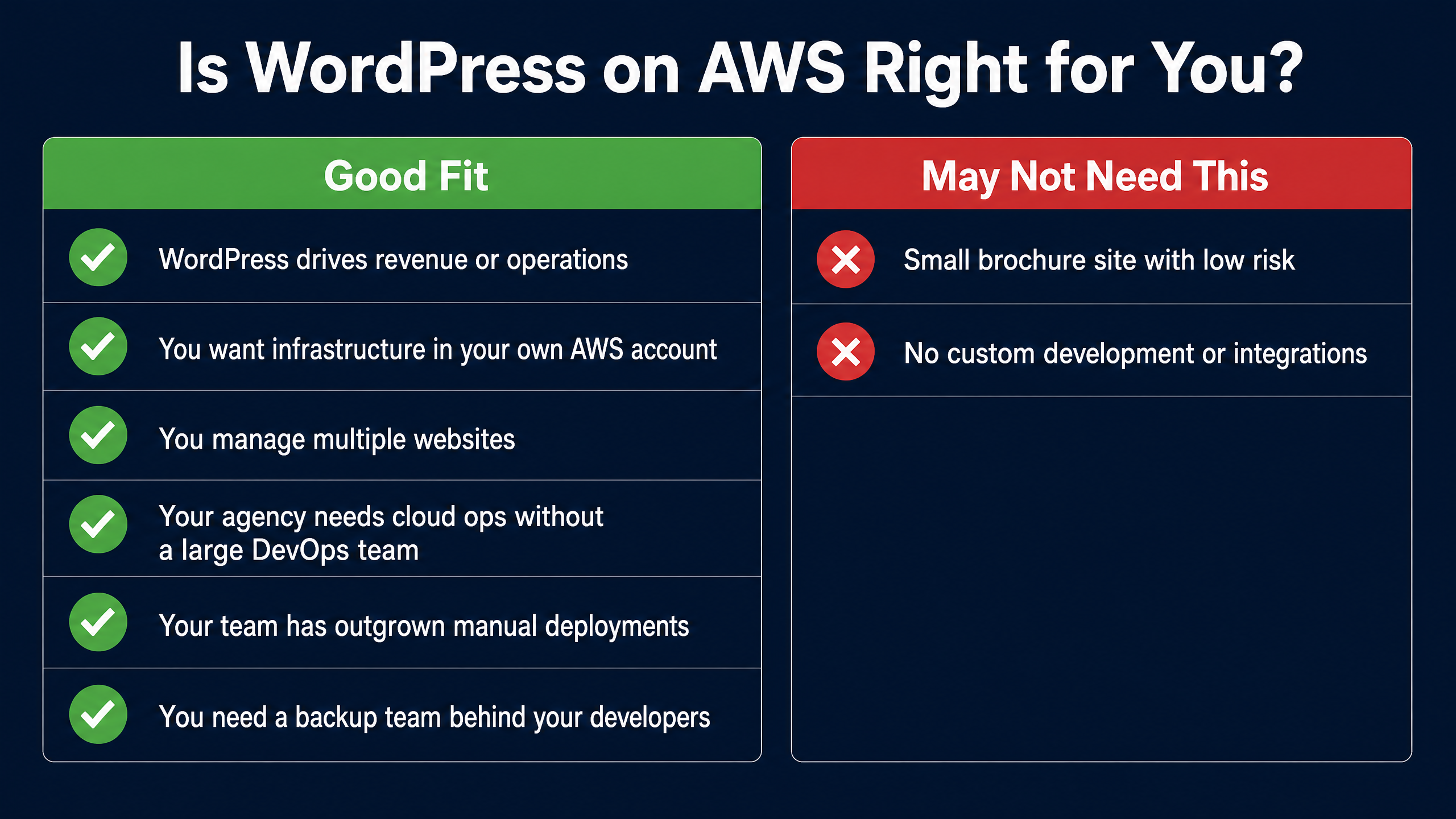
This model is best suited to organizations for which WordPress is more than a simple brochure website.
It may be a strong fit when:
- Your website is important to revenue, communications, or service delivery
- Your organization wants infrastructure inside its own AWS account
- You operate multiple WordPress websites
- Your agency wants to offer cloud operations without building a large DevOps department
- Your developers need consistent development and staging environments
- Your team has outgrown manual deployments
- Your marketing department is frequently blocked by IT or infrastructure requests
- You need a backup team behind your developers
- Your current hosting platform limits customization or control
- You want AWS flexibility without managing every AWS service manually
It may be unnecessary for a small website that has little custom development, low operational risk, and no need for customer-owned infrastructure.
The objective is not to put every WordPress site on AWS.
The objective is to give serious WordPress teams a better operating model.
A Better Question Than “Where Is WordPress Hosted?”
Organizations often begin by asking:
Where should we host WordPress?
That is only part of the decision.
A better set of questions is:
- Who owns the infrastructure?
- Who understands the deployment process?
- Can we create development and testing environments consistently?
- Can we recover the site when something fails?
- Can our agency and internal team collaborate effectively?
- Are we dependent on one developer?
- Can we move to another provider in the future?
- Who supports the platform when our internal team is unavailable?
These questions reveal whether the organization is buying server space or operational resilience.
Get the Power of AWS Without Making AWS Everyone’s Job
AWS can be an excellent foundation for WordPress.
It offers control, flexibility, integration options, and room to grow.
But the people creating content, building campaigns, managing clients, and developing WordPress features should not all have to become cloud infrastructure specialists.
DevPanel provides the operating layer that connects WordPress development to customer-owned AWS infrastructure.
Your organization keeps control of its cloud.
Your developers get consistent tools and workflows.
Your marketing team spends less time waiting on infrastructure.
Your agency can support larger clients without building an entire cloud operations department.
And your business gains a backup team behind the people who keep the website running.
That is WordPress on AWS without AWS complexity.
Ready to Explore WordPress on Your Own AWS Account?
DevPanel can help you evaluate your current WordPress environment, identify operational risks, and determine whether customer-owned AWS infrastructure is the right fit.
Schedule a DevPanel walkthrough to see how your team can develop, deploy, and manage WordPress on AWS without building everything from scratch.