
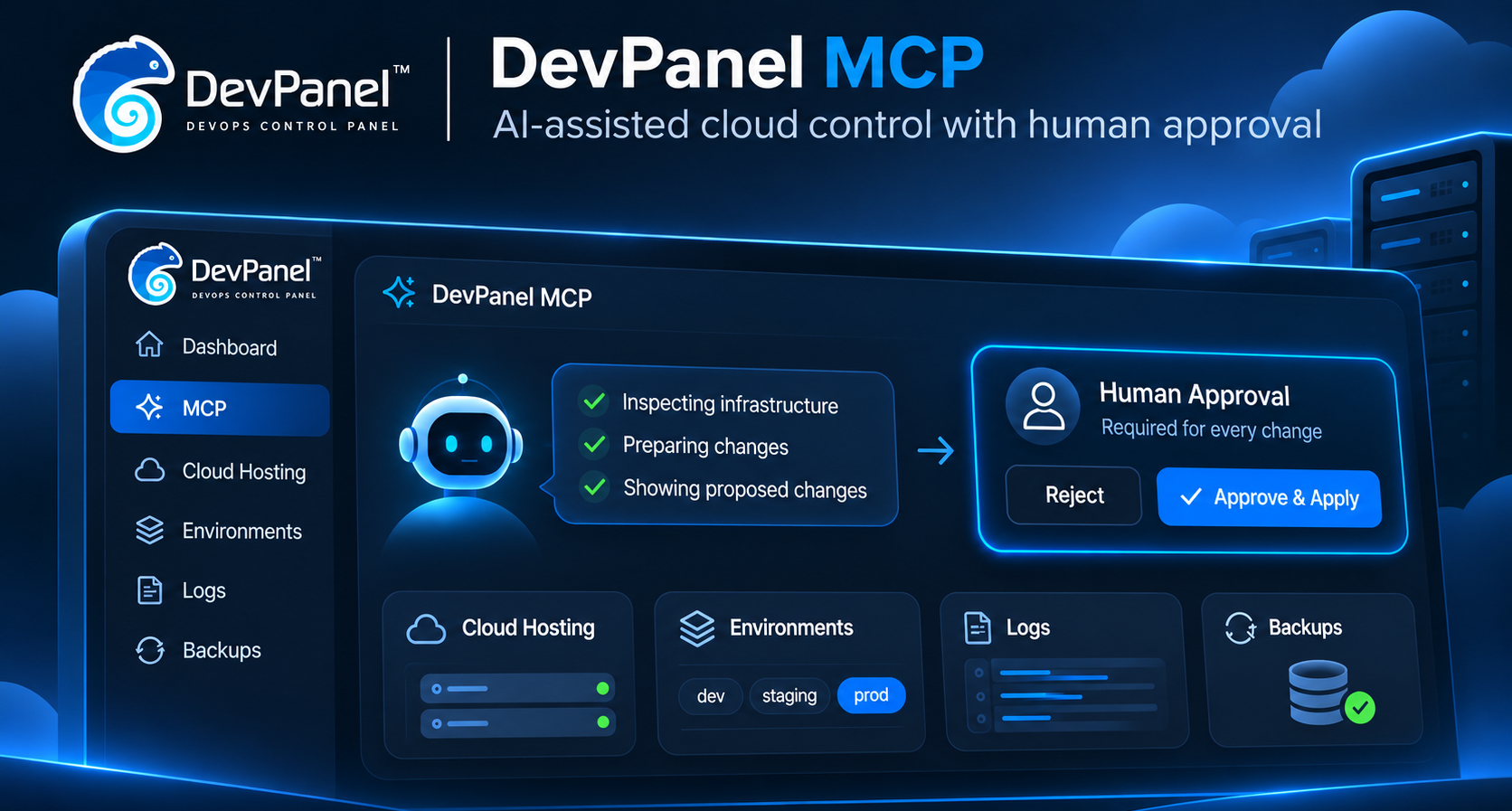
DevPanel MCP: Manage Your Cloud Infrastructure with AI
The DevPanel MCP server lets Claude, Cursor and other MCP clients inspect your workspaces, diagnose applications and prepare changes. Nothing changes until you approve the exact plan.
Most of the work of running a site happens in small steps: checking why staging is slow, taking a backup before an upgrade, adding a domain, rotating a secret. Each step is easy, but they mean jumping between dashboards, logs and docs.
The DevPanel MCP is a Model Context Protocol (MCP) server that connects AI assistants such as Claude and Cursor to DevPanel for cloud infrastructure management. You describe what you want in plain language. The assistant reads your real workspaces, projects, applications, logs and backups, then prepares the change. You see that change in full and decide.
The one rule
The assistant may look and plan freely. It may not change DevPanel until a human has approved the exact plan.
Every change goes through the same path:
- Read current state. The assistant inspects the relevant DevPanel resources.
- Build a plan. It describes the requested action and its potential effects.
- Approve or reject. You review the exact plan and reply
APPROVEorREJECT. - Re-check live state. DevPanel confirms the conditions have not changed.
- Execute and verify. Only the approved operation is run, and its result is checked.
A plan is frozen when it is created and fingerprinted with a SHA-256 hash. Your approval is tied to that hash, so the assistant can’t approve one plan and run a different one. Plans expire after 15 minutes. Right before executing, the server re-reads DevPanel. If the application changed in the meantime, or the backup you picked was deleted, the plan is marked stale and nothing runs.
Only one tool, devpanel_approve_and_execute_plan, is allowed to make changes. Everything else either reads or plans.
What can the DevPanel MCP do?
In the version described here, the server exposes 55 tools, grouped by what they touch:
| Tools | Area | Examples |
|---|---|---|
| 24 | Read | Workspaces, environments, projects, applications, catalogs, domains, backups, activities and job logs, HTTP access logs, secret names, git repositories and branches |
| 28 | Plan | Quickstart a project, deploy or undeploy, pause, upgrade runtime settings, backups and restore, daily backups, custom domains and HTTPS, VS Code and phpMyAdmin, secrets, auto-pause expiry, deletes |
| 1 | Execute | devpanel_approve_and_execute_plan, the only tool that changes DevPanel |
| 2 | Account setup | Connect or remove your own git token |
The plan tools also catch mistakes before you are asked. A restore refuses a backup whose database part failed. Deleting a project is blocked while it still has applications. An upgrade warns you that a storage increase can never be reduced again.
DevPanel MCP use cases, with examples
The conversations below are illustrations. Names, IDs and hashes are examples.
1. Find out why a site is failing
Diagnosis is read-only, so the assistant can dig in without asking.
You
The checkout page on shop-staging started returning 500s this morning. What happened?
Assistant
get_http_logs · get_application_activities · get_activity_logs
The 500s start at 09:42, two minutes after an upgrade that changed the PHP image. The upgrade job’s log shows a missing extension during startup. The previous image ran without errors. I can plan an upgrade back to the previous image tag if you want to roll back.
2. Back up, then restore
Restoring overwrites live data, so the plan says exactly what it will replace and how to undo it.
You
An import broke the marketing-site database. Restore only the database from last night’s daily backup.
Assistant
list_backups · plan_restore_application · approve_and_execute_plan
Here is the plan. It restores the database only; static files stay as they are.
DevPanel Change Plan

Action: RESTORE APPLICATIONDevPanel Change Plan

Action: RESTORE APPLICATION
Risk: HIGH
Summary: Overwrite database of marketing-site with backup 66f1c2a9

Plan ID: plan_3b8e0d4c-7a51-4f0e-9c1d-2f6a8e4b9c17
Hash: sha256:9f2c4e…d71a
Expires: 2026-10-28T10:15:00.000Z

WARNINGS:
  - This OVERWRITES the current database of marketing-site with backup
    66f1c2a9 (2026-10-28T02:00:04Z). Changes made since that backup are lost.
  - Create a backup of the current state with
    devpanel_plan_backup_application first if it may be needed.

Planned operations:
  1. Verify marketing-site is unchanged and backup 66f1c2a9 still exists
  2. Restore database from backup 66f1c2a9 via PATCH /restore [WILL CHANGE]
  3. Confirm DevPanel created a RESTORE_BACKUP activity, then check its status

Rollback: Restore another backup (e.g. 66e9a0f3) the same way.

Do you approve this plan? Reply APPROVE to execute it, or REJECT to cancel.
Risk: HIGH
Summary: Overwrite database of marketing-site with backup 66f1c2a9

Plan ID: plan_3b8e0d4c-7a51-4f0e-9c1d-2f6a8e4b9c17
Hash: sha256:9f2c4e…d71a
Expires: 2026-10-28T10:15:00.000Z

WARNINGS:
  - This OVERWRITES the current database of marketing-site with backup
    66f1c2a9 (2026-10-28T02:00:04Z). Changes made since that backup are lost.
  - Create a backup of the current state with
    devpanel_plan_backup_application first if it may be needed.

Planned operations:
  1. Verify marketing-site is unchanged and backup 66f1c2a9 still exists
  2. Restore database from backup 66f1c2a9 via PATCH /restore [WILL CHANGE]
  3. Confirm DevPanel created a RESTORE_BACKUP activity, then check its status

Rollback: Restore another backup (e.g. 66e9a0f3) the same way.

Do you approve this plan? Reply APPROVE to execute it, or REJECT to cancel.
The approval prompt as it appears in the conversation (abridged).
You reply APPROVE. The assistant passes your answer back along with the plan hash. The server re-checks the app and backup, starts the restore, and reports the job’s result. If the job ends in an error, the plan is marked failed rather than quietly reported as done.
3. Browse templates and launch a site from one
DevPanel templates, called catalogs, are ready-made starting points: a repository, a project type and a container image. You can see published catalogs, your teams’ catalogs and your own. Launching from one is a two-step conversation: browse, then quickstart.
Step 1: list the templates. This is a read, so the assistant runs it right away.
You
What templates can I start a new site from?
Assistant
list_catalogs
// devpanel_list_catalogs (abridged)
[
  {
    "id": "66a1f0c2…", "name": "Drupal CMS",
    "projectType": "drupal11_v2", "visibility": "public", "status": "ACTIVE",
    "isFromRegistry": true,
    "imageTags": ["php8.3", "php8.4"], "defaultImageTag": "php8.3",
    "tags": ["drupal", "cms"]
  },
  {
    "id": "66b4d9e7…", "name": "WordPress Starter",
    "projectType": "wordpress_v2", "visibility": "public", "status": "ACTIVE"
  },
  {
    "id": "66c88a13…", "name": "Agency Drupal Base",
    "projectType": "drupal11_v2", "visibility": "private", "team": "Web Team",
    "status": "ACTIVE"
  }
]
What the tool returns: name, project type, who can see it, and which images it offers. Repository URLs are also included.
Assistant
You can start from three templates:
- Drupal CMS (public). Drupal 11, with a choice of PHP 8.3 (default) or PHP 8.4.
- WordPress Starter (public).
- Agency Drupal Base. Your Web Team’s private Drupal 11 base.
Which one should I use, and what should the project be called?
Step 2: plan the launch. You pick a template in your own words. The assistant matches it by name, so you never type an ID.
You
Drupal CMS on PHP 8.4. Call it acme-demo, it’s for tomorrow’s client call.
Assistant
plan_quickstart_project · approve_and_execute_plan
DevPanel Change Plan

Action: QUICKSTART PROJECT
Risk: MEDIUM
Summary: Quickstart project acme-demo from catalog Drupal CMS and deploy it

Plan ID: plan_8c2d51e0-4b7f-4a39-b0e6-91d3f5a2c7e4
Hash: sha256:41be07…9c3f
Expires: 2026-10-28T14:20:00.000Z

WARNINGS:
  - This creates the project AND immediately deploys its application to
    Kubernetes (it starts consuming cluster resources). Testing workspaces
    are limited to 3 running applications.

Planned operations:
  1. Verify the project name is still free
  2. Create the project from catalog Drupal CMS via POST /quickstart/{catalogId};
     DevPanel then deploys its first application [WILL CHANGE]
  3. Poll the new application until DEPLOY_APPLICATION_SUCCESS, then check
     its DEPLOY_APPLICATION activity

Expected result: A new project acme-demo exists with one application
deployed from Drupal CMS.
Rollback: Delete the application with devpanel_plan_delete_application,
then the project with devpanel_plan_delete_project.

Do you approve this plan? Reply APPROVE to execute it, or REJECT to cancel.
The plan checks your choices before you are asked: the template must be active, PHP 8.4 must be one of its images, and acme-demo must not already exist in the workspace.
Step 3: approve and wait.
You
APPROVE
Assistant
acme-demo is deployed and its deploy job finished successfully. The site is running on Drupal CMS with PHP 8.4. Want me to turn on daily backups or add a custom domain next?
If you ask for an image the template doesn’t offer, or a project name that’s taken, you get an error that says why and lists the valid choices, and nothing is created. Deploys usually take a few minutes. The assistant waits for the job and reports its real result.
4. Take a site live on its own domain
Ask for “put shop on shop.example.com and force HTTPS”. The assistant prepares two plans: one adds the domain with a cert-manager TLS certificate, the other turns on force HTTPS. You approve each one. Point your DNS at DevPanel first so the certificate can be issued.
5. Manage secrets without showing them around
When you ask the assistant to set STRIPE_KEY on a project, the approval shows key names only, never values. The values are held on the server, outside the plan, and tied to it by a salted digest, so they can’t be swapped after you approve. Tool output also strips database and editor passwords from every DevPanel response, so they never reach the model.
6. Keep idle environments cheap
Pause a review app over the weekend, unpause it on Monday, extend an auto-pause deadline before a demo, or turn on daily backups for a project. Each is a low-risk plan you approve with one word.
How to connect DevPanel MCP to Claude Code, Cursor, or Claude
The DevPanel MCP is hosted for you. There is nothing to install: add one URL to your MCP client and sign in with your DevPanel account.
https://mcp.devpanel.com/mcpClaude Code
claude mcp add --transport http devpanel https://mcp.devpanel.com/mcpThen run /mcp in Claude Code and choose devpanel to sign in.
Claude desktop and claude.ai: open Settings → Connectors, choose Add custom connector, and paste the URL above.
Cursor and other MCP clients: add the server to the client’s MCP config, for example:
{
  "mcpServers": {
    "devpanel": { "url": "https://mcp.devpanel.com/mcp" }
  }
}
The first time you connect, your browser opens the DevPanel login page. Sign in as usual. Your DevPanel token stays on the DevPanel MCP server; the assistant and your MCP client only get a token for the MCP tools, and the assistant sees only the workspaces your account can access.
Then just ask: “What’s running in my workspace?”
Keep the approval prompt on. Your APPROVE reaches the server through the assistant. The final safeguard is your MCP client’s own permission prompt on the approve tool. Don’t put that tool on auto-approve.
Current limits of the DevPanel MCP
- Creating an empty application from scratch is turned off by default until its request format is confirmed. Use quickstart from a catalog instead.
- Sync copies the database and static files between two applications of the same project only.
- Long jobs are followed for about five minutes. After that, the result says the job is still running and gives you its activity ID to check later.
Frequently asked questions
What is the DevPanel MCP?
The DevPanel MCP is a hosted Model Context Protocol server that lets compatible AI assistants inspect DevPanel resources, diagnose application problems, and prepare infrastructure changes for human approval.
Can an AI assistant change DevPanel without my approval?
The workflow described here requires you to approve the exact change plan before DevPanel executes it. Keep your MCP client’s own permission prompt enabled for devpanel_approve_and_execute_plan as an additional safeguard.
Do I need to install a server to use DevPanel MCP?
No. The DevPanel MCP server is hosted. Add https://mcp.devpanel.com/mcp to a supported MCP client and authenticate with your DevPanel account.
Which AI assistants can use DevPanel MCP?
The setup examples in this article cover Claude Code, Claude desktop, claude.ai, Cursor, and other compatible MCP clients.
Try it
Add https://mcp.devpanel.com/mcp to your assistant, sign in, and start with something read-only, like a look at your workspaces or last night’s backups. We’d like to hear which workflows you hand to your assistant first, and which tools you’d like added next.