
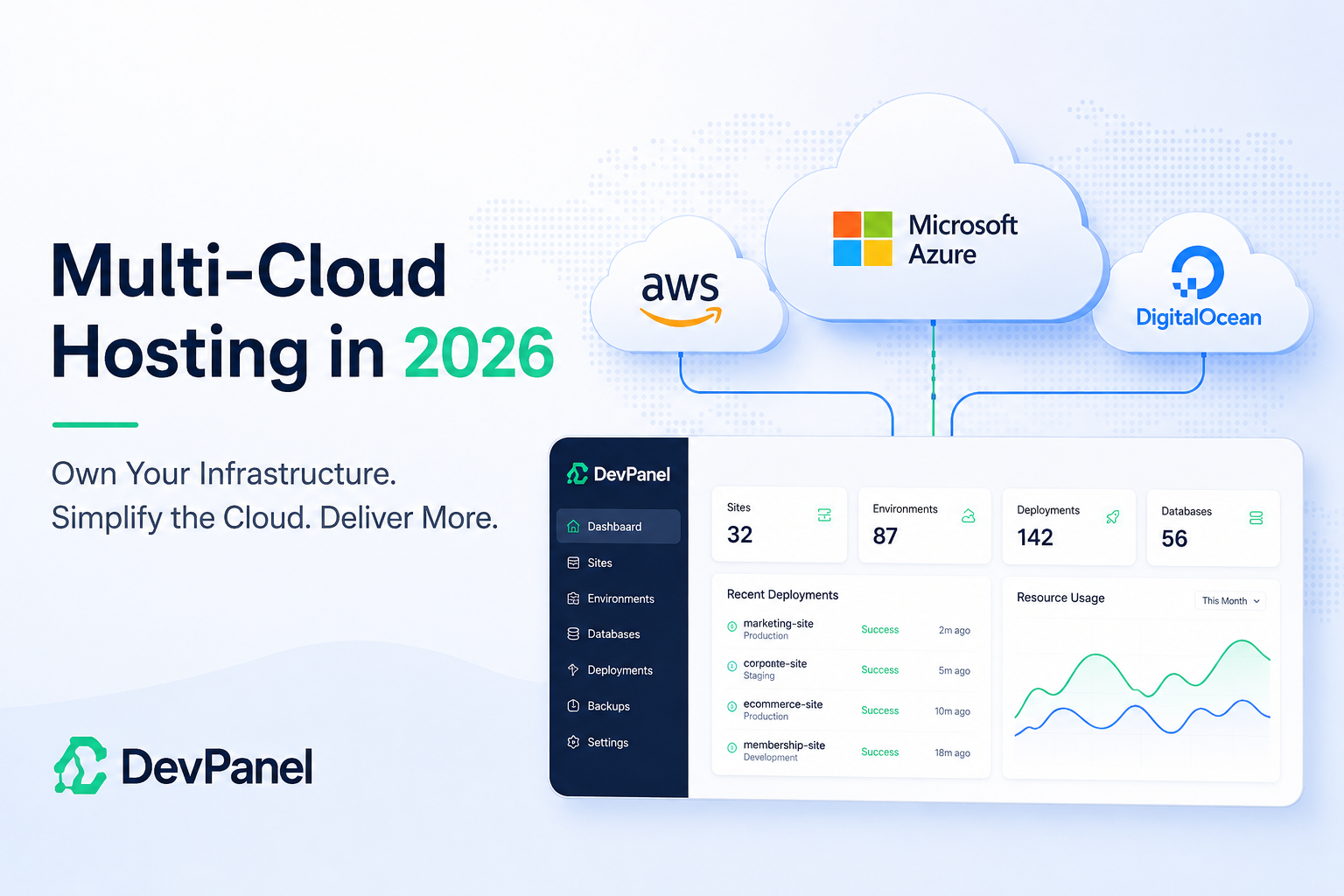
Multi-Cloud Hosting in 2026: Own Your Infrastructure Without Managing Cloud Complexity
Multi-cloud hosting is becoming a serious strategy for organizations that want more control over cost, performance, compliance, and vendor risk.
For years, many website teams had only two realistic options. They could use a traditional managed hosting platform and accept its limits, or they could move directly to AWS, Azure, or DigitalOcean and take on the full burden of cloud operations themselves.
That tradeoff no longer makes sense.
Modern application orchestration platforms like DevPanel give teams a third path: run websites and applications inside their own cloud accounts while using automation to handle the hard parts of provisioning, development environments, CI/CD, scaling, security, and day-to-day operations.
This is where multi-cloud hosting becomes practical. The goal is not to make every team manage three cloud providers at once. The goal is to make sure your infrastructure strategy is not trapped inside one hosting vendor, one pricing model, or one operational workflow.
Key Takeaways
| Question | Answer |
| What is multi-cloud hosting? | Multi-cloud hosting means using more than one public cloud provider, such as AWS, Azure, or DigitalOcean, to run websites, applications, development environments, or production workloads. |
| Why does it matter in 2026? | Teams want more control over cost, data location, infrastructure access, compliance, and vendor flexibility. |
| Is multi-cloud only for enterprises? | No. With the right orchestration layer, agencies, nonprofits, and smaller teams can use cloud infrastructure without needing a full internal DevOps department. |
| What is the biggest challenge? | Operational complexity. Each cloud provider has its own networking, security, deployment, and monitoring model. |
| How does DevPanel help? | DevPanel provides a centralized dashboard and automation layer for deploying and managing applications across cloud infrastructure. |
| Can DevPanel support Drupal and WordPress? | Yes. DevPanel supports Drupal, WordPress, Backdrop, PHP applications, and other web application workflows. |
What Is Multi-Cloud Hosting?
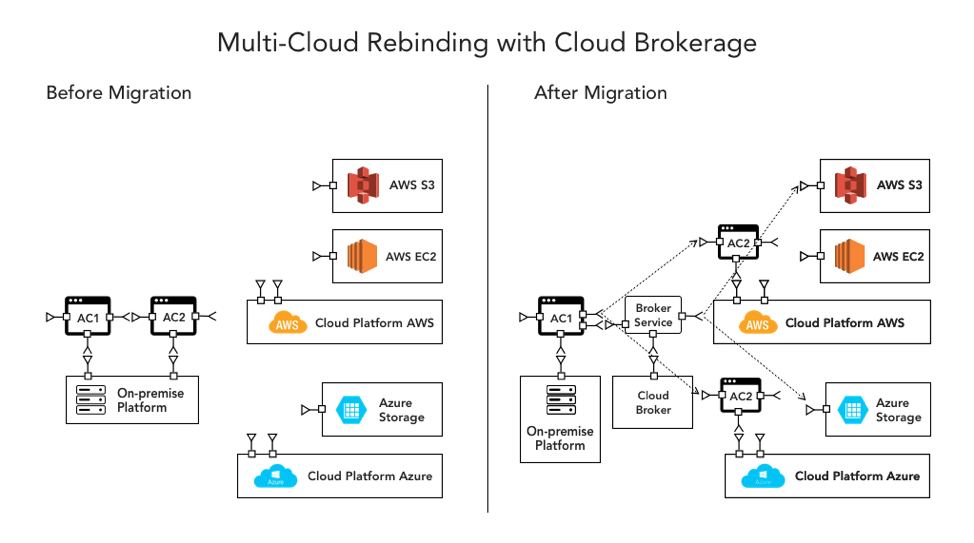
Multi-cloud hosting means using two or more public cloud providers as part of your infrastructure strategy.
For example, an organization might:
•Run production websites on AWS
•Use Azure for a regulated or Microsoft-centered project
•Use DigitalOcean for lower-cost development environments
•Maintain the option to move workloads between providers when pricing, compliance, or performance needs change
This does not mean every workload must run on every cloud. It means the organization is no longer forced to depend on one managed hosting provider or one cloud vendor for every project.
The real value is optionality.
When your infrastructure is abstracted through a platform like DevPanel, your team can focus on managing applications, environments, workflows, and releases instead of learning every low-level cloud service.
Why Traditional Managed Hosting Is Under Pressure
Traditional managed hosting platforms became popular because they solved a real problem. Cloud infrastructure was powerful, but difficult to manage. Most website teams did not want to configure Kubernetes, databases, load balancers, SSL, backups, deployment pipelines, monitoring, and security policies by hand.
Managed hosting made life easier.
But that convenience came with tradeoffs:
•Higher recurring infrastructure costs
•Limited control over the underlying cloud account
•Restricted access to infrastructure settings
•Support-ticket dependency for basic operational tasks
•Platform-specific workflows that make migration harder
•Limited flexibility for custom architecture or compliance requirements
For many teams, those tradeoffs were acceptable when they had no better option. But in 2026, the better option is becoming clear: own the cloud account, automate the operations, and keep control of the application stack.
That is the shift DevPanel is built for.
The Bring Your Own Cloud Model
Bring Your Own Cloud, often called BYOC, is the foundation of a more flexible hosting strategy.
Instead of renting infrastructure from a managed hosting company, the customer uses their own AWS, Azure, or DigitalOcean account. DevPanel sits on top of that account as the orchestration layer.
This changes the economics and the power structure.
With BYOC:
•The customer controls the cloud account
•The customer controls billing
•The customer controls infrastructure access
•The customer controls where data is stored
•The customer can use native cloud services directly
•The customer is not locked into one hosting provider’s infrastructure
DevPanel does not force teams to become cloud engineers. It automates the workflows that normally require specialized DevOps knowledge.
That includes:
•Creating development, staging, and production environments
•Managing application deployments
•Connecting Git-based workflows
•Handling SSL and domains
•Supporting backups and restores
•Providing browser-based development tools
•Supporting cloud-based dev environments
•Enabling scaling and infrastructure automation
The result is cloud ownership without cloud chaos.
Why Multi-Cloud Hosting Matters for Agencies

Agencies are one of the strongest use cases for multi-cloud hosting.
A digital agency may have one client that prefers AWS, another that requires Azure, and another that needs a lower-cost environment for a smaller site. Under a traditional hosting model, the agency often has to force all clients into the same platform or maintain different workflows for each provider.
That becomes messy fast.
With DevPanel, agencies can standardize how they manage applications while still giving each client the infrastructure model that makes sense for them.
This allows agencies to:
•Offer more flexible hosting options
•Avoid being trapped inside one managed hosting platform
•Improve margins by reducing hosting markup dependency
•Give clients more transparency and control
•Support client-owned cloud accounts
•Build repeatable deployment and support workflows
•Reduce the need for manual DevOps work on every project
The strategic benefit is simple: the agency controls the operating model instead of surrendering it to the hosting vendor.
A Better Way to Manage Cloud Complexity
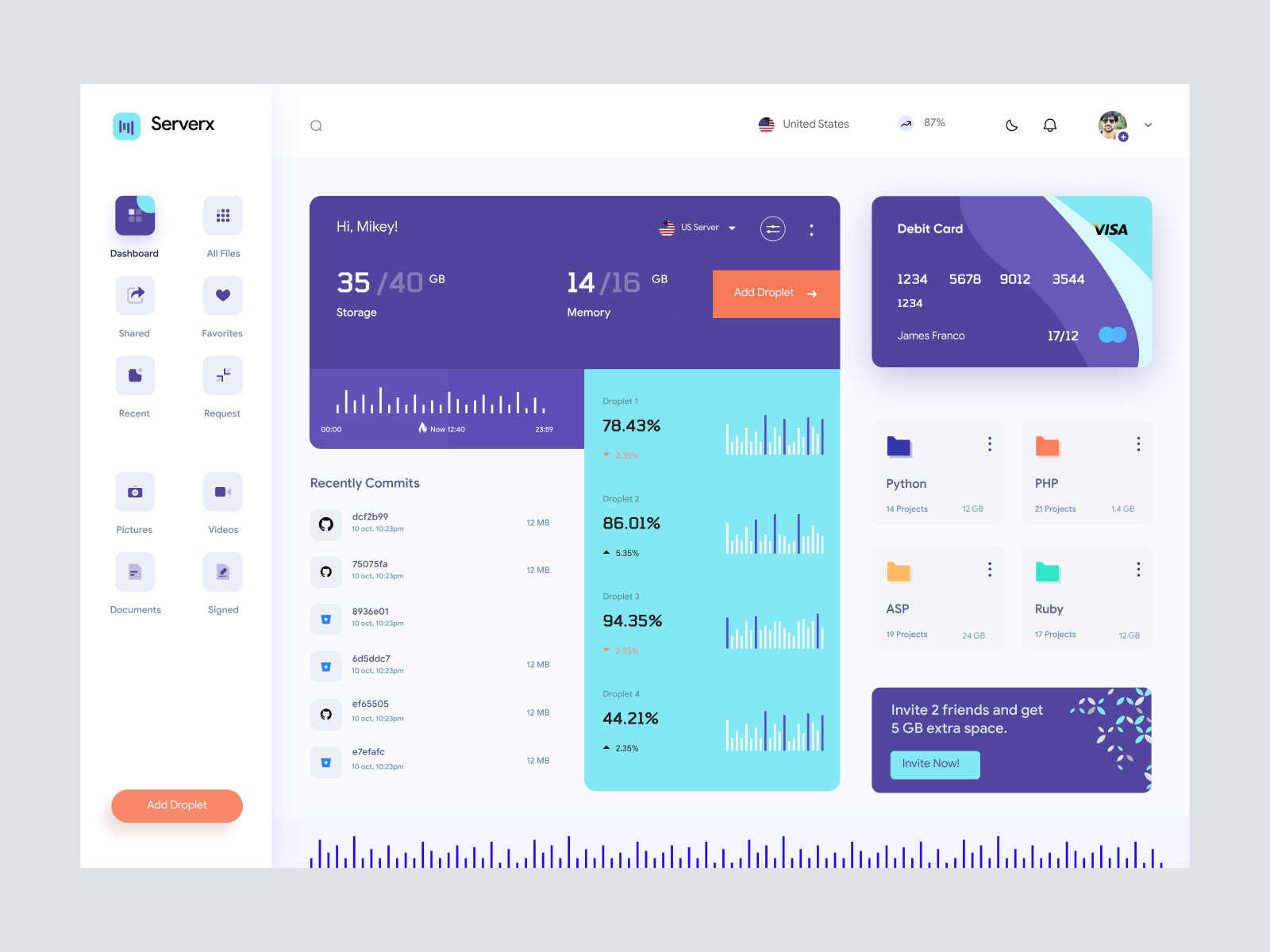
The biggest objection to multi-cloud hosting is valid: cloud providers are complicated.
AWS, Azure, and DigitalOcean all have different concepts, interfaces, APIs, networking models, access controls, and billing structures. Managing them manually requires serious expertise.
That is why multi-cloud hosting needs an orchestration layer.
DevPanel gives teams a unified operational layer for managing applications across cloud environments. Instead of asking every developer or project manager to understand cloud internals, DevPanel gives them the workflows they actually need:
•Create a new app
•Clone an environment
•Open VS Code in the browser
•Connect to Git
•Deploy a branch
•Promote changes
•Review logs
•Manage domains
•Restore from backup
•Scale resources when needed
The cloud is still there. The difference is that the team is not forced to operate directly inside the cloud console for every routine task.
This is especially important for small teams. The Academy of Model Aeronautics is a strong example. AMA manages more than 30 websites across Drupal, Backdrop, and WordPress, and DevPanel helped make that manageable through a single dashboard without requiring deep AWS expertise.
Cost Control: The Real Business Case
Multi-cloud hosting is not just a technical decision. It is a financial decision.
When an organization uses a traditional managed hosting platform, the hosting vendor usually controls the infrastructure account and the pricing model. The customer pays the platform’s packaged rate, not the raw cloud cost.
That can be worth it when the platform is delivering unique operational value. But it becomes a problem when the customer is paying a large premium while still facing workflow limits, slow support, or lack of control.
DevPanel changes the model by allowing customers to run in their own cloud accounts and automate operations from above.
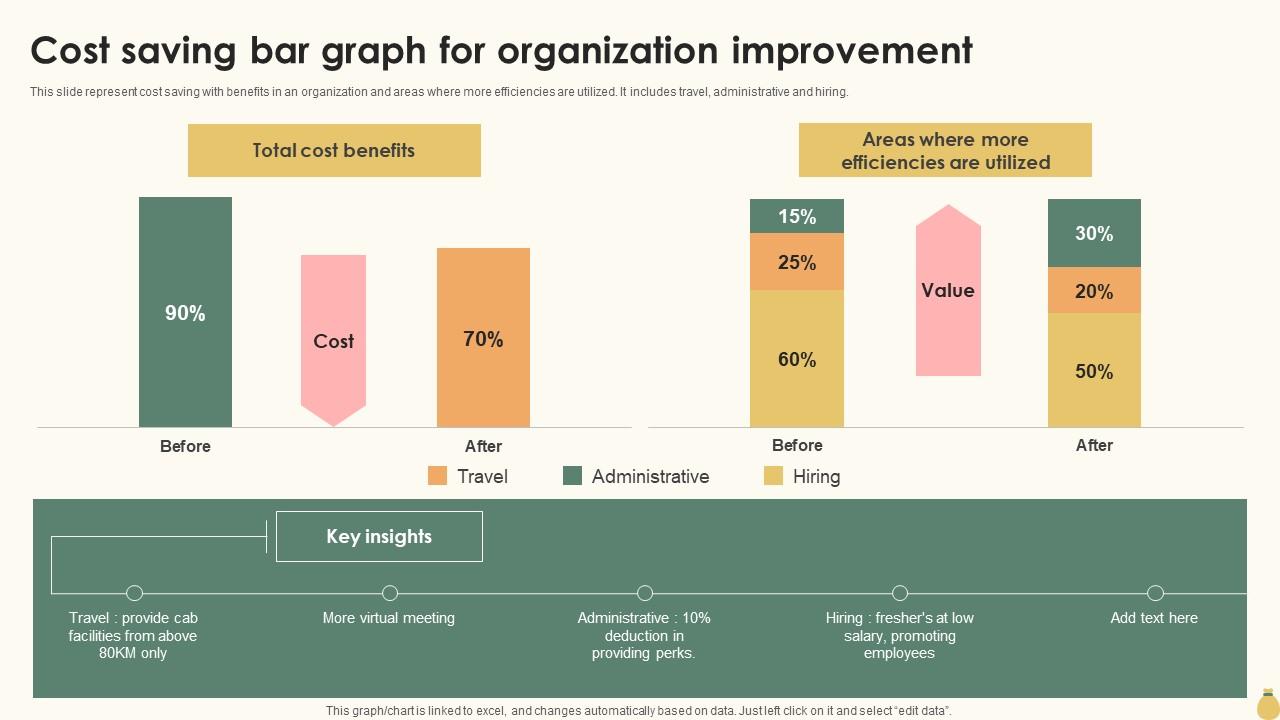
A strong example is DevPanel’s evaluation for a large U.S. government news agency. The agency was facing approximately $1 million per year in Acquia hosting costs for only part of its Drupal footprint. DevPanel projected that running the workload on AWS with DevPanel could reduce annual hosting costs to under $200,000, representing more than 75% savings.
Not every organization will see the same savings. The actual result depends on traffic, architecture, support requirements, compliance needs, and current hosting costs. But the principle is consistent: when you own the cloud account and automate operations, you gain far more control over cost.
Developer Velocity: The Hidden ROI
Cost savings matter, but developer velocity may matter even more.
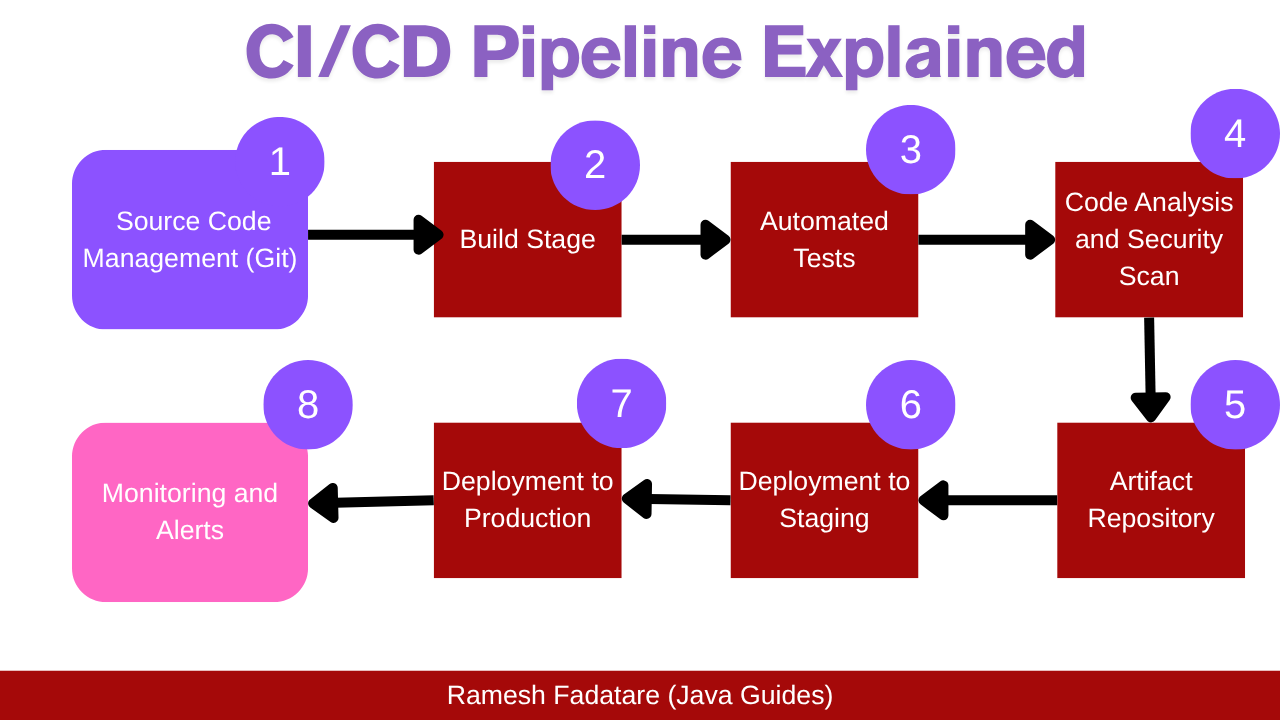
Traditional hosting workflows often slow teams down. Developers wait for staging environments. QA teams share test sites. Agencies submit tickets to hosting providers for routine changes. New developers spend days setting up local machines.
DevPanel reduces that friction by giving teams cloud-based development environments and self-service workflows.
Developers can work in browser-based VS Code, use project-specific environments, and test changes without fighting local setup issues. Teams can create isolated environments for branches, features, updates, and QA.
This changes the rhythm of delivery.
Instead of waiting on infrastructure, teams can:
•Test more changes in parallel
•Reduce “works on my machine” problems
•Onboard developers faster
•Improve QA confidence
•Deploy more safely
•Roll back more easily when needed
For WordPress, Drupal, Backdrop, and PHP teams, this is often the difference between a slow support-driven workflow and a modern application delivery workflow.
Security and Compliance Without Giving Up Control
Security is one of the most important reasons to avoid blind dependency on a managed hosting vendor.
When your infrastructure is inside someone else’s platform, you may not have the access, visibility, or architectural flexibility needed for certain security and compliance requirements.
With BYOC and multi-cloud hosting, the customer can decide:
•Which cloud provider to use
•Which region to deploy into
•Which access policies to enforce
•Which monitoring tools to connect
•Which backup policies to apply
•Which compliance controls need to be documented
DevPanel helps by automating and standardizing key operational controls, including environment provisioning, SSL, access management workflows, backups, deployment workflows, and infrastructure automation.
This is especially important for organizations in government, healthcare, education, and nonprofit sectors. These teams often need the benefits of cloud infrastructure, but they also need ownership, visibility, and control.
Kaplan Early Learning Company is one example of this pattern. Kaplan needed to migrate a student portal to Microsoft Azure with HIPAA-related requirements, multiple environments, secure API infrastructure, backups, monitoring, and limited internal DevOps capacity. DevPanel helped turn that kind of complex cloud migration into a more automated and manageable process.
Multi-Cloud vs. Hybrid Cloud
Multi-cloud and hybrid cloud are often confused, but they are not the same thing.
| Category | Multi-Cloud Hosting | Hybrid Cloud |
| What it means | Using more than one public cloud provider | Combining public cloud with private cloud or on-premise infrastructure |
| Example | AWS + Azure + DigitalOcean | AWS + private data center |
| Primary benefit | Flexibility, cost control, provider choice | Keeping certain systems on-premise while using public cloud |
| Common use case | Agencies, SaaS platforms, web applications, CMS hosting | Enterprises with legacy systems or strict physical infrastructure requirements |
| Complexity level | Moderate to high, depending on automation | High, especially around networking and security |
For most web teams, agencies, nonprofits, and SaaS companies, multi-cloud hosting is more practical than hybrid cloud. They do not need to maintain physical infrastructure. They need cloud flexibility, repeatable workflows, and control over cost.
Should Every Team Use Multiple Clouds Immediately?
No.
The strongest strategy is not always to run production workloads across multiple clouds from day one. That can create unnecessary complexity.
A smarter approach is to become multi-cloud ready.
That means:
•Start with the cloud provider that makes the most sense today
•Keep your application workflows portable
•Avoid platform-specific lock-in where possible
•Use automation that can support multiple providers
•Maintain control over your data, code, and infrastructure account
•Add another cloud provider only when there is a real business reason
For example, a team may start with AWS because it has the best fit for production. Later, it may add Azure for a client with Microsoft-centered compliance requirements. Another team may use DigitalOcean for cost-sensitive development environments.
The point is not complexity. The point is strategic freedom.
Where DevPanel Fits
DevPanel is not just another hosting provider.
DevPanel is an application orchestration platform that helps teams deploy and manage web applications inside their own cloud infrastructure.
It is designed for organizations that want the power of AWS, Azure, or DigitalOcean without forcing their developers to become cloud infrastructure specialists.
DevPanel supports:
•Drupal, WordPress, Backdrop, and PHP applications
•Cloud-based development environments
•Browser-based VS Code
•Git-based workflows
•Dev, stage, and production environments
•CI/CD automation
•Blue/green deployment workflows
•Application cloning
•Backups
•SSL and domain workflows
•Multi-cloud infrastructure management
•Customer-owned cloud accounts
This makes DevPanel especially useful for:
•Digital agencies managing multiple client sites
•Nonprofits with limited technical staff
•Government contractors with compliance needs
•Education organizations with complex portals
•SaaS teams that need repeatable deployment workflows
•Enterprises that want more cloud control without growing a large DevOps team
Real-World Proof: DevPanel in Action
DevPanel’s value is easiest to understand through real-world examples.
The Academy of Model Aeronautics used DevPanel to manage more than 30 sites across Drupal, Backdrop, and WordPress on AWS. What previously required more coordination and external support became manageable through a unified dashboard.
A large U.S. government news agency used DevPanel to evaluate a migration from Acquia to AWS. The projected savings were more than 75%, while maintaining performance, scalability, infrastructure access, and 24/7 support.
DrupalForge was built on DevPanel and demonstrated how DevPanel can power a larger platform, not just individual websites. DrupalForge was able to launch large numbers of Drupal environments quickly, showing how DevPanel can support community-scale, template-driven, and developer-friendly workflows.
Parents Helping Parents migrated from WP Engine to AWS with DevPanel, gaining more development flexibility, cloud-based dev environments, CDN/WAF options, and greater control over infrastructure.
These are not abstract benefits. They are the practical outcomes organizations want from modern hosting: lower cost, more control, faster delivery, and less dependency on old hosting workflows.
Conclusion: Multi-Cloud Hosting Is About Control
Multi-cloud hosting is not about chasing complexity. It is about taking back control.
Control over cost.
Control over infrastructure.
Control over data location.
Control over development workflows.
Control over vendor risk.
Traditional managed hosting still has a place, especially for teams that want the simplest possible setup and do not need infrastructure ownership. But for organizations that care about cost, flexibility, compliance, and long-term independence, the old model is becoming harder to justify.
DevPanel gives teams a cleaner path forward.
You can run on AWS, Azure, or DigitalOcean. You can keep your cloud account. You can give developers modern workflows. You can automate the operations that used to require a full DevOps team.
Most importantly, you can stop choosing between managed hosting convenience and cloud infrastructure control.
With DevPanel, you can have both.
Frequently Asked Questions
What is multi-cloud hosting?
Multi-cloud hosting means using more than one public cloud provider, such as AWS, Azure, or DigitalOcean, to run websites, applications, development environments, or production workloads.
Is multi-cloud hosting only for large enterprises?
No. Multi-cloud hosting becomes practical for smaller teams when they use an orchestration platform that automates provisioning, deployment, security, backups, and environment management.
Does DevPanel replace AWS, Azure, or DigitalOcean?
No. DevPanel does not replace the cloud provider. It sits on top of your cloud account and helps automate application management, development workflows, deployments, scaling, and operations.
Can DevPanel run WordPress and Drupal?
Yes. DevPanel supports WordPress, Drupal, Backdrop, PHP applications, and other web application workflows.
Do I need to know AWS to use DevPanel?
DevPanel is designed to reduce the need for deep AWS, Azure, or DigitalOcean expertise. Teams can manage common application workflows through DevPanel instead of manually configuring every cloud service.
What is BYOC?
BYOC means Bring Your Own Cloud. The customer owns the cloud account, while DevPanel provides the orchestration and automation layer used to manage applications inside that account.
How does multi-cloud hosting reduce vendor lock-in?
Multi-cloud hosting reduces vendor lock-in by keeping your applications, data, and infrastructure inside cloud accounts you control. You are not fully dependent on a single managed hosting provider’s closed environment or pricing model.
Should I run every workload across multiple clouds?
Not necessarily. Many teams should start with one primary cloud provider and become multi-cloud ready. Add another provider when there is a real business reason, such as compliance, client preference, regional needs, or cost optimization.